

At comparable tiers these two suites now cost close to the same, do broadly the same jobs, and are both perfectly good. Which makes the usual feature-by-feature comparison almost useless, because the winner changes every quarter and the differences that matter are structural.
Three things settle the real Google Workspace vs Microsoft 365 decision. How each company sells you AI, how each one counts your storage, and which apps your team already opens without thinking. The third usually decides it.
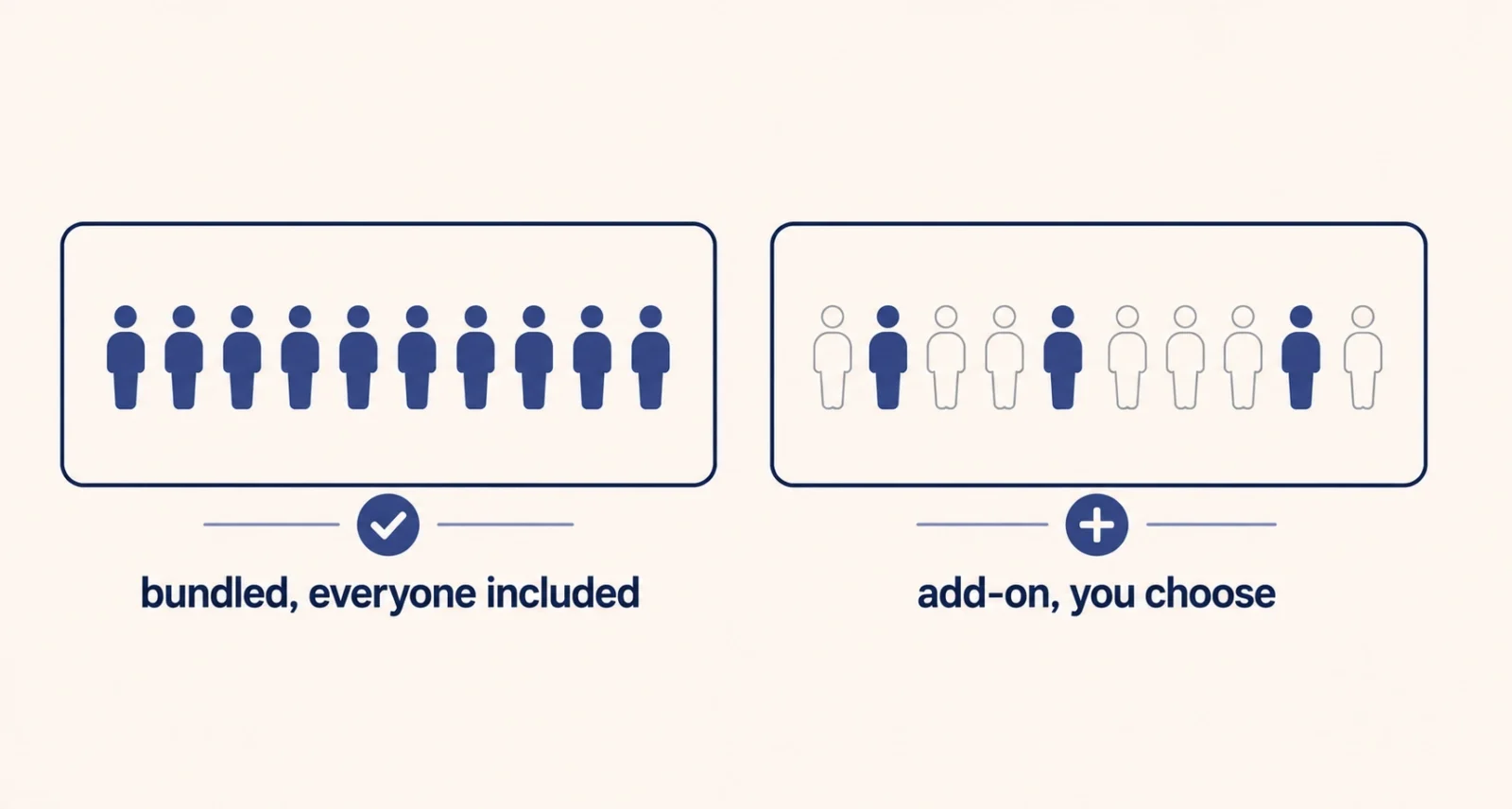
| The Short Answer Base plans are priced similarly, roughly $7, $14, and $22 per user each month at the three business tiers, though you should check current figures because both companies changed pricing during 2026. The genuine differences are structural. Google folds Gemini into every paid plan, so AI costs nothing extra but everyone gets it. Microsoft sells Copilot separately, so you pay more per person but choose who. Google pools storage across your whole organization, while Microsoft gives each user their own allocation. And Microsoft includes desktop apps from its middle tier upward, while Google stays in the browser. For most teams the deciding factor is simply which apps people already use. |
The Honest Starting Point
Before any comparison, one uncomfortable truth. If your team already lives in Gmail and Drive, or already lives in Outlook and Teams, that habit outweighs almost every feature difference below.
Migration is not a weekend job. Moving a company between suites typically takes weeks, and the licensing gap is rarely the biggest cost. Retraining, lost productivity, rebuilding shared folders, and fixing broken integrations all cost more than the few dollars a month separating the two. A slightly pricier suite people use well beats a cheaper one that creates friction and workarounds.
| Worth Knowing This comparison is genuinely useful in two situations. You are starting fresh and have no existing setup, or you are unhappy enough with your current suite that the switching cost is worth paying. If neither applies, the answer is probably to stay where you are and spend the effort on using it better. |
Google Workspace vs Microsoft 365: Price at a Glance
Approximate United States list prices per user each month, for annual commitments. Both companies adjusted pricing during 2026, so treat these as a guide rather than a quote.
| Tier | Google Workspace | Microsoft 365 | Key Difference |
| Entry | Starter, around $7 | Business Basic, around $7 | Neither includes desktop apps |
| Middle | Standard, around $14 | Business Standard, around $14 | Microsoft adds desktop Office apps |
| Upper | Plus, around $22 | Business Premium, around $22 | Microsoft adds security and device management |
| AI | Gemini included | Copilot costs extra | The largest practical gap |
Verify before you budget. Current figures are on Google’s Workspace pricing page and Microsoft’s business plans page. Prices vary by region, by contract length, and by whether you buy through a partner.
The Real Difference Is How They Sell AI
This is the biggest divergence between the two suites, and it is a packaging decision rather than a technology one.
Google folded Gemini into paid Workspace plans in early 2025, raising base prices instead of charging separately. Everyone on a plan gets AI. You cannot opt out, or buy it for only some people. Microsoft went the opposite way. Copilot is sold as an add-on on top of a qualifying plan, with a business tier and a higher enterprise tier, and you decide who receives a seat. Microsoft does include a limited Copilot chat at no extra cost. That version works from web data rather than your company documents.
| Google’s Approach | Microsoft’s Approach | |||
| AI cost | Built into the plan price | Separate per-seat add-on | ||
| Who gets it | Everyone on the plan | Only who you choose | ||
| Can you opt out | No | Yes, simply do not buy seats | ||
| Best when | You want AI across the whole team | Only some roles need it | ||
| Quick Take Do the arithmetic for your own team rather than trusting either sales pitch. If you want AI for everyone, Google is dramatically cheaper, since a ten-person team pays nothing extra while the same team on Microsoft adds a per-seat fee ten times over. If only three of thirty people would genuinely use it, Microsoft’s model costs less overall. Industry reporting suggests only a small single-digit percentage of Microsoft business users actually pay for the full Copilot add-on, which tells you something about how many organizations reach that conclusion. | ||||
The Storage Difference Nobody Explains
This one catches teams out badly, because the numbers look similar until you understand how they are counted.
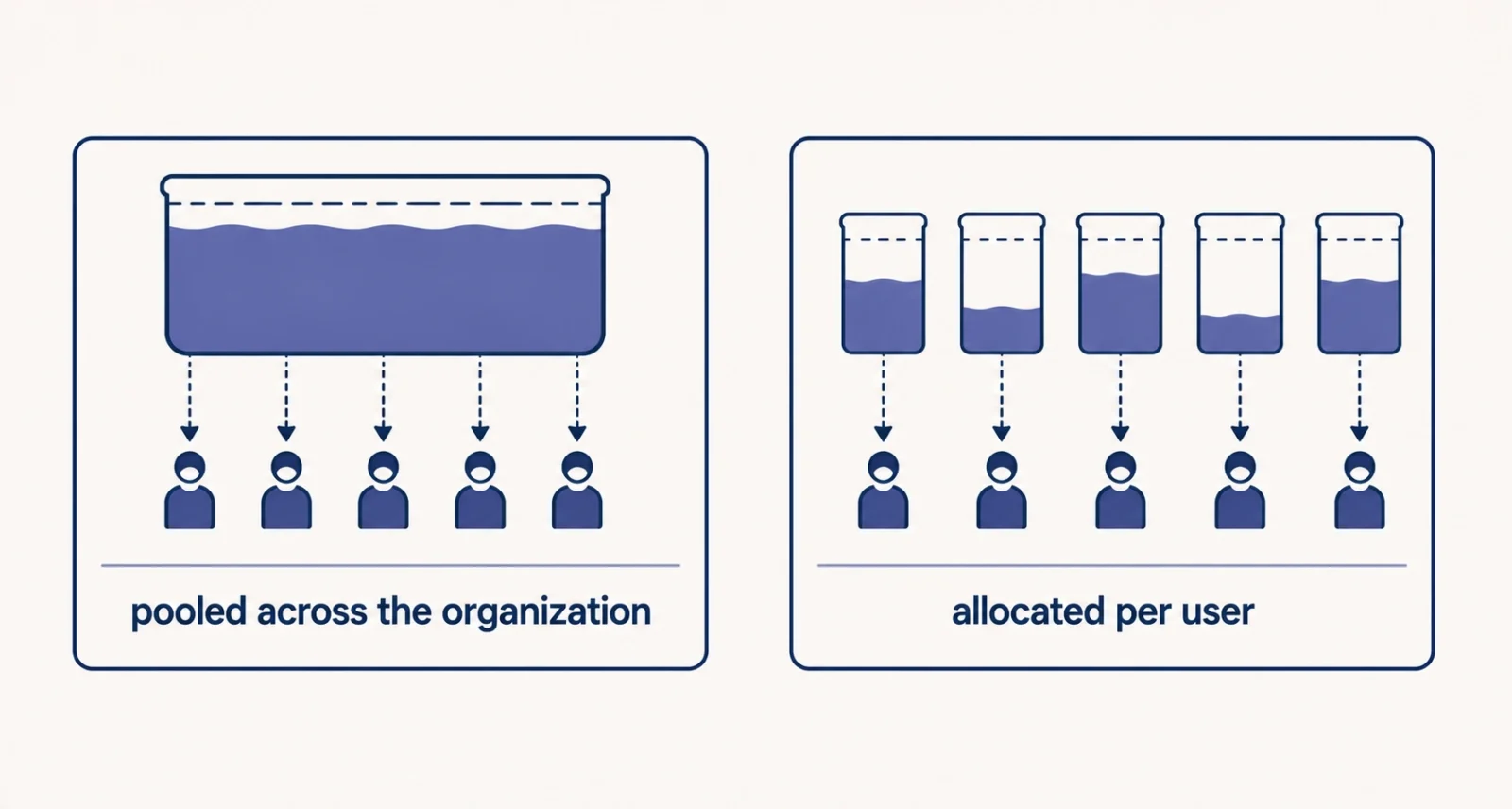
Microsoft allocates storage per user, typically around a terabyte each. Fifty people therefore get roughly fifty terabytes between them. Google pools storage across the whole organization instead. On the entry tier that means a shared allowance per user contributed to one pot, and on the middle tier a fixed pool for everybody.
Google’s pool covers Drive, Gmail, shared drives, and meeting recordings all together. A team that records a lot of video calls can consume a surprising share of it, and when the pool fills, it fills for everyone rather than for one person. Microsoft’s model isolates that problem to whoever caused it.
| The Catch Nobody Prints on the Box Before choosing on price, estimate your storage honestly, and include video. Meeting recordings are the fastest-growing item in most organizations and the one people forget entirely when comparing plans. If your team records calls routinely, model that growth over two years rather than looking at today’s usage, because pooled storage that fills up affects everybody at once. |
Where Each One Genuinely Wins
Both are capable. These are the areas where the gap is real rather than marginal.
Google Workspace is stronger for
Real-time collaboration, where multiple people editing one document was the core design from the beginning rather than an addition. Browser-first working across mixed devices, including Chromebooks and tablets. Simplicity of administration for small teams without dedicated IT. And AI economics when you want it available to everybody, since Gemini adds nothing to the bill.
Microsoft 365 is stronger for
Serious desktop work, particularly Excel. Advanced formulas, macros, Power Query, and large workbooks remain genuinely better there than in any browser alternative. Windows-heavy organizations that need device management and enterprise security. Teams as a single hub combining chat, files, and meetings. And any workflow already built around Outlook, SharePoint, or existing Microsoft infrastructure.
Notice the pattern. Google wins on collaboration and simplicity, Microsoft wins on depth and control. Neither is a knockout, and any comparison claiming otherwise is selling something.
Which Should You Choose?
Match yourself to the closest row rather than adding up features.
| Your Situation | Reasonable Choice |
| Small team, browser-based, no dedicated IT | Google Workspace |
| Heavy Excel work, complex spreadsheets, macros | Microsoft 365 |
| Windows fleet needing device management | Microsoft 365 |
| You want AI for everyone without a second bill | Google Workspace |
| Only a few roles need AI | Microsoft 365, with selected Copilot seats |
| Already deep in one suite and reasonably happy | Stay where you are |
That final row is the honest answer for a large share of readers. It is worth saying plainly rather than burying, because the effort of switching is usually better spent elsewhere.
Before You Commit
Four things worth doing regardless of which way you lean.
- Run a real trial with real work. Both offer free trials. Give three or four people genuine tasks for two weeks rather than clicking around for an afternoon.
- Test your most complicated file. If a specific spreadsheet or document runs your business, open it in the suite you are considering before deciding anything.
- Estimate storage over two years, including video recordings, rather than looking at what you use today.
- Price the AI honestly. Count how many people would genuinely use it weekly, then compare bundled against per-seat on that number rather than on headcount.
Stop comparing feature lists, because they converge and change constantly. Three structural questions settle it. Do you want AI for everyone or only some people? Does pooled or per-user storage suit how your team works? And does anyone depend on desktop Excel?
Frequently Asked Questions
Which is cheaper, Google Workspace or Microsoft 365?
At comparable business tiers the base prices are close, roughly $7, $14, and $22 per user monthly. Both companies adjusted pricing during 2026. The meaningful difference is AI. Google includes Gemini in the plan price, while Microsoft sells Copilot as a separate per-seat add-on, so Google is usually cheaper when you want AI across the whole team.
Is Gemini included in Google Workspace?
Yes. Google folded Gemini into paid Workspace plans in early 2025, raising base prices rather than charging separately. Everyone on a plan gets access, which is convenient but means you cannot buy it for only some people. Feature depth still varies between tiers, with the most advanced capabilities reserved for higher plans.
Does Microsoft 365 include Copilot?
Not the full version. Microsoft includes a limited Copilot chat with business subscriptions, but it draws on web data rather than your organization’s documents. The full Copilot works across Word, Excel, Outlook, and Teams. Microsoft sells it per seat on top of a qualifying plan, with separate business and enterprise pricing.
What is the difference in how storage works?
Microsoft allocates storage per user, so each person gets their own allowance, typically around a terabyte. Google pools storage across the entire organization, so everyone draws from a shared total. Pooled storage is simpler to administer but fills up for everybody at once, and meeting recordings consume it faster than most teams expect.
Can I use Microsoft Office apps with Google Workspace?
Yes. Google Workspace opens and saves Microsoft formats, and many organizations run both, using Workspace for email and collaboration while keeping desktop Office for heavy spreadsheet work. It costs more than committing to one, but it is a legitimate approach when different teams have genuinely different needs.
How hard is it to switch between them?
Harder than the price difference suggests. Migration typically takes weeks depending on size, and licensing is rarely the largest cost. Retraining, productivity lost during the transition, rebuilding shared folders, and repairing integrations usually exceed it. Switch because the platform genuinely does not fit, not to save a couple of dollars per user.

