
The Safari 26.6 update landed on July 27, 2026. It adds no new features. Instead, it closes 11 security holes in Safari and the WebKit engine that powers it. None of the flaws are known to be used in real attacks. Even so, the smart move is to install it soon, and this guide shows you why and how.
| QUICK TAKE Safari 26.6 is a security-only update, released July 27, 2026, for Macs on macOS Sonoma and macOS Sequoia. It fixes 11 flaws in Safari and its WebKit engine, including bugs that could leak your data or crash the browser. Apple does not say any were used in attacks. Update through System Settings when you get a moment. |
| KEY TAKEAWAYS • Safari 26.6 is a security update, not a feature update. It shipped on July 27, 2026. • It is for Macs running macOS Sonoma or macOS Sequoia. The latest macOS gets it through its own system update. • It patches 11 flaws across Safari, WebKit, WebKit Canvas, and WebRTC. • The fixes cover data leaks, fake page tricks, a sandbox gap, and several browser crashes. • Nothing is known to be exploited. Still, install it promptly, because patched flaws become public knowledge. |
What the Safari 26.6 Update Is, and Who Needs It
Safari 26.6 is a security-only update for Apple’s web browser. It fixes bugs quietly in the background and adds no visible new features.
This standalone update is for Macs running macOS Sonoma or macOS Sequoia. If your Mac runs the latest macOS, Tahoe, you get Safari 26.6 as part of your regular system update instead. Either way, the fixes are the same.
If you followed the previous Safari 26.5.2 update, this is the next step in the same series. Apple ships these small browser patches often, and they rarely make headlines, which is why they are easy to skip.
What Safari 26.6 Actually Fixes
The 11 fixes sound technical, but they fall into a few simple groups. Here is what each one actually protects, without the jargon.
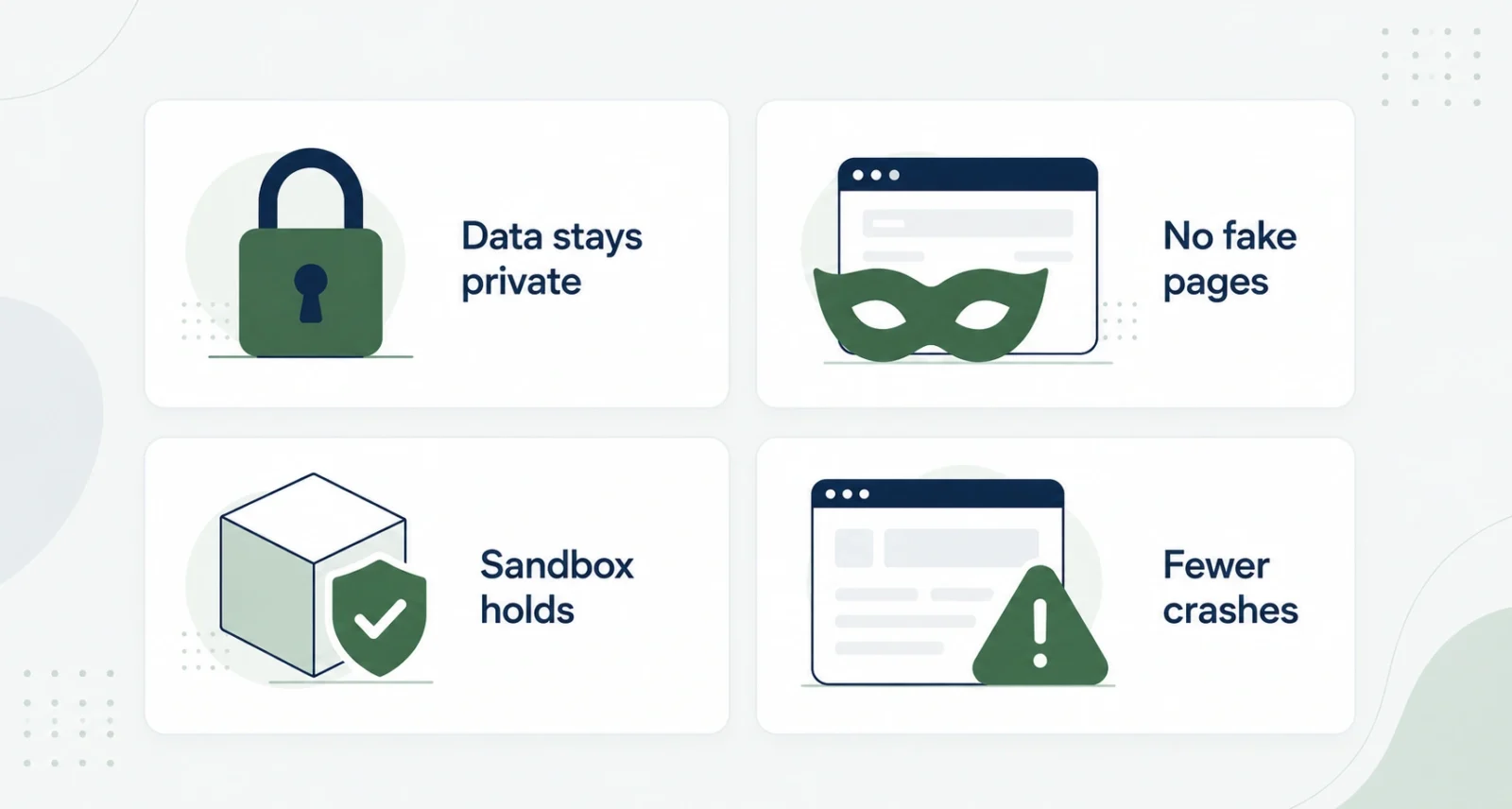
Your private data stays private. Several fixes stop an app or website from seeing things it should not. One closed a gap where an app could reach sensitive user data. Another stopped websites from checking whether you had visited a certain link. A third blocked an app from reading files outside its own sandbox.
Fake pages get harder to build. One fix addresses UI spoofing, where a malicious site inside a frame could fake parts of the interface to trick you.
The sandbox holds. Another fix tightened iframe sandbox rules, so embedded content cannot break out of its safe box.
Fewer surprise crashes. Most of the remaining fixes stop a malicious page from crashing Safari or briefly locking it up. These are the classic memory bugs that browsers patch on a regular basis.
| The Fixes at a Glance | What Could Have Happened | Status |
| Private data | An app or site could reach data, files, or your link history | Fixed |
| Fake pages | A framed malicious site could spoof the interface | Fixed |
| Sandbox | Embedded content could break out of its safe box | Fixed |
| Crashes | A bad web page could crash or freeze Safari | Fixed |
Are You at Risk Right Now
Apple does not say any of these flaws were used in real attacks. There is also no public sign of active exploitation. So there is no need to panic.
The reason to act is simpler. Once Apple publishes a patch, the flaws it fixes become public knowledge. From that point on, attackers can study them and try to target anyone who has not updated. The safest move is to close the gap before that race begins.
| WHY IT MATTERS A security patch is a public to-do list for attackers. It quietly tells them exactly which doors were unlocked. That is why installing promptly, rather than eventually, is what keeps you ahead. |
How to Install the Safari 26.6 Update on Your Mac
Updating takes under a minute. Here is the simple path from start to finish.
Open System Settings
Click the Apple menu in the top-left corner of your screen, then choose System Settings.
Go to Software Update
Select General in the sidebar, then click Software Update. Wait a moment while your Mac checks for anything new.
Install the Update
When Safari 26.6, or a macOS update that includes it, appears, click Update Now or Upgrade Now. Enter your password if asked, then let it finish.
| GOOD TO KNOW If your Mac asks to restart, let it. Your open tabs and windows come back after Safari reopens. You can also turn on automatic updates in the same Software Update screen, so future patches install on their own. |
The Interesting Part: AI Helped Find These Bugs
Scroll to the bottom of Apple’s notes, where it credits the researchers, and you will spot something new. AI systems helped catch several of these flaws.
The credits name work involving Anthropic’s Claude, alongside OpenAI’s Codex security effort. It is the same pattern seen in recent Apple updates, including the macOS Tahoe 26.5.2 update. The technology people often worry about is now busy making the software on your Mac safer.
| THE COOL PART Human experts still lead the hunt. But AI has become a genuine partner, reading through code and flagging bugs faster than before. Quiet updates like this one are where that shift shows up first. |
| THE BOTTOM LINE The Safari 26.6 update is easy to swipe past and unwise to ignore. It shows you nothing new, yet it quietly closes 11 doors an attacker could have used. Open System Settings, run the update, and you are done. Two minutes now saves a lot of worry later. |
Frequently Asked Questions
What Is the Safari 26.6 Update?
Safari 26.6 is a security-only update for Apple’s browser, released July 27, 2026. It fixes 11 flaws in Safari and its WebKit engine, with no new features.
Which Macs Can Install Safari 26.6?
It is available for Macs running macOS Sonoma or macOS Sequoia. If your Mac runs the latest macOS, you get Safari 26.6 through your regular system update.
Is Safari 26.6 a Security Update or a Feature Update?
It is a security update. It adds nothing new to use, and its only job is to patch the 11 bugs Apple lists in its notes.
Were Any of the Safari 26.6 Bugs Used in Attacks?
Apple does not say any of them were used in real attacks, and there is no public sign of active exploitation. The reason to update quickly is that patched flaws become public knowledge.
How Do I Update to Safari 26.6?
Open the Apple menu, choose System Settings, then go to General and Software Update. When the update appears, click Update Now and let it finish.
Do I Still Need Safari 26.6 if I Use Chrome or Firefox?
On a Mac, Chrome and Firefox use their own engines, so this update mainly matters when you open Safari or apps that show web pages through WebKit. Installing it is still the safe choice.
What About iPhone and iPad?
This particular update is for the Mac. Your iPhone and iPad get their Safari and WebKit fixes through iOS and iPadOS updates, as covered in the iOS 26.5.2 update.
You May Also Like
- Missed the last one? Catch up on the Safari 26.5.2 security update.
- Curious how AI is finding these bugs? See the macOS Tahoe 26.5.2 update.
- For more updates, guides, and news, browse our full Apple coverage.

