
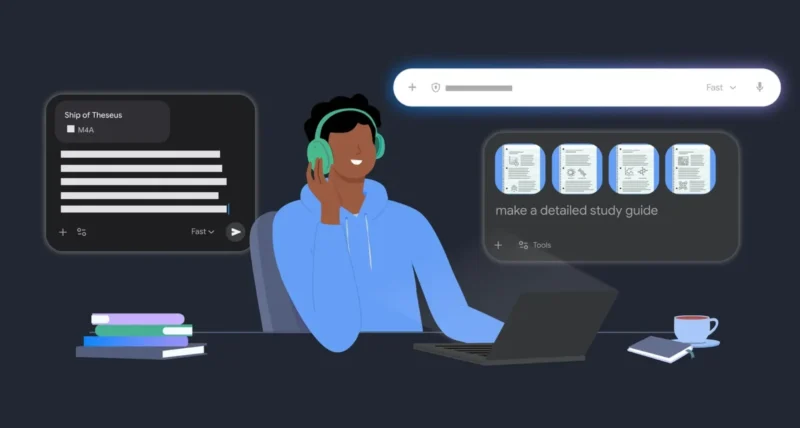
Exam season is here, and the pressure is real. Piles of notes, endless tabs, and not enough hours. The good news? Google’s AI tools can turn that chaos into a calm, focused study plan.
In this guide we will show you exactly how to study for exams with Google AI tools, in five simple ways, with copy-and-paste prompts you can use today. There is also a section for parents. Let us help you finish the year strong.
The Quick Scoop
Short on time before a test? Here are the five ways at a glance.
| The Goal | The Tool and Trick |
| Get organized | Put every note, PDF, and photo into one Notebook in Gemini |
| Make a study guide | Ask Gemini to turn your files into a clear study guide |
| Test yourself | Ask Gemini for a custom quiz and find your weak spots |
| Understand the why | Use Guided Learning to be coached, not just given answers |
| Stay focused | Use YouTube timers and Shorts limits to protect study time |
Heads Up: Notebooks in Gemini are currently available to users aged 18 and over with a personal Google account. Always cross-check AI answers against your official course materials.

1. Put All Your Study Materials in One Place
| 1 | Build a study command center with Notebooks in Gemini |
Stop juggling a dozen tabs for every subject. Notebooks in Gemini turn your chosen sources into a study command center that remembers your progress and picks up where you left off.
Create one notebook per subject, then upload everything into it.
- Lecture slides and PDFs from your course.
- Photos of whiteboards and handwritten notes.
- Your class notes and even past chat history from this semester.
Worth Knowing: Keeping each subject in its own notebook means Gemini always answers using your real materials, not random information from the web. That makes every later step more accurate.

2. Generate a Study Guide in Seconds
| 2 | Let Gemini turn hundreds of pages into a clear guide |
Once your files are uploaded, let Gemini do the heavy lifting. It can distill hundreds of pages of messy notes into a logical, structured study guide, or even an interactive quiz.
The best part is that you can skip what you already know. Tell Gemini to bypass the basics and go deep on the hardest topics, so you spend your time where it counts.
| COPY THIS PROMPT
What you get A structured, easy-to-follow study guide built from your own uploaded notes, organized by topic so you can revise in order. |
Quick Tip: Add a line like focus on the three hardest chapters and skip the introduction. The more specific you are, the more useful and time-saving the study guide becomes.

3. Find Out What You Still Need to Learn
| 3 | Quiz yourself and spot the gaps before the exam does |
Reading your notes feels productive, but it hides what you do not know yet. The fix is to test yourself. Ask Gemini to build a custom practice quiz from your own course materials.
You can go further with Gemini Live. Explain a concept out loud and ask it to spot gaps in your logic. It asks follow-up questions to test you and clear up confusion, like a study partner who already aced the course.
| COPY THIS PROMPT
What you get A custom practice quiz drawn from your uploaded notes, so you can find weak spots while there is still time to fix them. |
Why It Matters: Testing yourself is one of the most proven ways to remember things, far more than re-reading. A quick AI quiz turns passive revision into active recall, which sticks.

4. Master the Logic, Not Just the Answer
| 4 | Get coached through hard problems with Guided Learning |
For those stuck moments when no teacher or tutor is around, Guided Learning steps in. Instead of just handing you the answer, it coaches you through, asking open-ended questions so you understand the why behind a problem.
This one is brilliant for parents too. If your child is wrestling with algebra, work through it together. Let Guided Learning supply the step-by-step logic while you supply the encouragement.
| COPY THIS PROMPT
What you get A guided walk through the physics, step by step, with questions that help you reach the answer yourself instead of just being told. |
A Final Thought: Learning the why, not just the what, is what makes knowledge stick under exam pressure. Guided Learning is built around that idea, so it is perfect for the topics that confuse you most.
5. Use YouTube Intentionally, With Timers and Limits
| 5 | Keep YouTube a study tool, not a distraction |
YouTube is great for understanding a tricky topic. In fact, more than 74 percent of European teens use it weekly to help with schoolwork. The trick is staying focused, and YouTube has built-in tools for that.
- Set Take a Break reminders to pause long sessions.
- Set Bedtime reminders to protect your sleep before exams.
- Turn the Shorts feed off completely with the new Shorts feed limit, to avoid the endless scroll.
Quick Tip: Before a study session, switch on a Take a Break reminder and limit Shorts. A two-minute setup protects an hour of real focus, which matters most in exam week.

A Special Note for Parents
You do not need to be a tech expert to help. A few of these tools are made with you in mind, so you can support your child without doing the work for them.
- Use Guided Learning together to brush up on concepts you have not seen in years. Then offer encouragement while it handles the step-by-step logic.
- Manage YouTube screen time through a supervised account, including setting the Shorts scrolling timer, even down to zero.
- It takes only a few taps to set up, so you can find the right balance for your teen.
Worth Knowing: Google says these tools were built with educators and learning-science experts. They were also tested with students and teachers, to keep the experience safe, supervised, and age-appropriate for families.
Built for Safe, Responsible Learning
Technology should help students, not overwhelm them. Google says it partnered with educators and learning-science experts to build these AI tools responsibly. It also involved students and teachers in testing, so the tools meet real classroom needs.
Two practical notes are worth remembering as you use them.
- Age requirements: access to Gemini and NotebookLM varies by account type, and personal Google accounts are for users aged 18 and over.
- AI limitations: always check the responses. Gemini is a creative helper, so cross-reference its output with your official course materials before you rely on it.
The Bottom Line: These AI tools are powerful study partners, not replacements for your own work. Used well, they help you organize, test yourself, and understand more deeply, then you cross the finish line.
Frequently Asked Questions
How Can Google AI Tools Help Me Study for Exams
Google highlights five ways. You can gather all your materials in a Notebook in Gemini, then generate a study guide from them. You can also create practice quizzes to find gaps and use Guided Learning to understand the logic behind problems. Finally, YouTube timers and Shorts limits help you stay focused.
What Are Notebooks in Gemini
Notebooks in Gemini are a study hub where you collect your sources, like lecture PDFs, photos of notes, and class material, in one place. Gemini remembers your progress and answers using your own uploads, so you can pick up exactly where you left off. They are currently available to users 18 and over with a personal Google account.
How Do I Make a Study Guide With Gemini
Upload your notes and files into a notebook, then ask Gemini to create a study guide based on your course materials for your exams. It organizes hundreds of pages into a clear, structured guide. You can even tell it to skip the basics and focus on the hardest topics to save time.
What Is Guided Learning
Guided Learning is a Google tool that coaches you through a problem instead of just giving the answer. It asks open-ended questions to help you understand the why behind a concept. It works well for stuck moments, and parents can use it with their children to revise tricky subjects together.
How Can I Stay Focused on YouTube While Studying
YouTube has built-in focus tools. You can set Take a Break and Bedtime reminders to manage your sessions. You can also use the new Shorts feed limit to turn the Shorts feed off completely. Parents can manage these settings through a supervised account, including setting the Shorts timer to zero.
Are These Google AI Study Tools Safe
Google says it built these tools with educators and learning-science experts. It also tested them with students and teachers, to keep them safe and age-appropriate. Still, you should always check AI responses against your official course materials, since AI can make mistakes.
Can Parents Use These Tools to Help Their Kids
Yes. Parents can use Guided Learning with their children to revise concepts together, providing encouragement while the tool gives the step-by-step logic. Parents can also manage YouTube screen time through a supervised account, finding the right balance for their teen in just a few taps.
Do I Have to Pay to Use These Study Tools
The post does not list any price for these study features. Tools like Notebooks in Gemini are tied to your Google account, with personal accounts available to users 18 and over. Check the Gemini app and YouTube settings for the latest on availability and access where you live.

