
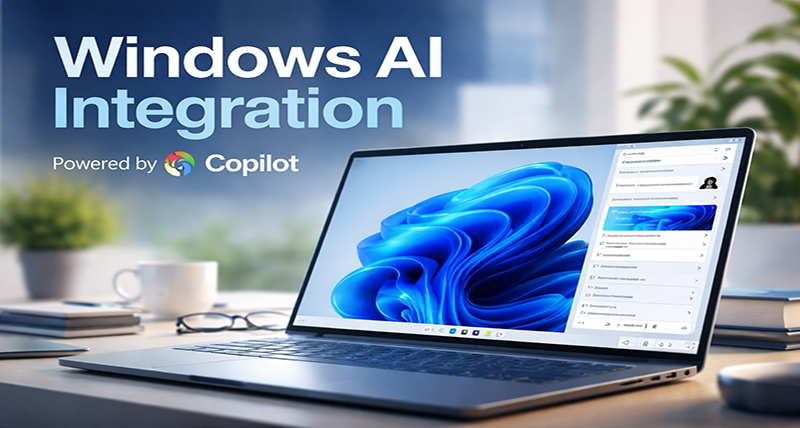
Artificial intelligence is no longer something you open in a browser tab. It is becoming part of the operating system itself. With the evolution of Microsoft Copilot inside Windows 11, Microsoft is reshaping how users interact with their PCs.
Windows is transitioning from a system you operate manually to a system you collaborate with.
The Shift: From Click-Based to Conversational Computing
For decades, using Windows meant navigating menus, adjusting settings manually, and managing files through structured folders. Copilot changes that approach completely.
Instead of searching through control panels, users can now:
- Ask Windows to change settings
- Summarize long documents instantly
- Rewrite content in different tones
- Generate images
- Automate repetitive workflows
The operating system is no longer passive. It responds, suggests, and assists.
What Are Copilot Upgrades Bringing to Windows?
Deeper System Integration
Copilot is no longer limited to answering questions. It integrates directly with system functions, enabling users to:
- Enable dark mode
- Adjust volume or brightness
- Open apps
- Troubleshoot system errors
- Configure network settings
This reduces friction and makes advanced controls accessible to everyday users.
Copilot+ PCs and On-Device AI
A major milestone in Windows AI integration is the introduction of Copilot+ PC devices.
These systems include dedicated Neural Processing Units (NPUs) designed specifically for AI workloads. The benefits include:
- Faster AI responses
- Reduced reliance on cloud servers
- Improved privacy
- Real-time AI processing
On-device AI ensures smoother experiences while minimizing latency.
AI Across Native Applications
Windows AI extends beyond a single assistant window. It integrates into built-in applications:
- Smarter search in File Explorer
- AI image editing in Photos
- Content rewriting in Notepad
- Image generation in Paint
- AI browsing assistance in Edge
The result is a cohesive ecosystem where intelligence flows through the entire interface.
Productivity Gains for Modern Users
For Professionals
AI-powered summarization and drafting reduce time spent on repetitive tasks. Reports, emails, and presentations can be generated or refined quickly, improving overall efficiency.
For Developers
Copilot assists with coding, debugging, and documentation. Developers can focus on logic and innovation while AI handles structural suggestions.
For Enterprises
Organizations benefit from scalable AI integration within an environment they already trust. With compliance controls and enterprise-grade security, Windows AI becomes a practical business tool rather than an experimental feature.
Security and Privacy in an AI-Powered OS
As AI becomes embedded into the operating system, concerns around data privacy increase. Microsoft addresses this through:
- Hybrid cloud and on-device processing
- Enterprise-level governance controls
- Transparency in AI interactions
The integration strategy aims to balance innovation with responsible deployment.
How Windows AI Compares in the Competitive Landscape
AI integration is becoming standard across major ecosystems. Companies like Apple and Google are embedding AI into their operating systems as well.
However, Microsoft’s advantage lies in:
- Its dominance in enterprise environments
- Deep integration with productivity tools
- Long-standing Windows ecosystem infrastructure
By embedding AI at the OS level rather than limiting it to apps, Windows positions itself as an AI-first computing platform.
The Future of Windows AI Integration
The Copilot upgrades mark the beginning, not the end, of AI transformation in Windows. Future developments are expected to include:
- Predictive workflow suggestions
- Context-aware file organization
- Intelligent task prioritization
- Personalized system recommendations
- Seamless cross-device AI experiences
As hardware continues to evolve, especially with AI-focused chips, Windows may soon operate as a personalized digital collaborator rather than just a tool.
Final Thoughts
Windows AI integration through Copilot upgrades represents a fundamental shift in computing. Instead of relying solely on manual input, users can now interact with their operating system conversationally and intelligently.
This transformation is not about adding a chatbot to Windows. It is about redefining how operating systems function in the age of artificial intelligence.
With AI embedded at its core, Windows is moving toward a future where productivity is faster, workflows are smarter, and computing feels more intuitive than ever before.

