
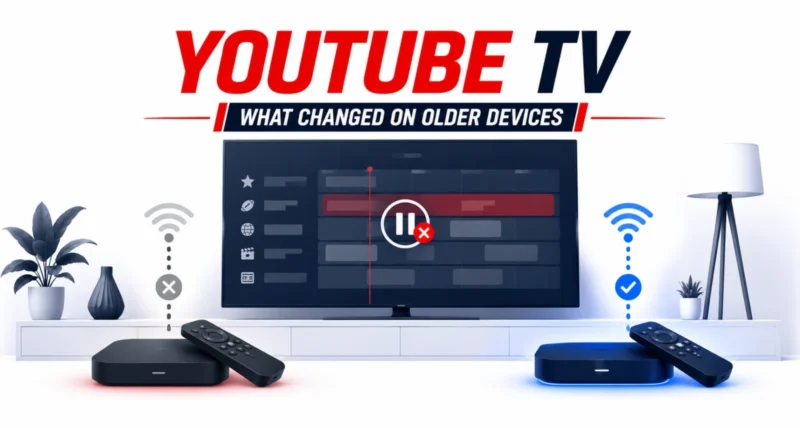
If your live TV suddenly stops playing the moment you open the guide, you are not imagining it. YouTube TV has quietly pushed an update that strips a handy feature from older and less powerful devices, and Roku owners seem to be hit hardest. As 9to5Google first reported, the change was never formally announced, which is why so many people are confused. Here is exactly what changed, whether your device is affected, and what you can do about it.
| The Quick Answer YouTube TV has disabled Live Guide background playback on older and less powerful devices, including many Roku units. That means the video now stops playing when you open the Live Guide, instead of continuing in a small window. It also shortened how far you can scroll ahead in the guide to just 24 hours. Google says the change prevents crashing on weaker hardware. The only real fix is to switch to a newer streaming device. |
What Exactly Did YouTube TV Change?
Two things changed for affected devices, and both are quietly annoying rather than catastrophic. Here is the breakdown in plain terms.
| What Changed | What It Means for You |
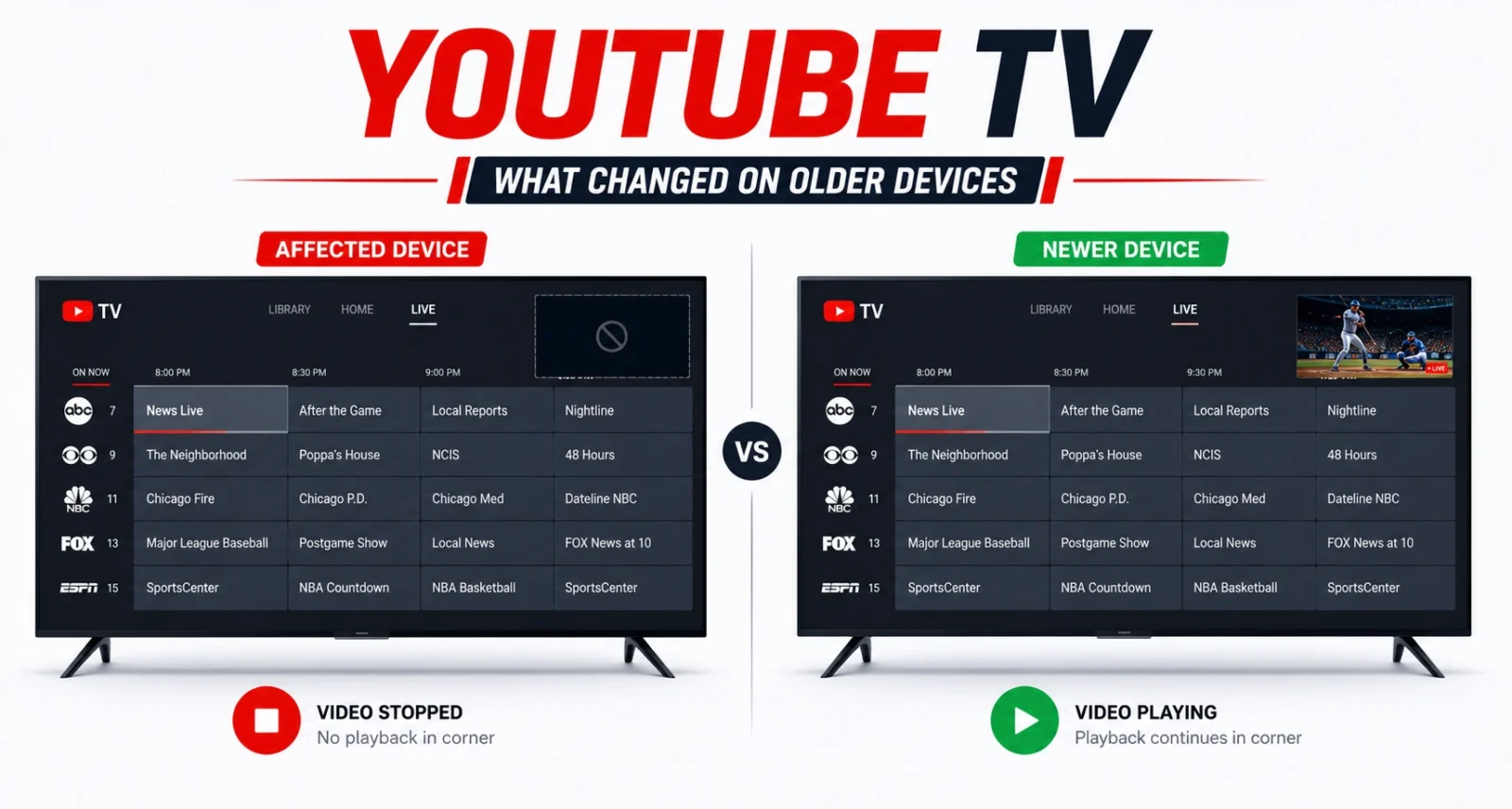
| Background play removed | When you open the Live Guide, the show you were watching now stops playing instead of continuing in a corner window |
| Shorter guide | You can now only scroll about 24 hours into the future in the program guide, instead of further ahead |
Background playback was a small but genuinely useful touch. It let your live channel keep running while you browsed what else was on. You never missed a moment of the game or show. On affected devices, that smooth experience is now gone.
When Did This Start?
Users first began reporting problems in late May 2026. Many complained that the Live Guide had broken or stopped working normally. Over the following weeks, more reports piled up about the shortened guide and the loss of background play. Eventually the cause became clear: a deliberate YouTube TV update, not a bug.
Is My Device Affected?
This is the question everyone wants answered, and the honest truth is that Google has not published a precise list. But the reporting points clearly in one direction.
- Roku devices, especially older ones, are the most commonly reported. Many affected users specifically flagged their Roku TV or Roku streaming device.
- Older and lower-end smart TVs and streaming sticks from various brands may also be affected.
- Very low-memory devices are the likely target. Google’s own support notes that devices with less than 512MB of memory may have a different experience with some features missing.
| Heads Up Google has not given exact hardware requirements, so there is no simple checklist. If you own an older Roku or a budget smart TV and your live video now stops when you open the guide, you are almost certainly affected by this YouTube TV change. |
Why Is Google Doing This?
According to a Google Diamond Product Expert responding on the official YouTube TV community forums, the change is intentional and aimed at weaker hardware. The stated goal is to prevent crashing and create a more seamless experience on older, lower-end devices. In other words, Google says these features were straining devices that could not handle them well, leading to crashes.
It is worth being clear about the source here. This explanation comes from a trusted community expert, not a formal Google press release. Google has not publicly announced the change or dismissed the expert’s explanation, which is exactly why it has felt so quiet and confusing to users.
| Worth Knowing There is a reasonable logic to it. If a feature is causing an older device to crash, removing it can make the app more stable overall. The frustration is less about the reasoning and more about how silently it happened, with no heads-up to the people affected. |
What Can You Do About It?
Realistically, your options are limited, but here is the honest rundown of what you can and cannot do.
The Official Fix: Upgrade Your Device
The advice from Google’s product expert is blunt: pick up a newer standalone streaming device for the best experience, and to keep future features working. A modern streaming stick or box has more memory and power. It can handle background playback and the full guide without trouble.
If You Don’t Want to Buy New Hardware
If you would rather not spend money, you can keep using YouTube TV on your current device. You simply lose background play and live with the shorter guide. The core service still works. You simply lose the convenience features. A few small things worth trying first:
- Restart and update: make sure your device software and the YouTube TV app are fully up to date, just in case some of your issues are a separate glitch.
- Check your other devices: the same YouTube TV account works on newer phones, tablets, and TVs you may already own, where the features still work normally.
- Send feedback: use the in-app feedback option to tell Google this matters to you. Enough voices can influence whether features return.
| Quick Tip Before buying anything, check whether a newer streaming device you already own, like a recent smart TV, game console, or phone, gives you the full YouTube TV experience. You may not need to spend a cent. |
The Bigger Picture: Who Really Owns Your Features?
This story is small on its own, but it taps into a bigger frustration. A software update took away a feature that worked perfectly well, overnight, with no warning and no way to opt out. It is a reminder that with streaming services, the experience you pay for can change at any time. You largely depend on the provider’s choices.
For many subscribers, the real complaint is not the missing feature itself, but the silence around it. A simple heads-up would have gone a long way.
Frequently Asked Questions
What Did YouTube TV Remove on Older Devices
YouTube TV disabled Live Guide background playback on older and less powerful devices. That is the feature where live video kept playing while you browsed the guide. It also shortened the program guide so you can only scroll about 24 hours into the future.
Why Does My YouTube TV Stop Playing When I Open the Guide
Because of a recent YouTube TV update that removed background playback on older or lower-end hardware. The video now stops instead of continuing in a corner window. Google says this prevents crashing on weaker devices.
Which Devices Are Affected
Older Roku devices are the most commonly reported. Older and budget smart TVs and streaming sticks from other brands may be affected too, with very low-memory devices (under 512MB) the likely target. Google has not published an exact list.
Is This a Bug or Intentional
It is intentional. A Google product expert confirmed on the official forums that the change happened on purpose to improve stability on older devices, though Google never formally announced it.
How Do I Get the Feature Back
The only reliable fix is to use a newer, more powerful streaming device. A recent streaming stick, box, smart TV, phone, or tablet will still run background play and the full guide.
Does This Affect All YouTube TV Users
No. If you use a newer, capable device, you should not notice any change. The update specifically hits older and less powerful hardware that struggled with these features.

