
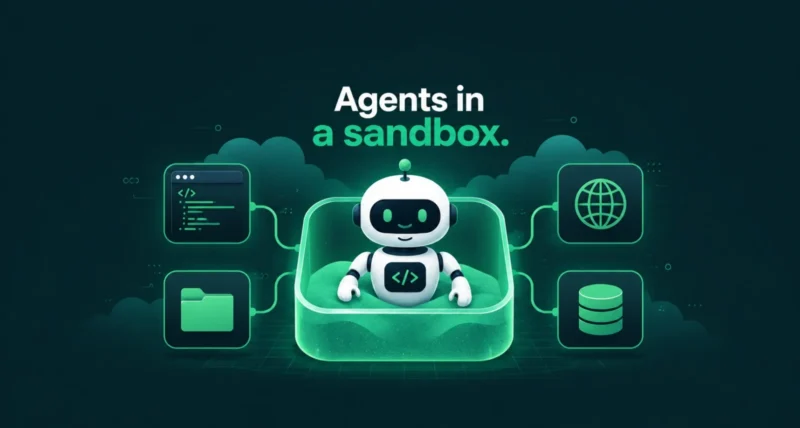
Google is making it easier to build AI agents that actually hold up in production. On July 7, 2026, the company announced a big expansion to Managed Agents in Gemini API, adding four new capabilities that developers have been asking for: background execution, remote MCP server support, custom function calling, and credential refresh. If you build with Gemini, these updates matter. Here is a clear, no-jargon breakdown of what changed, why it is useful, and how to get started.
| Quick Summary Managed Agents in the Gemini API let you call a single endpoint while Gemini handles the reasoning, code execution, package installs, file management, and web access inside a secure cloud sandbox. The July 2026 update adds four things: long-running background tasks, direct connections to remote MCP servers, custom functions that run on your side, and a way to refresh expired credentials without losing your sandbox. Together, they turn managed agents into reliable, always-on workers for real applications. |
What Are Managed Agents in the Gemini API?
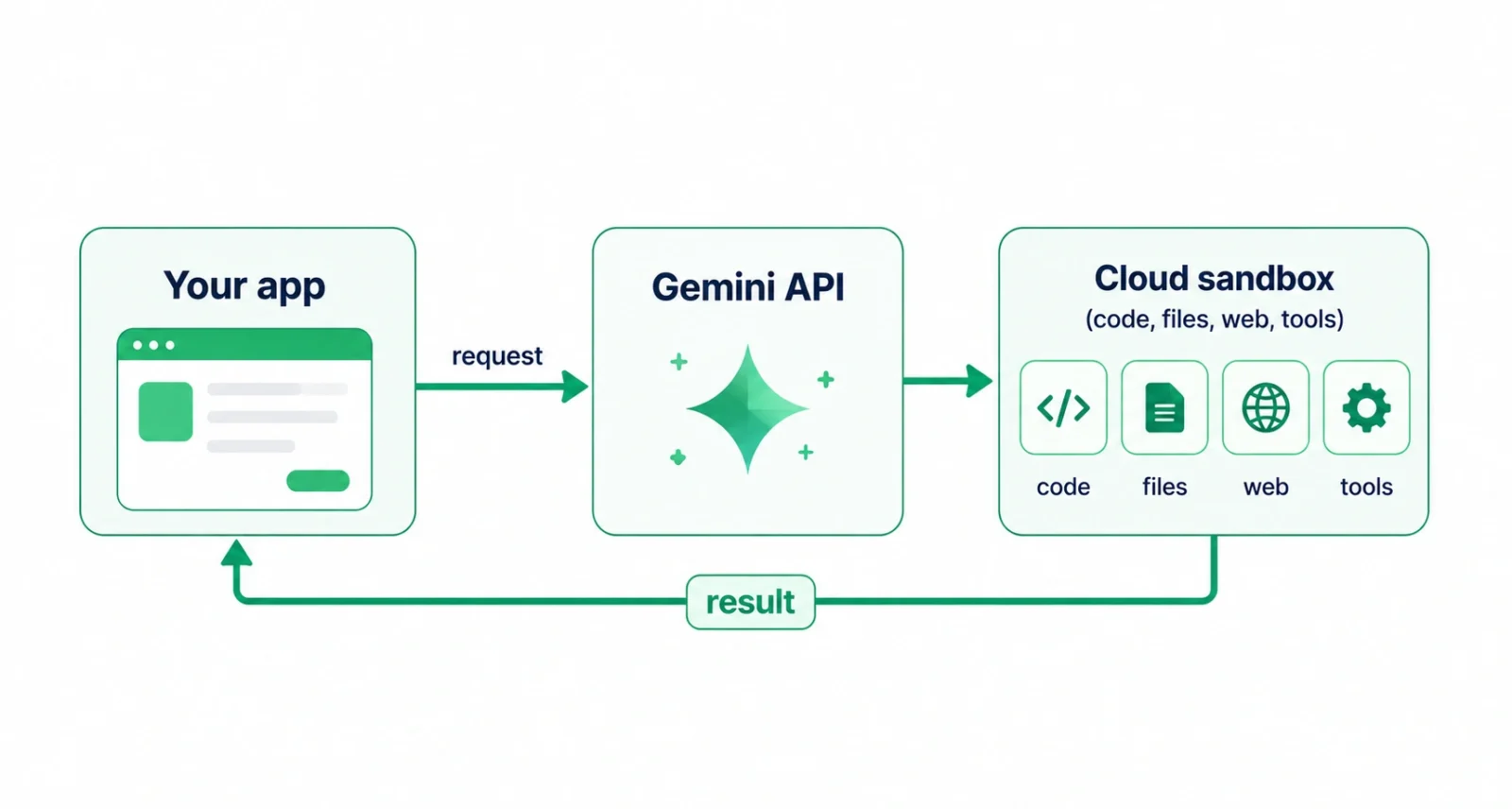
If the term is new to you, here is the short version. Managed Agents in Gemini API are a way to run AI agents without managing your own infrastructure. You send a request to one endpoint, and Gemini takes care of the hard parts behind the scenes. That means thinking through the task, writing and running code, installing packages, handling files, and pulling in information from the web. All of it happens inside an isolated cloud sandbox, so it stays secure and separate from your own systems. This sits within the newer Gemini Interactions API. You can read the full details in Google’s Managed Agents documentation.
What’s New: Four Big Upgrades
This release is all about making agents production-ready. Here are the four new capabilities at a glance.
| New Capability | What It Does |
| Background execution | Run long tasks asynchronously and check back later |
| Remote MCP servers | Connect agents to your private databases and internal APIs |
| Custom function calling | Run your own functions alongside built-in sandbox tools |
| Credential refresh | Update expired keys without losing your sandbox state |
Google announced the update on its developer blog. Let us look at each one.
Long-Running Background Execution
Keeping an HTTP connection open for a long task is fragile, and it often breaks. Now you can run an interaction in the background by setting background: true. The API instantly returns an ID, and your app can use it to check the status, stream progress, or reconnect later while the agent keeps working on the server. This is ideal for jobs that take minutes rather than seconds, such as large data tasks or multi-step research that used to time out.
Remote MCP Server Integration
The Model Context Protocol, or MCP, is a standard way for AI tools to talk to outside systems. Before this update, connecting an agent to a private database or internal API meant writing custom proxy code. Now managed agents can connect directly to remote MCP servers. You can even mix these remote tools with built-in sandbox tools in a single interaction. That lets the agent reach your systems safely from its sandbox.
Custom Function Calling
You can now add your own functions alongside the built-in sandbox tools. The system uses step matching to decide what runs where. Built-in tools run automatically on Google’s servers, while your custom functions hand control back to your app so it can run local business logic. It is a clean way to blend Google’s managed tools with your own code, without giving up either one.
Network Credential Refresh
Access tokens and short-lived API keys expire, which used to be a real headache mid-session. Now you can refresh credentials or rotate keys simply by passing your existing environment ID with a new network configuration on your next request. The new rules take effect immediately. Best of all, your sandbox keeps everything intact, including its files, installed packages, and cloned repositories.
Why This Matters for Developers
These changes are more than a convenience. Together, they turn managed agents into asynchronous workers that run inside real development environments without blocking your application. Long tasks no longer tie up connections, private systems are easier to reach, custom logic slots in cleanly, and expiring keys stop breaking sessions. The payoff is agents you can trust in production, with far less boilerplate code to maintain. For teams building with Gemini, that is a meaningful step forward. We broke down a related developer tool in our guide to the Gemini CLI.
How to Get Started
Getting started is straightforward. Google’s examples use the @google/genai JavaScript SDK, with Python and cURL options in the documentation. The best place to begin is the Gemini Interactions API overview, followed by the managed agents quickstart, which walks through agent definitions, environment setup, network rules, and streaming. If you already build with AI assistants, our roundup of AI tools like Copilot is worth a look too.
Google’s latest update to Managed Agents in Gemini API is all about reliability. Background execution, remote MCP support, custom functions, and credential refresh remove some of the biggest pain points in building real AI agents.
If you have been waiting for Gemini agents to feel production-ready, this is the release that gets them closer. Check the official docs, try the quickstart, and start building.
Frequently Asked Questions
What are Managed Agents in the Gemini API?
They are AI agents that Google runs for you. You call a single Gemini API endpoint, and Gemini handles the rest inside a secure cloud sandbox. That covers reasoning, code, packages, files, and web access, so you do not manage any infrastructure yourself.
What is background execution in the Gemini API?
Background execution lets you run a long task without holding a connection open. By setting background to true, the API returns an ID right away, and your app can poll for status, stream progress, or reconnect later while the agent finishes on the server.
What is remote MCP server integration?
It lets managed agents connect directly to remote Model Context Protocol servers, so an agent can reach your private databases and internal APIs without custom proxy code. You can combine remote tools with built-in sandbox tools in the same interaction.
What SDK do Managed Agents use?
Google’s examples use the @google/genai JavaScript SDK, and the documentation also covers Python and cURL. You can pick whichever fits your stack when you build your agent.
What can a managed agent do inside the sandbox?
Inside its isolated cloud sandbox, a managed agent can run code, install packages, manage files, and search the web. With this update, it can also call remote tools and your own custom functions. The sandbox keeps its state across interactions.
Are Managed Agents production-ready?
That is the goal of this update. Background tasks, credential refresh, custom functions, and remote MCP support address common reliability gaps, making managed agents far better suited to real production workloads than before.

