
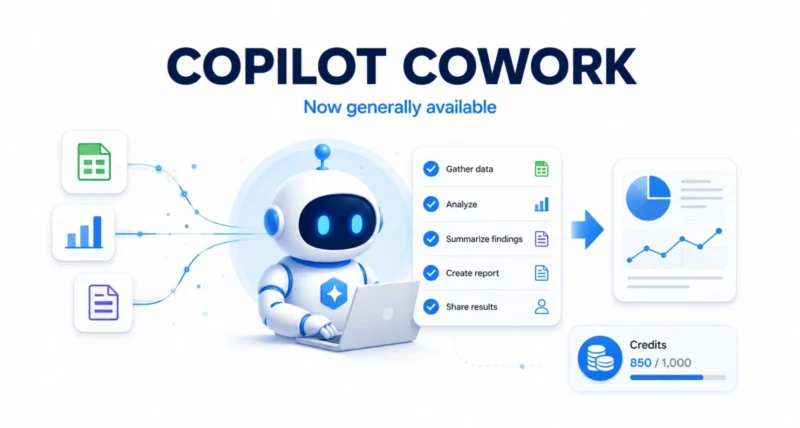
Most AI tools hand you a draft and leave the rest to you. Copilot Cowork finishes the whole job. After three months in preview, Microsoft has made it generally available worldwide, and more than half of the Fortune 500 are already using it. As Microsoft announced, it is built to run complex, hours-long tasks end to end. Here is what it does, what it costs, and why it matters, explained simply.
| Quick Answer Copilot Cowork is now generally available worldwide in Microsoft 365. It is an agentic AI that runs complex, long-running tasks from start to finish and hands back a completed result, not just a draft. It is cloud-hosted, grounded in your business data through Work IQ, enterprise-secure, and priced on usage through Copilot Credits. It needs a Microsoft 365 Copilot license and is turned off by default until an admin enables it. |
What Is Copilot Cowork
Copilot Cowork is Microsoft’s agentic AI inside Microsoft 365. The simplest way to think about it: most AI gives you a starting point. Cowork does the actual work and returns a finished result. You define the task, and it runs the whole thing end to end, even while your laptop is off.
It handles the kind of multi-step jobs that used to eat days. Microsoft shared real examples. One team compared nearly four thousand files across two product versions, work that would have taken weeks. A sales lead pointed Cowork at a stalled pipeline and got back a ranked list of at-risk deals, each with the exact follow-up that had gone cold. That turned a week of review into a single morning.
| Why It Matters This is the shift from AI that assists to AI that acts. Instead of helping you write one email faster, Cowork takes on entire projects. That is why over half the Fortune 500 jumped on it during preview alone. |
What Makes Copilot Cowork Different
Microsoft points to five things that set Cowork apart from other agentic tools. Here they are in plain terms.
| Feature | What It Means for You |
| Cloud-hosted | Tasks keep running even when your laptop is off, and files are not stored locally |
| Work IQ grounding | Every task draws on your real business systems and context |
| Enterprise security | Runs inside your Microsoft 365 trust boundary and existing policies |
| Multi-model | Uses the right AI model for each task, with more added over time |
| Lower cost | An efficient runtime and pay-for-what-you-use billing keep costs down |
That multi-model design is notable. Cowork is not locked to one AI, it picks the model that fits each task, part of the broader industry move we covered in Microsoft’s AI strategy.
How Copilot Cowork Pricing Works
This is the part everyone asks about, so here it is clearly. Cowork uses usage-based pricing: you pay for what you run, measured in Copilot Credits. The price of each task comes from four things, the AI model used, how much context it pulls in, the tools it calls, and how long it runs.

To make budgeting easier, Microsoft groups tasks into three sizes based on how much work they involve.
- Light tasks. Use a few sources, simple reasoning, and produce one output or fewer. The cheapest to run.
- Medium tasks. Draw on several sources, apply structured reasoning, and create two or more outputs.
- Heavy tasks. Pull from many sources, apply deep reasoning, and produce many outputs. The most resource-heavy.
You need a Microsoft 365 Copilot license to use Cowork, then pay for usage on top. There are two payment options. Pay-as-you-go costs one cent per Copilot Credit. A commitment plan called P3 trades an upfront usage commitment for a discount.
| Worth Knowing Cowork is off by default. Your admin chooses when to switch it on, who can use it, and how much can be spent, so usage and cost stay under control from day one. |
Staying in Control of Cost
Because you pay per use, Microsoft built in tools to keep spending predictable. They fall into three groups.
- Admins decide when Cowork is on and who gets access. They also set spending limits at the tenant, group, and user levels.
- Usage reports show what each team and person is spending. Soon, users will see the cost of each task as they run it.
- Usage alerts, model choice, and the two payment plans help teams manage cost as they scale.
Microsoft also notes that companies whose teams used Cowork during the preview get a grace period and will not be billed until July 1, 2026, to ease the transition.
What Is New at General Availability
The launch adds several upgrades beyond the preview. The Microsoft 365 Copilot app now has a simple toggle to jump straight into the full Cowork experience.
- Nine partner plugins are live now, including Miro, monday.com, Morningstar, and Harvey, with more like Adobe, Atlassian, Box, and Canva coming soon.
- Browser use via Edge. Cowork can browse the web through a local Edge browser, following your organization’s existing policies.
- Stronger security and compliance. Prompts, responses, and outputs flow through your existing Microsoft 365 controls, with audit logs, eDiscovery, sensitivity labels, and more.
| The Big Picture Cowork plugs into the security and compliance tools companies already use, which is the real unlock. For regulated industries, that governance is what makes letting an AI run end-to-end tasks acceptable. |
Which AI Models Power It
At general availability, Copilot Cowork runs on Anthropic’s models, including Opus 4.8 and Sonnet 4.6. GPT 5.5 is available in the Frontier preview program. Microsoft says you are not locked into one model, you can pick the most efficient option or a frontier model for tougher work.
Microsoft also previewed its own model, Cowork 1, arriving in the coming weeks. It is described as a secure, fine-tuned model built to handle everyday tasks at substantially lower cost. Microsoft says its internal testing found Copilot Cowork averaged 30 to 40 percent cheaper per prompt than a competing offering using the same model. That figure is Microsoft’s own comparison, though, so treat it as a vendor claim rather than independent benchmarking.
How to Get Started With Copilot Cowork
If your organization uses Microsoft 365 Copilot, here is the path to switching it on.
- Confirm your license. You need a Microsoft 365 Copilot User Subscription License to use Cowork.
- Have an admin enable it. Cowork is off by default, so an admin turns it on in the tenant and chooses who gets access.
- Set spending limits first. Before usage ramps up, define budgets and alerts at the tenant, group, and user levels.
- Open the toggle in the Copilot app. Users switch into the full Cowork experience and start defining tasks.
| Quick Tip Start with a clear, well-scoped task rather than a vague one. Cowork shines on defined, multi-step jobs, so the better you describe the work, the better the finished result. |
Copilot Cowork going generally available is a real milestone in workplace AI: a tool that does not just help with tasks but completes them, securely and inside the systems companies already trust. The usage-based pricing means cost takes planning. But the control tools and model choice give organizations the levers to manage it. For any business already on Microsoft 365 Copilot, it is worth a serious look. You can read the full announcement on the Microsoft 365 blog.
Frequently Asked Questions
What Is Copilot Cowork
It is Microsoft’s agentic AI in Microsoft 365 that runs complex, long-running tasks end to end and returns a finished result, not just a draft or suggestion.
Is Copilot Cowork Free
No. It requires a Microsoft 365 Copilot license, and you then pay for usage through Copilot Credits, billed by the tasks you run.
How Much Does Copilot Cowork Cost
Pricing is usage-based in Copilot Credits, set by the model, context, tools, and runtime each task uses. Pay-as-you-go is one cent per credit, or you can commit upfront for a discount.
Do I Need to Turn Copilot Cowork On
Yes. It is off by default, so an admin must enable it for your organization and decide who gets access and how much can be spent.
Which AI Models Does Copilot Cowork Use
At launch it runs on Anthropic’s Opus 4.8 and Sonnet 4.6, with GPT 5.5 in preview and Microsoft’s own Cowork 1 model coming soon. You can choose the model per task.
Is Copilot Cowork Secure
Yes. It runs inside your Microsoft 365 trust boundary and works with existing controls like audit logs, eDiscovery, sensitivity labels, and insider risk management.

