
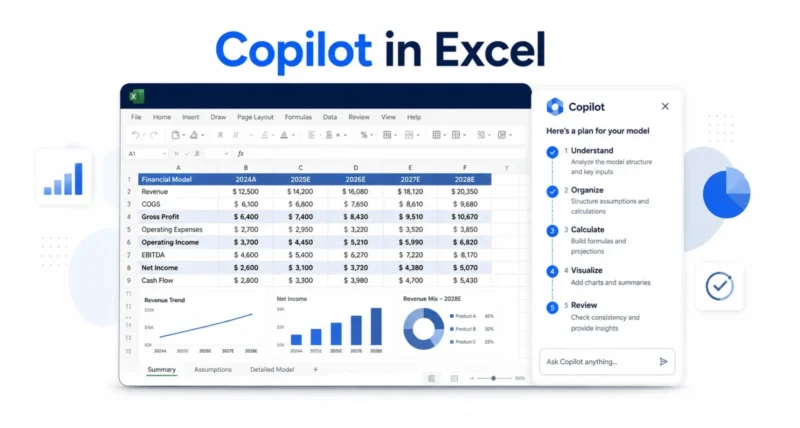
In finance, the spreadsheet is sacred. It is where the quarter gets closed, the forecast gets argued line by line, and every number has to trace back to a source. So when AI shows up, it has to earn trust the hard way. On June 25, 2026, Microsoft made its case with a major update to Copilot in Excel. The release adds skills for repeatable work, connectors to trusted data, and a clear audit trail. Here is what changed and why it matters.
| Quick Answer Microsoft updated Copilot in Excel on June 25, 2026, with three big additions aimed at finance teams. Skills let you save a repeatable process, like building a DCF, so Copilot follows your exact steps every time. New data connectors pull trusted market and company data straight into the workbook. And improved traceability, including Plan with Copilot and change attribution, shows exactly what Copilot did. Most features are generally available now for Microsoft 365 Copilot customers, with custom skills reaching everyone next month. |
Key Takeaways
- Copilot in Excel added skills, data connectors, and traceability on June 25, 2026.
- Skills save a repeatable workflow as a file, so Copilot follows your process each time.
- New connectors bring trusted market and company data into the workbook automatically.
- Plan with Copilot and change attribution make every edit transparent and reviewable.
- Most features are live now for Microsoft 365 Copilot customers, with more rolling out soon.
Why Finance Is the Test for AI
New technology tends to reach developers first and finance soon after. For a finance professional, a better tool is an edge, because the job is to model reality a little more precisely than you could yesterday. For decades, that tool has been Excel.
That sets a high bar for AI. To be useful here, it has to show its work, use trusted data, and trace every calculation. As Microsoft explained, its own finance teams use Copilot in Excel in real workflows and push it toward the standard their work demands. This update is the result of that pressure-testing.
| Worth Knowing This release targets professional finance work, like planning, accounting, tax, and treasury. The same features help anyone who builds serious spreadsheets, but the design goal was the demanding, audit-heavy world of finance. |
Feature 1: Skills for Repeatable Work
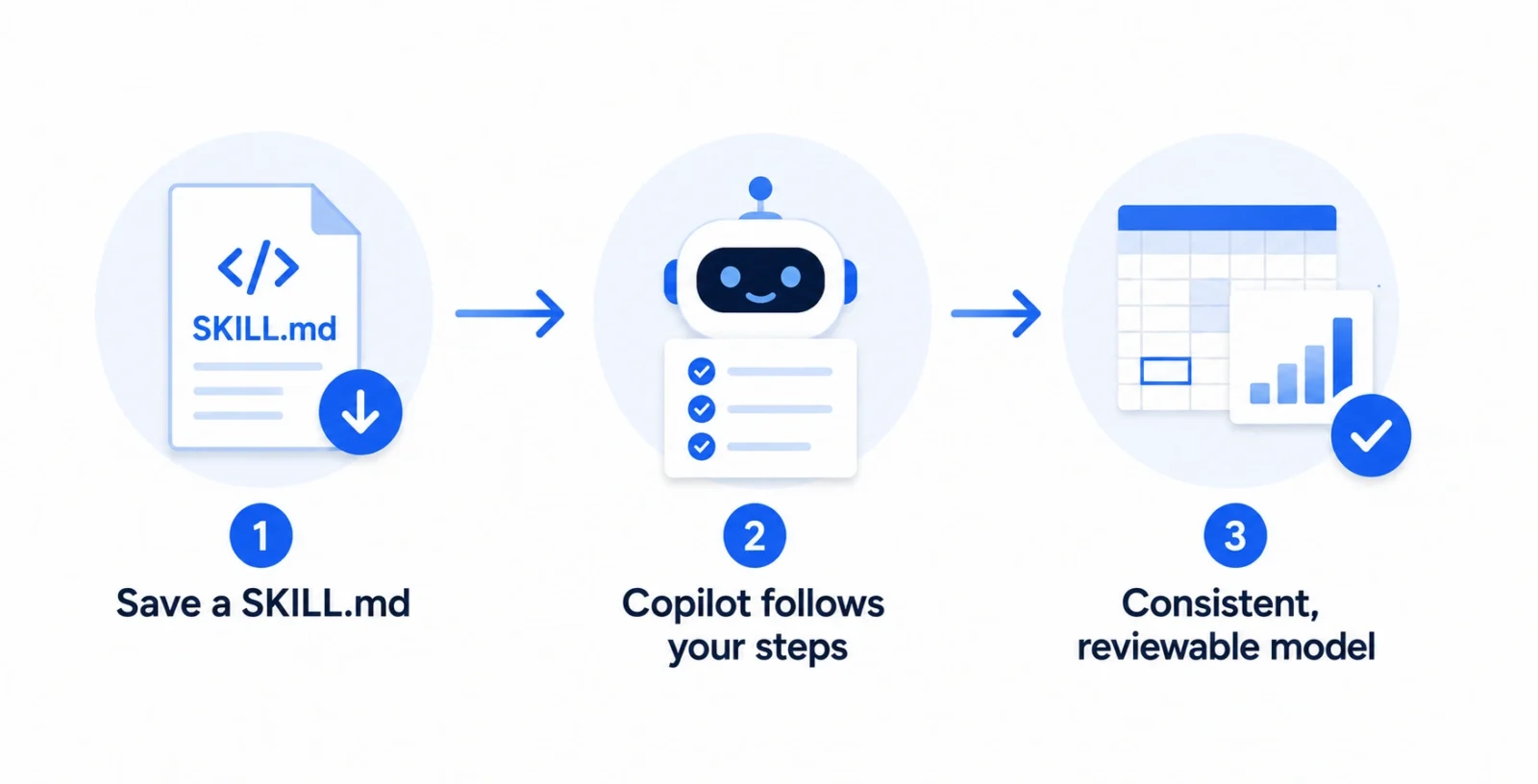
Skills are the headline addition. A skill teaches Copilot how you complete a common task, so it follows the right steps, structure, and formatting every time instead of starting from scratch.
Think of routine jobs like building a discounted cash flow model, closing the books, refreshing a monthly report, or preparing a variance analysis. A skill guides Copilot through each step and produces output that is easier to review, reuse, and trust.
You can use Microsoft’s sample finance skills or build your own. Custom skills use an open-standard markdown file. You save a SKILL.md file in OneDrive that describes your process, and Copilot picks it up to build, say, a three-statement model or a board package your way.
| The Cool Part Because a skill is just a file describing your steps, your team’s best process becomes reusable. One analyst’s careful method for a variance analysis can become the standard everyone runs, with consistent structure each time.
|
Feature 2: Connectors to Trusted Data
Good analysis starts with good data. Copilot in Excel now connects directly to trusted financial sources. It pulls market data, fundamentals, and research into the workbook, so you skip the manual copy-paste from other systems.
Alongside the LSEG and Moody’s connectors released in May, Microsoft added several more. Each one targets a specific kind of finance work.
| Connector | What It Brings In |
| CB Insights | Predictive intelligence on private companies and markets |
| Daloopa | Audit-ready fundamentals from SEC filings and reports |
| FactSet | Institutional financial and alternative data |
| Morningstar | Investment research, ratings, and portfolio analytics |
| PitchBook | Private capital data, deal histories, and fund data |
| S&P Global | Structured, cited S&P data via deterministic retrieval |
Worth Knowing
These third-party connectors may need a separate license or subscription from each provider. FactSet is in preview and becomes generally available in July. So check what your team already pays for before planning around them.
Feature 3: Traceability You Can Audit
In finance, the answer alone is not enough. You need to know how you got there. This update gives Copilot the kind of transparency Excel users have always demanded.
Two changes stand out. With Plan with Copilot, you can have it outline which ranges, sheets, formulas, and assumptions it intends to change before it acts, along with any clarifying questions. After it makes changes, every edit stays traceable, with links back to the affected cells.
Copilot’s edits now also appear attributed to Copilot in the Show Changes pane, sitting alongside your collaborators’ work. The result behaves less like a black box and more like a trusted analyst: it proposes a path, explains its approach, and keeps every change reviewable.
| The Standout This is the part finance teams will care about most. An AI that edits your model is only useful if you can see exactly what it touched. Plan first, then a clear trail afterward, is how you make AI safe for a board package. |
Real Finance Tasks You Can Try
These features combine with Work IQ, which grounds Copilot in your work context, to handle real scenarios. Here are a few examples Microsoft highlights, simplified.
- Close the books. Compare actuals to plan, surface the largest variances, explain likely drivers, and draft an executive summary.
- Update the forecast. Roll forward the latest assumptions, reconcile changes, and summarize the key drivers behind the new outlook.
- Build a valuation. Create a DCF, comparable company analysis, and sensitivity model, then explain the main valuation drivers.
- Screen for deals. Identify acquisition candidates that match your strategy, then rank and recommend the strongest options.
- Monitor a portfolio. Assess performance against objectives, flag concentration risks, and suggest adjustments.
This is part of Microsoft’s broader agentic push across its apps. If you want the bigger picture, our guide to Copilot Cowork, Microsoft’s agentic AI shows how the same idea handles long, multi-step jobs across Microsoft 365.
What’s Available Now vs Later
Rollout is staggered, so it helps to know what you can use today. Here is the simple breakdown.
| Feature | Availability |
| Personalization and workbook rules | Generally available now |
| Pre-built skills and connectors | Generally available now |
| Plan with Copilot and change attribution | Generally available now |
| Custom skills | Insiders now, general next month |
| Partner-built skills | Coming in Q3 2026 |
Features roll out progressively, so exact availability, regions, and licensing can vary.
Who Should Care About Copilot in Excel?
Finance professionals benefit most, including FP&A, accounting, tax, compliance, and treasury teams who live in complex, audit-heavy models. The update also helps anyone who builds serious spreadsheets and wants AI that shows its work. It needs a Microsoft 365 Copilot license, so it is aimed at organizations rather than casual home users.
| Quick Take If you only use Excel for simple lists and budgets, this will feel like overkill. If you build models that others audit and rely on, the skills and traceability features are the ones to explore first. |
This Copilot in Excel update is less about flashy AI and more about trust. By adding skills, trusted data connectors, and a clear audit trail, Microsoft is trying to make AI fit the exacting standards of finance work rather than the other way around.
If your team builds models that others depend on, the skills and traceability features are worth a serious look. Start with one repeatable task, save it as a skill, and let Copilot handle the steps while you keep the judgement.
| Your Move Want more clear breakdowns of Microsoft’s AI tools? Browse our Technology section for practical, easy-to-follow guides. |
Frequently Asked Questions
What is new in Copilot in Excel?
The June 25, 2026 update added three things for finance teams. Skills save a repeatable workflow, new data connectors bring in trusted financial sources, and improved traceability arrives through Plan with Copilot and change attribution in the Show Changes pane.
What are skills in Copilot in Excel?
A skill is a saved process that tells Copilot how to complete a common task, like building a DCF or closing the books. You can use Microsoft’s samples or write your own as a SKILL.md file stored in OneDrive.
Do I need a license for Copilot in Excel?
Yes. These features are for Microsoft 365 Copilot customers. The connectors may also require separate subscriptions from each third-party data provider, so check your team’s existing licenses before relying on them.
Can I see what Copilot changed in my workbook?
Yes. With Plan with Copilot, it outlines intended changes before acting. After edits, every change stays traceable with links to affected cells, and Copilot’s edits are attributed to it in the Show Changes pane.
Which data connectors are available?
Alongside LSEG and Moody’s from May, the update adds CB Insights, Daloopa, FactSet, Morningstar, PitchBook, and S&P Global. FactSet is in preview and becomes generally available in July.
When are custom skills available to everyone?
Custom skills are available now through the Insiders channel for Windows and Mac, and roll out to general availability across Excel for Web, Windows, and Mac next month. Partner-built skills are coming in Q3 2026.

