
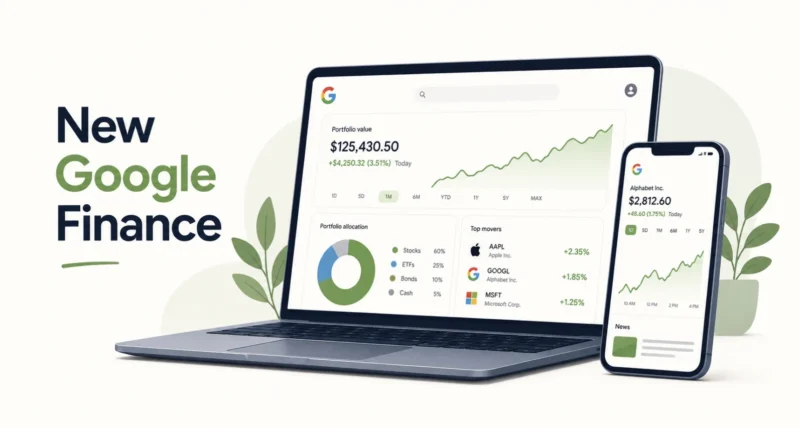
For years, Google Finance was a place you landed by accident, a simple stock quote tucked inside a search result. That era is over. On June 25, 2026, the new Google Finance left beta with three real upgrades: a portfolio tracker that watches all your investments in one place, AI briefings that arrive on your schedule, and a dedicated Android app. Here is what changed, how each feature works, and whether it is worth your time.
| Quick Answer The new Google Finance came out of beta on June 25, 2026, with three main additions. You can now track a full investment portfolio in one dashboard, with AI insights on your holdings. You can set up scheduled market briefings using plain-language requests. And there is a new Google Finance app for Android, with an iOS version planned for later in 2026. Portfolios and briefings are free and rolling out globally on the web, with mobile versions following in the coming months. |
Key Takeaways
- The new Google Finance exited beta on June 25, 2026, after a rebuild that started in August 2025.
- Portfolio tracking shows all your investments in one dashboard with AI-powered insights.
- Scheduled AI briefings deliver custom market updates on a schedule you choose.
- A new Android app launched, with an iOS app planned for later in 2026.
- Everything is free and global, but Google does not offer trading, only information and research.
What Is the New Google Finance?
Google Finance first launched in 2006, then faded for years into a basic stock ticker inside Search. In August 2025, Google began rebuilding it around AI, adding a natural-language research panel, advanced charts, and real-time data. That version spent nearly a year in beta.
Now it is official. As Google explained, the new Google Finance is out of beta with the features people most wanted. Google built it as an information and research tool, not a place to buy and sell, which keeps it simpler and out of brokerage territory.
| Worth Knowing Google is not offering trading here. The new Google Finance is a research layer that sits alongside your existing accounts, competing with the likes of Yahoo Finance and Bloomberg rather than your broker. |
Feature 1: Track Your Portfolio
This is the headline addition and the one most users asked for. You can now see all your investments in a single dashboard, with performance data and insights on how your money is spread across different assets.
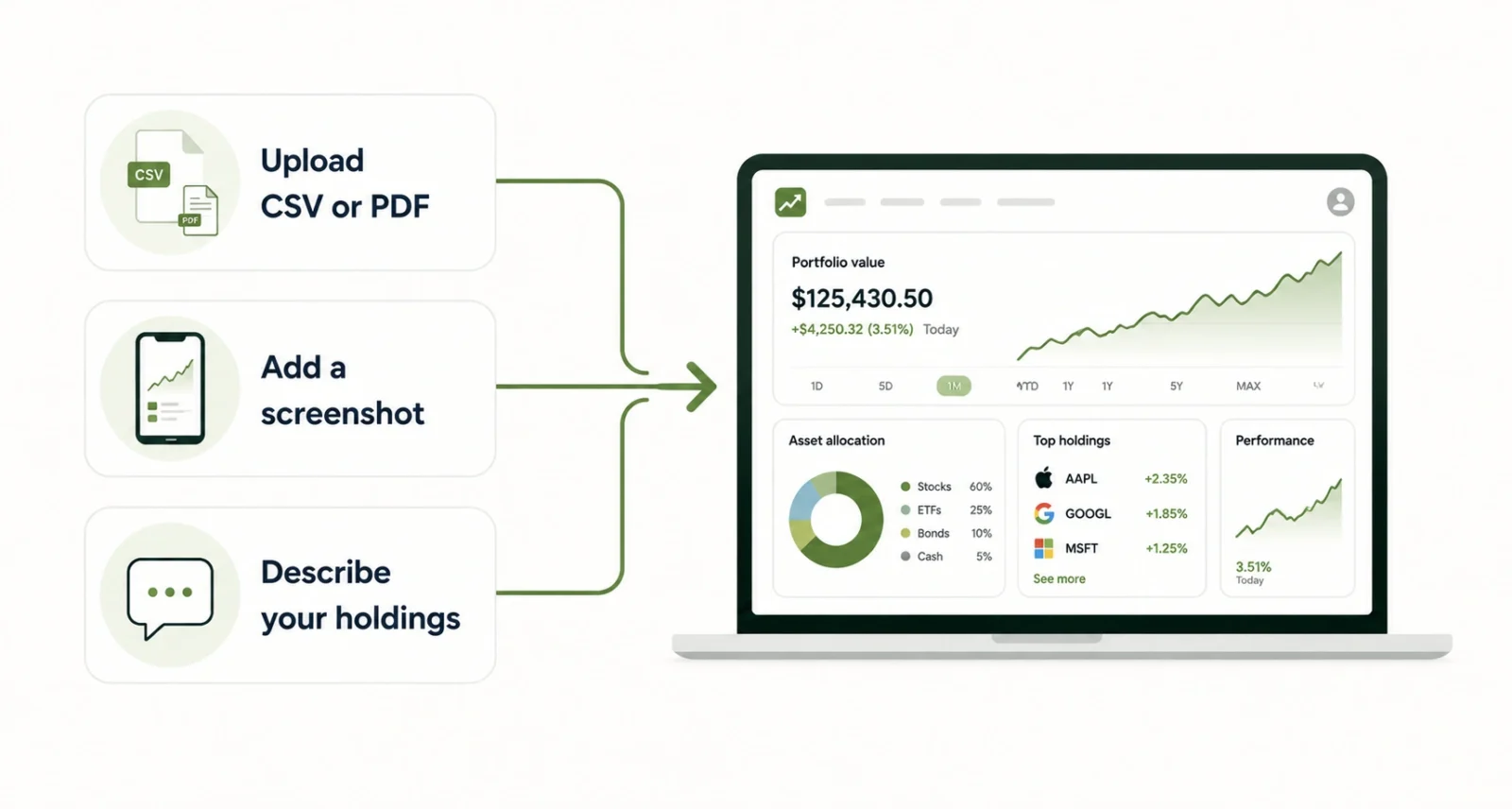
Setting up a portfolio is flexible. Your existing Google Finance portfolios appear automatically, or you can build a new one in a few ways.
- Upload a file. Drop in a CSV or PDF that lists your holdings.
- Add a screenshot. Snap your brokerage app and let Google read the details.
- Just describe it. Tell the built-in assistant what you own and build from there.
Once it is set up, the AI research tool can answer questions about your own holdings. You might ask which sectors are underrepresented in your portfolio, or how your fixed-income mix affects long-term growth. The answers are tailored to your actual investments.
| Worth Knowing Building a portfolio means sharing your holdings with Google. That unlocks the tailored insights, but it is personal financial data. Weigh the convenience against the privacy tradeoff before you upload everything. |
Feature 2: Scheduled AI Briefings
The second upgrade turns Google Finance into a quiet research assistant. You describe a task in plain language, and it does the work in the background on your schedule.
For example, you might ask for a daily pre-market briefing on overnight moves across major cryptocurrencies. Google Finance then gathers the information and delivers a custom update when you want it. You can tie a briefing to your watchlist or portfolio so it stays relevant to what you actually own.
When an update is ready, a notification arrives through the Google app on Android or iOS, and it also shows up in the research panel on the web. This task feature is free and available globally, which is notable since similar AI agents elsewhere often sit behind a paid tier.
| Quick Tip Start with one simple, specific briefing rather than several broad ones. A single “morning summary of my watchlist” is easier to act on than a flood of general market noise. |
Feature 3: The New Android App
Google Finance finally has a dedicated Android app again, bringing the core experience to your pocket. It targets people who check the market several times a day.
At launch, the app includes your watchlist, real-time market data, a live financial news feed, the AI research tool, and a feature called key moments that explains why a stock moved on a given day. Portfolio tracking and the scheduled briefings reach the app in the months ahead, and Google plans an iOS version for later in 2026.
| Worth Knowing If you see a low star rating on the Play Store, check the dates. Many reviews predate this app and refer to an older, discontinued Google Finance mobile product, not the new one launched this week. |
How to Get Started
Trying the new Google Finance takes only a few minutes. Here is a simple path from zero to a working setup.
- Open Google Finance. Visit finance.google.com on the web to see the new experience.
- Add a portfolio. Upload a CSV or PDF, add a screenshot, or describe your holdings to the assistant.
- Ask a question. Use the research tool to explore your asset mix or a specific stock.
- Set a briefing. Describe a task, like a daily watchlist summary, and choose when it arrives.
- Get the app. Install the Google Finance app on Android for quick check-ins on the go.
Much of this AI experience runs on the same Gemini technology behind Google’s wider search tools. If you want the bigger picture, our guide to how to use Google AI Mode shows how the same conversational approach works across Search.
Old Google Finance vs New
The difference is easy to see side by side. The old version was a quick reference. The new one is a research hub.
| Feature | Old Google Finance | New Google Finance |
| Main use | Quick stock quotes | Full research and tracking |
| Portfolios | Basic list | AI dashboard with insights |
| AI research | None | Natural-language questions |
| Briefings | None | Scheduled custom updates |
| Mobile app | Discontinued | New Android app, iOS coming |
Is the New Google Finance Worth Switching To?
For casual users who only check a price now and then, the change may feel small. For anyone who actively manages a portfolio, it is a real step up, since it combines tracking, AI research, and scheduled briefings in one free place. The main thing to weigh is privacy, because tailored insights require sharing your holdings with Google.
It also helps to remember what this tool is and is not. It informs decisions but does not make them, and AI answers can be wrong. Our explainer on what AI Mode is in Google Search makes the same point: always verify anything financial before you act on it.
| Please Note This article is for general information, not financial advice. The new Google Finance is a research tool, and its AI insights can contain errors. Always double-check important details and consider a qualified professional for decisions about your money. |
The new Google Finance is the biggest leap the product has taken in years. By adding real portfolio tracking, AI briefings, and a proper app, Google turned a basic ticker into a genuine research hub, all for free and available worldwide.
Whether it earns a spot in your routine comes down to how actively you invest and how you feel about sharing your holdings. If you manage a portfolio and want everything in one place, it is well worth a look. Just treat its AI as a helpful assistant, not a financial advisor.
| Your Move Want more clear breakdowns of Google’s latest tools? Browse our Technology section for practical, easy-to-follow guides. |
Frequently Asked Questions
What is the new Google Finance?
It is the rebuilt, AI-powered version of Google Finance that left beta on June 25, 2026. It adds portfolio tracking, scheduled AI market briefings, and a dedicated Android app, on top of the research tools and charts added during the beta.
Is the new Google Finance free?
Yes. The portfolio tracking, AI research tool, and scheduled briefings are free and rolling out globally on the web. The new Android app is also free to download, with an iOS version planned for later in 2026.
Can I track my investments in Google Finance?
Yes. You can build a portfolio by uploading a CSV or PDF, adding a screenshot, or describing your holdings. Existing portfolios appear automatically, and the AI tool can answer questions about your asset mix.
Does Google Finance let me buy and sell stocks?
No. Google Finance is an information and research tool, not a brokerage. It helps you track and understand investments, but you still trade through your own broker or investing app.
Is there a Google Finance app for iPhone?
Not yet. The new app launched on Android first. Google says an iOS version is planned for later in 2026, which will bring the same core experience to iPhone users.
Is my financial data safe in Google Finance?
Building a portfolio means sharing your holdings with Google to get tailored insights. That is a personal choice. Weigh the convenience against the privacy tradeoff, and only add what you are comfortable sharing.

