
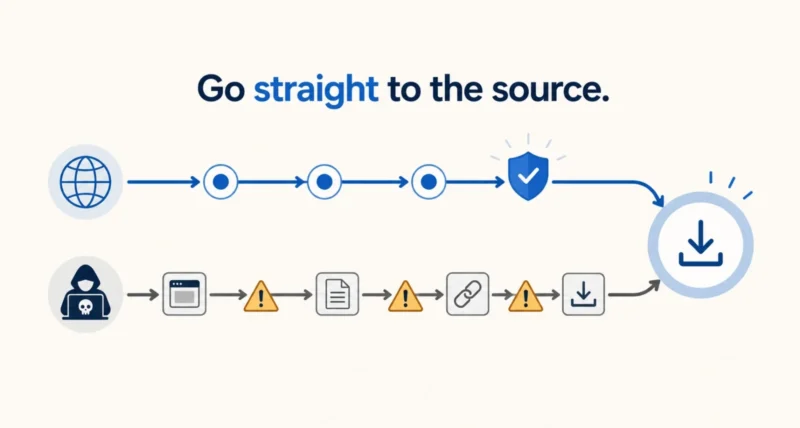
Search for almost any Windows program and the first results are rarely the developer. They are download portals that wrap the real installer in their own, add a toolbar you did not want, and sometimes worse. That is the problem this page exists to solve.
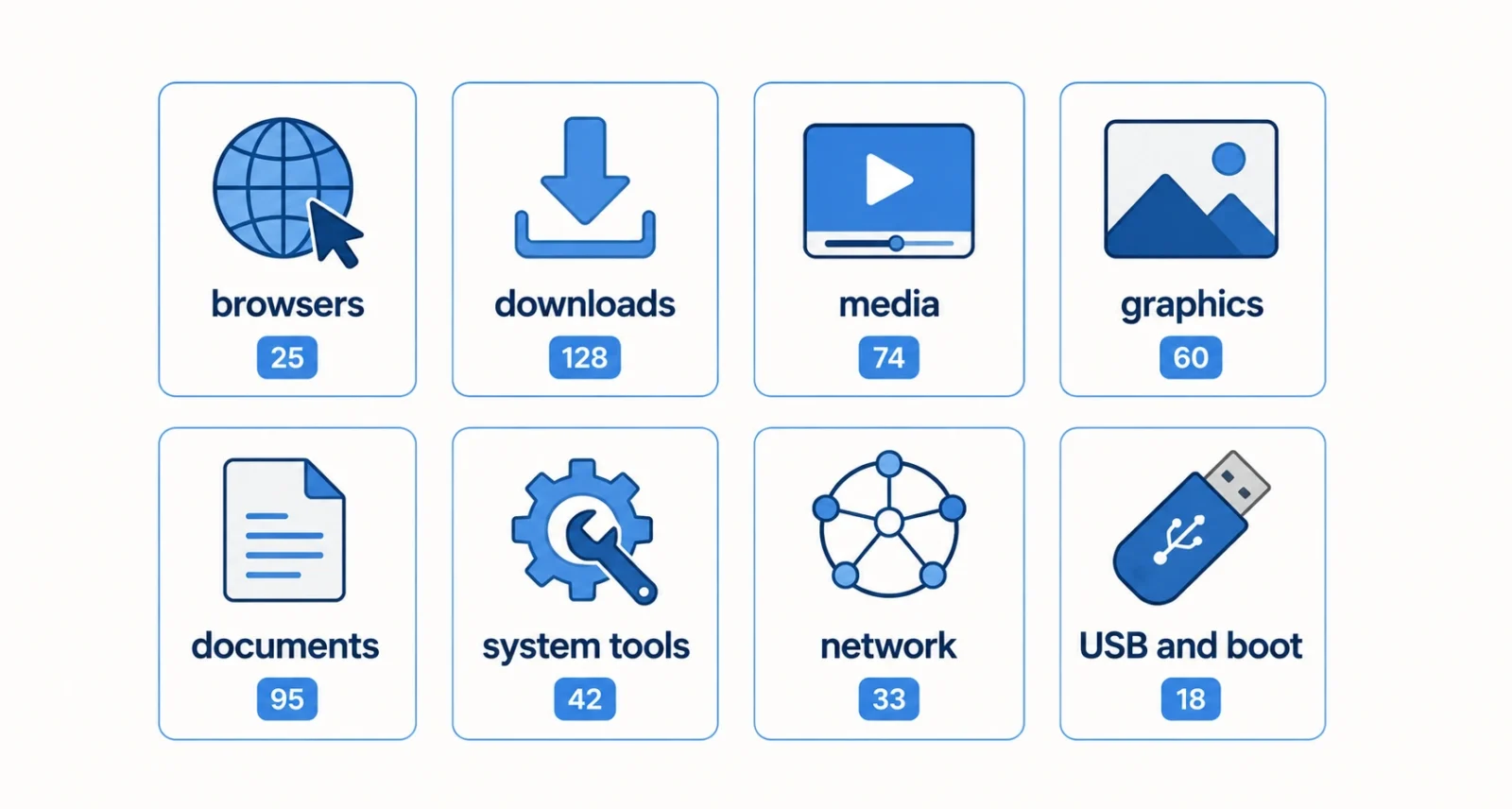
Below are 88 Windows applications, grouped by what you actually want to do. Each links to the developer’s own site or its official code repository. Every link was checked by hand. Four programs that appear on similar lists have been left out on purpose, and there is a section at the end explaining exactly why.
Read This Before You Download Anything
The single most useful habit in this whole article takes ten seconds and prevents most problems. The US Cybersecurity and Infrastructure Security Agency puts it simply in its consumer guidance. Only download software from its original source, and never let a device install something you did not go looking for.
Aggregator sites are where the trouble starts. They repackage installers, add bundled offers, and occasionally serve outdated or modified builds. Going to the developer directly removes that entire category of risk. Here is the full routine for anything you are unsure about.
- Download from the developer’s own domain or the project’s official code repository, which is what every link on this page points to.
- Check the file hash if the project publishes one. Open Command Prompt and run certutil, followed by -hashfile, then the file name and SHA256. Cisco documents this method If the result does not match the published value exactly, delete the file.
- Right-click the installer, open Properties, and look at the Digital Signatures tab. A signature from the expected publisher is a strong sign the file is genuine.
- Scan anything questionable at VirusTotal, which checks the file against around seventy engines. One low-confidence flag on an open-source tool is usually a false positive. Several detections mean stop.
| The Golden Rule If a download page offers you a small helper application to manage the download, close the tab. Legitimate developers give you the installer directly. That extra step exists to install something you did not ask for. |
The Updates Worth Your Attention Right Now
Most entries below are routine maintenance. Five are not, and these are the ones worth acting on this week.
| The Update | Why It Matters |
| Blender 5.2 LTS | A long-term support release, backed with fixes until July 2028 |
| FL Studio 2026 | Rebuilt FLEX synth engine, cloud project backup, free for existing owners |
| OBS Studio 32.2 | The newest stable line for anyone who streams or records |
| Firefox 153 | Current stable, continuing the refreshed settings interface |
| Chrome, Edge and Brave on Chromium 150 | A security wave. Chrome alone patched 27 vulnerabilities in one release |
That last row is the one to treat as urgent. Browser security fixes close holes that attackers already know about. All three browsers share the same underlying engine, so the same flaws reached each of them.
Best Windows Software 2026: Web Browsers
Ten browsers, covering the mainstream options, the privacy-focused forks, and the newer projects worth watching.
| App | What It Does | Cost | Get It | ||
| Firefox | Independent browser with strong privacy defaults and its own engine | Free, open source | Official site | ||
| Google Chrome | The most widely used browser, with the largest extension library | Freeware | Official site | ||
| Microsoft Edge | Windows default, built on Chromium with deep system integration | Freeware | Official site | ||
| Brave | Chromium browser that blocks ads and trackers by default | Free, open source | Official site | ||
| Vivaldi | Highly customizable browser with built-in tab tiling and notes | Freeware | Official site | ||
| LibreWolf | Firefox fork stripped of telemetry, hardened for privacy | Free, open source | Official site | ||
| Floorp | Japanese Firefox fork with vertical tabs and heavy customization | Free, open source | Official site | ||
| Zen Browser | Firefox-based browser built around a calm, minimal workspace | Free, open source | Official site | ||
| Helium | Lightweight Chromium build focused on speed and low memory use | Free, open source | Official site | ||
| Tor Browser | Routes traffic through the Tor network for anonymity | Free, open source | Official site | ||
| Do This First If you use Chrome, Edge, or Brave, open the About page in your browser menu right now and let it update. All three run on Chromium 150, which carried a large batch of security fixes. This is the single highest-value minute on this page. | |||||
Download and Torrent Tools
Four tools here, and two of them need a word of caution before you install.
| App | What It Does | Cost | Get It | ||
| qBittorrent | Clean, ad-free torrent client and the safest pick in this group | Free, open source | Official site | ||
| Ghost Downloader 3 | Modern multi-threaded download manager, signed and open source | Free, open source | Official site | ||
| Free Download Manager | Long-running download accelerator with browser integration | Freeware | Official site | ||
| Internet Download Manager | Popular download accelerator with scheduling and video capture | Paid, trial | Official site | ||
| A Quick Note Two honest warnings. Free Download Manager’s website was compromised between 2020 and 2022 and served a malicious package to some Linux users, which security researchers uncovered in 2023. Windows builds were not affected and the site is clean now, but Linux users should install from their distribution’s repositories instead. Separately, Internet Download Manager is paid software, and the internet is full of cracked builds carrying malware. If you want it, buy it from the developer. If you do not, use one of the free options above. | |||||
Media, Audio, and Video Software
Seventeen entries covering playback, recording, editing, and conversion, from free players to professional studios.
Players and Listening
| App | What It Does | Cost | Get It |
| MPC-HC | Featherweight video player, the actively maintained community fork | Free, open source | Official site |
| MPC-QT | Cross-platform rebuild of Media Player Classic on Qt | Free, open source | Official site |
| VUPlayer | Compact audio player supporting a wide range of formats | Free, open source | Official site |
| phiola | Tiny command-line and GUI audio player, recorder, and converter | Free, open source | Official site |
| WACUP | Community continuation of Winamp for the nostalgic | Freeware, preview | Official site |
| esound music | Desktop music streaming player with a large catalog | Freemium | Official site |
Recording and Streaming
| App | What It Does | Cost | Get It |
| OBS Studio | The standard for live streaming and screen recording | Free, open source | Official site |
| Recordly | Simple open-source screen recorder, currently in beta | Free, open source | Official site |
| WinCam | Lightweight screen recorder aimed at tutorials and demos | Paid, trial | Official site |
| Camtasia | Screen recorder and editor built for training and tutorials | Paid, trial | Official site |
| Snagit | Screen capture with annotation, aimed at documentation work | Paid, trial | Official site |
Editing and Converting
| App | What It Does | Cost | Get It |
| ocenaudio | Fast, approachable audio editor with real-time effect preview | Freeware | Official site |
| Katalib | Audio suite combining a player, downloader, and converter | Free, open source | Official site |
| VidCoder | Friendly video transcoder built on the HandBrake engine | Free, open source | Official site |
| Any Video Converter Free | Converts between most common video and audio formats | Freeware | Official site |
| FL Studio | Full digital audio workstation, updated as FL Studio 2026 | Paid, trial | Official site |
| Movavi Video Editor Plus | Approachable video editor for quick, polished results | Paid, trial | Official site |
Three notes on that list. WACUP has stayed in preview for years and its installer trips some antivirus tools, which the developer acknowledges. Any Video Converter has a history of bundled offers, so read each installer screen. And esound streams a catalog largely pulled from YouTube, which raises questions worth thinking about before you rely on it.
Image, Graphics, and Design Tools
Fourteen tools spanning three-dimensional work, photo editing, batch conversion, and viewing.
| App | What It Does | Cost | Get It |
| Blender | Complete 3D suite for modeling, animation, and rendering | Free, open source | Official site |
| Affinity by Canva | Professional photo, vector, and layout tools in one application | Free | Official site |
| draw.io Desktop | Offline diagram editor for flowcharts and architecture drawings | Free, open source | Official site |
| Paint.FE | Open-source image editor in the classic Paint.NET tradition | Free, open source | Official site |
| RapidRAW | GPU-accelerated RAW photo editor for serious photography | Free, open source | Official site |
| FotoSketcher Studio | Turns photographs into drawings, paintings, and sketches | Freeware | Official site |
| Light Image Resizer | Batch resizes, converts, and compresses large photo sets | Freemium | Official site |
| Converseen | Batch image converter and resizer built on ImageMagick | Free, open source | Official site |
| Imagine | Fast, minimal viewer for images and animations | Freeware | Official site |
| PicView | Quick modern image viewer with a clean interface | Free, open source | Official site |
| XlideIt Image Viewer | Lightweight viewer with slideshow and conversion tools | Free, open source | Official site |
| QuickView | Extremely fast viewer built on Direct2D rendering | Free, open source | Official site |
| NeeView | Comic and image book reader with flexible page layouts | Free, open source | Official site |
| SageThumbs 2K | Restores rich thumbnail previews in File Explorer | Free | Official site |
PDF, Documents, and Text Editing
Five tools that handle the paperwork side of a computer.
| App | What It Does | Cost | Get It |
| Notepad++ | The default choice for code and plain text on Windows | Free, open source | Official site |
| PDFsam Basic | Splits, merges, rotates, and extracts pages from PDF files | Free, open source | Official site |
| KillerPDF | Portable PDF toolkit that works entirely on your own machine | Free, open source | Official site |
| Caly PDF Reader | Lightweight open-source PDF reader, still early in development | Free, open source | Official site |
| Sigil | Established editor for building and fixing EPUB ebooks | Free, open source | Official site |
System Utilities and Maintenance
The largest group, with twenty-three tools for cleaning, monitoring, tuning, and backing up a Windows machine.
Diagnostics and Monitoring
| App | What It Does | Cost | Get It |
| Sysinternals Suite | Microsoft’s own bundle of deep system diagnostic tools | Freeware | Official site |
| HWiNFO | Detailed hardware readout and live sensor monitoring | Freeware | Official site |
| HWMonitor | Simple temperature, voltage, and fan speed monitor | Freeware | Official site |
| WSCC | Single launcher for the Sysinternals and NirSoft tool collections | Freeware | Official site |
| Easy Disk Checker | Tests drives for bad sectors and spots fake USB capacity | Free | Official site |
Cleaning, Debloating, and Privacy
| App | What It Does | Cost | Get It |
| Microsoft PC Manager | Microsoft’s official cleanup and performance utility | Free | Official site |
| Glary Utilities | All-in-one maintenance suite for cleaning and repair | Freemium | Official site |
| Clean Space | Privacy-focused cleaner that clears traces and junk files | Freemium | Official site |
| FluentCleaner | Modern open-source disk cleaner with a Fluent interface | Free, open source | Official site |
| Uninstalr | Removes programs thoroughly, including leftover files | Freemium | Official site |
| Win11Debloat | Script that removes preinstalled clutter from Windows 11 | Free, open source | Official site |
| O&O ShutUp10++ | One-click control over Windows privacy and telemetry settings | Freeware | Official site |
Files, Archives, and Copying
| App | What It Does | Cost | Get It |
| PeaZip | Archive manager supporting a very wide range of formats | Free, open source | Official site |
| Bandizip | Fast archiver with a clean interface and good format support | Freemium | Official site |
| TeraCopy | Faster, more reliable file copying with verification | Freemium | Official site |
Installing, Updating, and Customizing
| App | What It Does | Cost | Get It |
| UniGetUI | Graphical front end for winget, Scoop, and Chocolatey | Free, open source | Official site |
| Patch My PC Home Updater | Updates hundreds of common applications in one pass | Free | Official site |
| Display Driver Uninstaller | Removes graphics drivers completely before a clean reinstall | Freeware | Official site |
| NTLite | Builds customized, trimmed Windows installation images | Freemium | Official site |
| Stardock Start11 | Restores and customizes the Windows Start menu | Paid, trial | Official site |
| Inno Setup | Builds professional Windows installers, free for any use | Free, open source | Official site |
Virtual Machines and Isolation
| App | What It Does | Cost | Get It | ||
| VirtualBox | Runs other operating systems in virtual machines | Free, open source | Official site | ||
| Sandboxie Plus | Runs risky programs isolated from the rest of your system | Free, open source | Official site | ||
| Worth Knowing Easy Disk Checker earns a special mention. Counterfeit USB drives and memory cards that report far more capacity than they physically hold are common on marketplaces, and they silently destroy your data once you pass the real limit. Testing a new drive before you trust it takes minutes and is the only reliable way to catch one. | |||||
Network, Remote Access, and Security
Nine tools for connecting to other machines, watching your network, and keeping things clean.
| App | What It Does | Cost | Get It |
| Malwarebytes | Second-opinion malware scanner that runs alongside your antivirus | Freemium | Official site |
| Wireshark | The standard tool for capturing and analyzing network traffic | Free, open source | Official site |
| RustDesk | Open-source remote desktop that you can host on your own server | Free, open source | Official site |
| AnyDesk | Fast commercial remote desktop, free for personal use | Freemium | Official site |
| HopToDesk | Free remote desktop for both personal and business use | Free, open source | Official site |
| NETworkManager | Windows toolkit bundling scanners, lookups, and diagnostics | Free, open source | Official site |
| NetSpeedTray | Shows live network speed in the Windows taskbar | Free, open source | Official site |
| AltSendMe | End-to-end encrypted peer-to-peer file transfer, no cloud involved | Free, open source | Official site |
| Zoom Workplace | Video meetings, chat, and collaboration in one client | Freemium | Official site |
USB and Boot Tools
Three tools for building bootable drives and managing devices.
| App | What It Does | Cost | Get It |
| Universal USB Installer | Creates bootable Linux and utility USB drives | Freeware | Official site |
| MultiOS-USB | Puts several operating systems on one bootable USB stick | Free, open source | Official site |
| 3uTools | Manages iPhone and iPad files, backups, and firmware from Windows | Freeware | Official site |
Everything Else Worth Having
Three that do not fit a category and deserve a mention anyway.
| App | What It Does | Cost | Get It |
| RSS Guard | Feed reader that puts you back in charge of your news sources | Free, open source | Official site |
| WinSnap | Polished screenshot tool with automatic shadows and effects | Paid, trial | Official site |
| BillyPro | Minimal open-source music player for local libraries | Free, open source | Official site |
Four We Left Out, and Why
Roundups like this usually pad the count. These four appeared in the source material and did not make it, which matters more than the ones that did.
| What We Skipped | The Reason | ||
| AlterPhoto | No official developer site could be verified, so no download link is safe to publish | ||
| jPDF | Several unrelated products share the name, and we could not confirm which one this is | ||
| BaTorrent | The official domain could not be confirmed, and it markets search of piracy sources | ||
| Sparkle | It is macOS only, it has since been renamed Sitely, and the version could not be confirmed | ||
| The Catch Nobody Prints on the Box Three programs on this page have unofficial look-alike sites that rank well in search. LibreWolf, NeeView, and FluentCleaner all have copies or mirrors that are not run by their developers, and at least one is known to bundle extra software. The links in the tables above go to the genuine projects. If you search for these names instead, check the domain carefully before you download. | |||
Bookmark this page rather than searching each program by name, because the search result is where most bad downloads begin. Every link here goes to a developer or an official repository, and none of them go through an intermediary.
Frequently Asked Questions
Where is the safest place to download Windows software?
The developer’s own website, or the project’s official code repository for open-source tools. Cybersecurity guidance from the US government is consistent on this point: use the original source and avoid third-party download portals, which frequently repackage installers with bundled adware or unwanted extras.
How do I check whether a downloaded file is safe?
Three quick checks. Compare the published SHA-256 hash using the certutil command in Command Prompt. Check the Digital Signatures tab in the file’s Properties to confirm the publisher. Then upload anything uncertain to VirusTotal for a scan across around seventy engines. Multiple detections mean delete it.
Which of these programs are completely free?
Most of them. Anything marked open source is free permanently with published code, and freeware is free without source access. Freemium tools work free with optional paid upgrades. Only a handful are genuinely paid, including FL Studio, Camtasia, Snagit, Start11, WinSnap, and Internet Download Manager, and all of those offer trials.
Do I need to update my browser right now?
If you use Chrome, Edge, or Brave, yes. All three run on the same Chromium engine, and the Chromium 150 releases carried a large batch of security fixes, with Chrome patching 27 vulnerabilities in a single update. Open your browser menu, find the About page, and let it check for updates.
Is Free Download Manager safe to use?
The Windows version was never implicated, and the site is clean today. However, its website was compromised between 2020 and 2022 and served a malicious package to a small share of Linux visitors, which researchers only uncovered afterwards. Windows users can proceed from the official site. Linux users should install from their distribution’s repositories.
What is the difference between open source and freeware?
Freeware costs nothing but keeps its source code private, so you trust the developer. Open source publishes the code for anyone to inspect, which allows independent security review and means the project can continue even if the original developer stops. For privacy or security tools, open source is generally the stronger position.

