
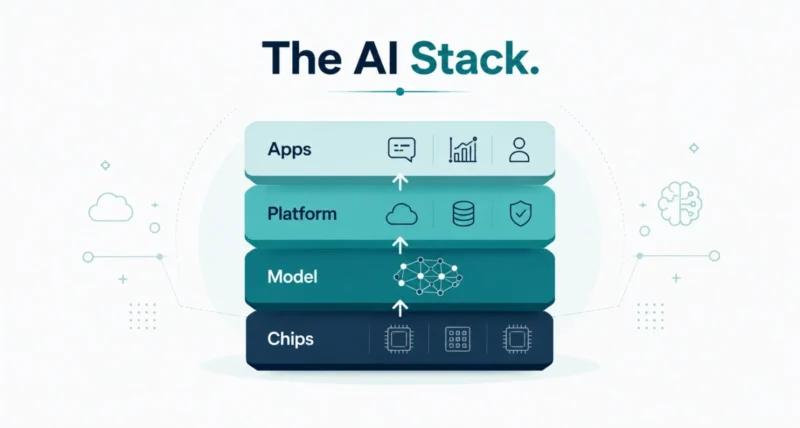
Picture a restaurant that grows its own vegetables, raises its own animals, cooks every dish, and serves you at the table. Nothing is outsourced, so everything works together. That, in a sentence, is full-stack AI. It is one of the biggest buzzwords in tech right now, and Google says it has shaped its AI work for over a decade. This guide breaks it down simply: what it means, the layers involved, why it matters, and how you can start building with it today.
| Quick Answer Full-stack AI is an approach where a single company builds and connects every layer of an AI system, from the computer chips and the AI model to the software that runs it and the apps you use. Instead of stitching together parts from many vendors, everything is designed to work together as one. The payoff is better reliability, lower cost, and far simpler building. Google has taken this approach for years, owning its own chips (TPUs), its Gemini models, its platforms, and apps like Maps and Gmail. |
Key Takeaways
- Full-stack AI means one company builds every layer of an AI system, all designed to work together.
- The four layers are chips, the AI model, the platform, and the apps you use.
- The benefits are reliability, lower cost, and simpler development.
- It does not lock you in: Google calls its stack “opinionated but extensible.”
- You can start building with Google AI Studio, Gemini Enterprise, or Antigravity.
What Is Full-Stack AI?
Full-stack AI is when one company builds and connects every layer of an AI system, rather than buying separate pieces from different vendors and gluing them together. The word stack refers to the layers of technology that sit on top of each other to make a product work. They run from the hardware at the bottom to the app you tap at the top.
Because the same company designs every layer, the pieces fit together by design. As Google explained in its full-stack explainer, this lets it deliver AI that is more reliable and more affordable.
| Worth Knowing Think of it like a phone maker that designs its own chip, its own software, and its own apps. When one company controls the whole experience, the parts tend to run more smoothly together than a mix of components from rivals. |
Where the Term Comes From
The phrase full-stack started in app development about a decade ago. Back then, building software usually needed several specialists. One person handled the front end, the part you see. Another handled the back end, the server logic behind it. A separate team ran the database.
A full-stack engineer was someone who could work across all of those layers alone, taking an idea from rough concept to finished software without constant handoffs. Full-stack AI takes that same end-to-end idea and applies it to artificial intelligence, covering everything from the chips to the final app.
The Four Layers of the AI Stack
An intentional AI stack needs four layers working together to get a job done. Here is each one explained simply, from the ground up.
Layer One: The Chips
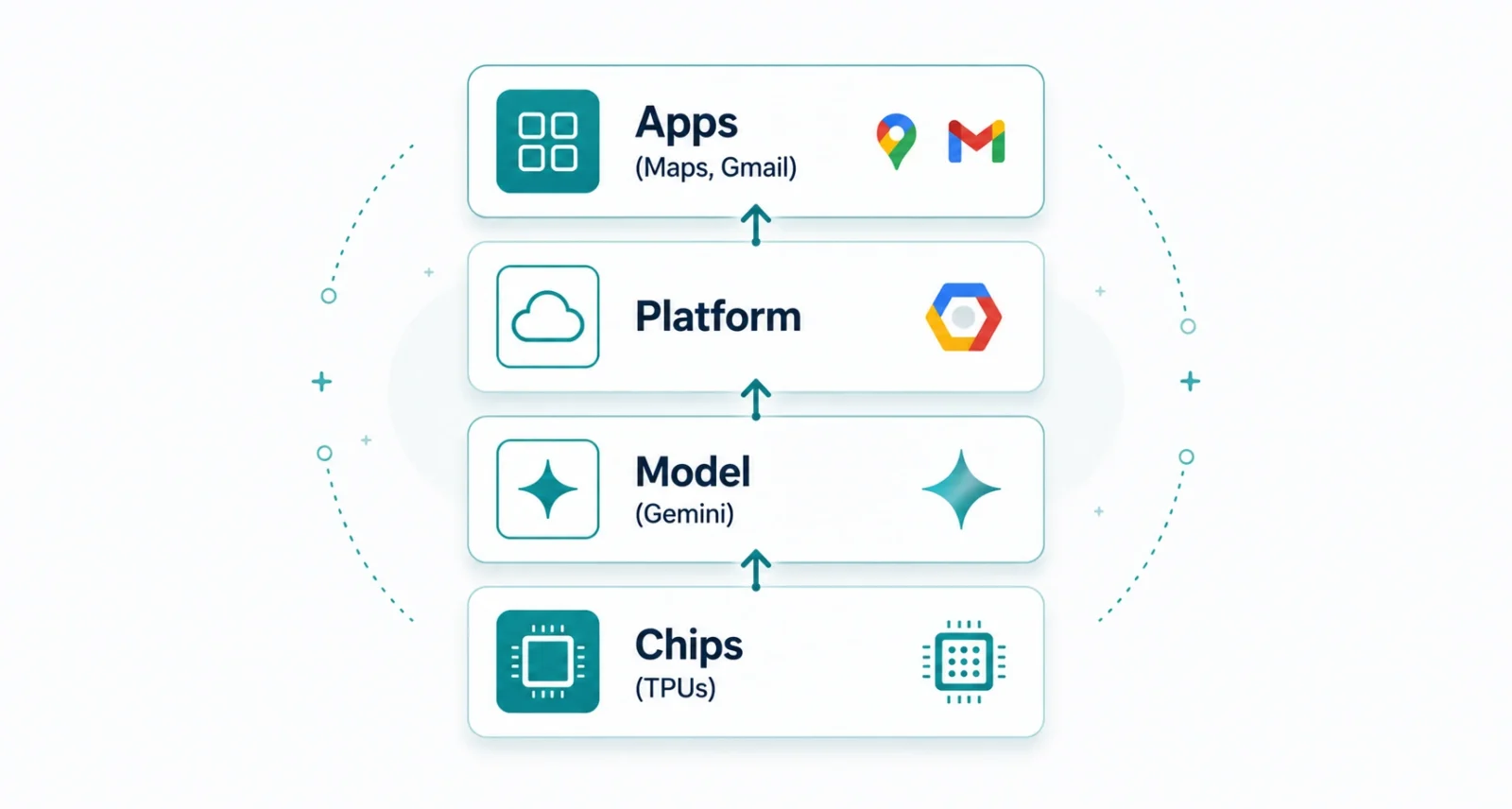
At the bottom sits the compute infrastructure, the raw computing power. Google designs its own chips called Tensor Processing Units, or TPUs, built specifically to run AI. Owning the hardware is the foundation everything else stands on.
Layer Two: The AI Model
On top of the chips runs the AI model, the brain that actually does the thinking. Google’s models are the Gemini family, developed by Google DeepMind. The model is what understands your request and generates a response.
Layer Three: The Platform
Next is the orchestration platform, the software that connects the model to real tasks and keeps everything coordinated. For Google, that includes tools like its Gemini Enterprise Agent Platform, the layer that turns a raw model into useful workflows.
Layer Four: The Apps
At the top are the user interfaces, the apps you actually touch. These are the everyday products like Maps and Gmail. This is where all the layers below finally meet you, the user.
| Layer | What It Is | Google Example |
| Chips | The raw computing power | TPUs |
| Model | The AI brain that thinks | Gemini |
| Platform | Software that runs it all | Gemini Enterprise |
| Apps | The products you use | Maps and Gmail |
Why Full-Stack AI Matters
Owning every layer is not just tidy. It produces real, practical advantages for the people who use the products.
- More reliability. If something fails at one layer, the company controls the others and can catch the problem. There is no waiting on an outside vendor to fix it.
- Lower cost. Because there are no third-party fees stacked on top, those savings can pass to customers as more competitive pricing.
- Simpler building. Developers get all the parts in one connected box, instead of hunting down and joining pieces from many vendors.
- Better performance. When the chips, model, and software are tuned for each other, the whole system can run faster and smoother.
Stitched Together vs All-in-One
There are two ways to build with AI. You can assemble the pieces yourself, or use a stack where they already fit. Here is the contrast.
| Stitched Together | Full-Stack (All-in-One) |
| Parts from many vendors | Every layer from one provider |
| You connect them yourself | Already connected by design |
| More points of failure | One owner can catch issues |
| Stacked third-party fees | Fewer fees, lower cost |
| Slower to get started | Ready to build out of the box |
Neither is wrong, and big builders sometimes mix both. But for most people, a connected stack removes a lot of the hardest, most tedious work of getting AI to run.
Does Full-Stack AI Lock You In?
It is a fair worry, but the answer, at least in Google’s case, is no. Google describes its platform as opinionated but extensible, and batteries included. Everything you need is ready out of the box. Yet you can still swap in another company’s AI model or plug in different software if you prefer. The goal is to win you over with a complete platform, not to trap you in a closed one.
| Good to Know Google is also one of the biggest contributors to open source, regularly releasing free, foundational technology the whole industry builds on. An integrated stack and openness are not opposites here. |
How to Start Building
You do not need an engineering degree to try full-stack AI. Google offers three clear front doors, depending on what you want to make.
| Your Goal | Tool to Start With |
| Quickly prototype a web app | Google AI Studio |
| Automate daily work with low code | Gemini Enterprise Platform |
| Build complex agents or systems | Antigravity |
- Prototyping an idea. Use Google AI Studio to build a web app in minutes and deploy it with a click.
- Automating tasks. Use the Gemini Enterprise Platform to clean up your inbox or parse spreadsheets without writing code.
- Building agents. Use Antigravity for sophisticated, multi-step systems, even without advanced programming skills.
Whatever your skill level, there is a starting point. New to all this? Our beginner guide to how to use Google AI Mode is a gentle place to get comfortable with Google’s AI first.
Full-stack AI sounds technical, but the idea is simple: one company builds every layer so the whole system just works together. That brings better reliability, lower cost, and far less hassle, which is why Google has bet on this approach for more than a decade.
For builders, the best part is the open door. With tools like AI Studio, Gemini Enterprise, and Antigravity, you can put full-stack AI to work today, no engineering degree required. Pick the one that matches your goal, and start small.

