
Old caches, browser junk, and leftover logs quietly eat your disk space and leave traces of everything you do. BleachBit clears all of it in a few clicks, and it can wipe sensitive files so thoroughly that recovery tools come up empty. Best of all, it is free and open source.
| Quick Answer BleachBit is a free, open-source disk cleaner for Windows and Linux. It frees up space by clearing caches and logs, and protects privacy by shredding files and wiping free disk space beyond recovery. |
What Is BleachBit
BleachBit is an open-source cleaning and privacy tool that wipes junk from thousands of applications. It works on Windows and Linux, and it goes well beyond a basic temp-file cleaner.
On top of freeing space, it can securely shred files, overwrite free disk space to hide deleted data, and even shrink databases to speed up apps. It is a favorite among privacy-minded users for good reason.
What BleachBit Can Clean
BleachBit organizes its cleaning into clear, checkable categories. The main ones include:
- Browser data. Caches, histories, cookies, and temporary files from Chrome, Edge, Firefox, and many more.
- System junk. Logs, temporary files, thumbnails, and leftover clutter across the OS.
- File shredding. Securely deletes files so they cannot be recovered.
- Free space wiping. Overwrites empty disk space to erase traces of previously deleted files.
- Database vacuuming. Shrinks Firefox and Chrome databases to save space and improve speed.
| Worth Knowing Deletion in BleachBit is permanent, which is the whole point of a privacy cleaner. Use the Preview button first to see exactly what will be removed before you commit to anything. |
How to Use BleachBit
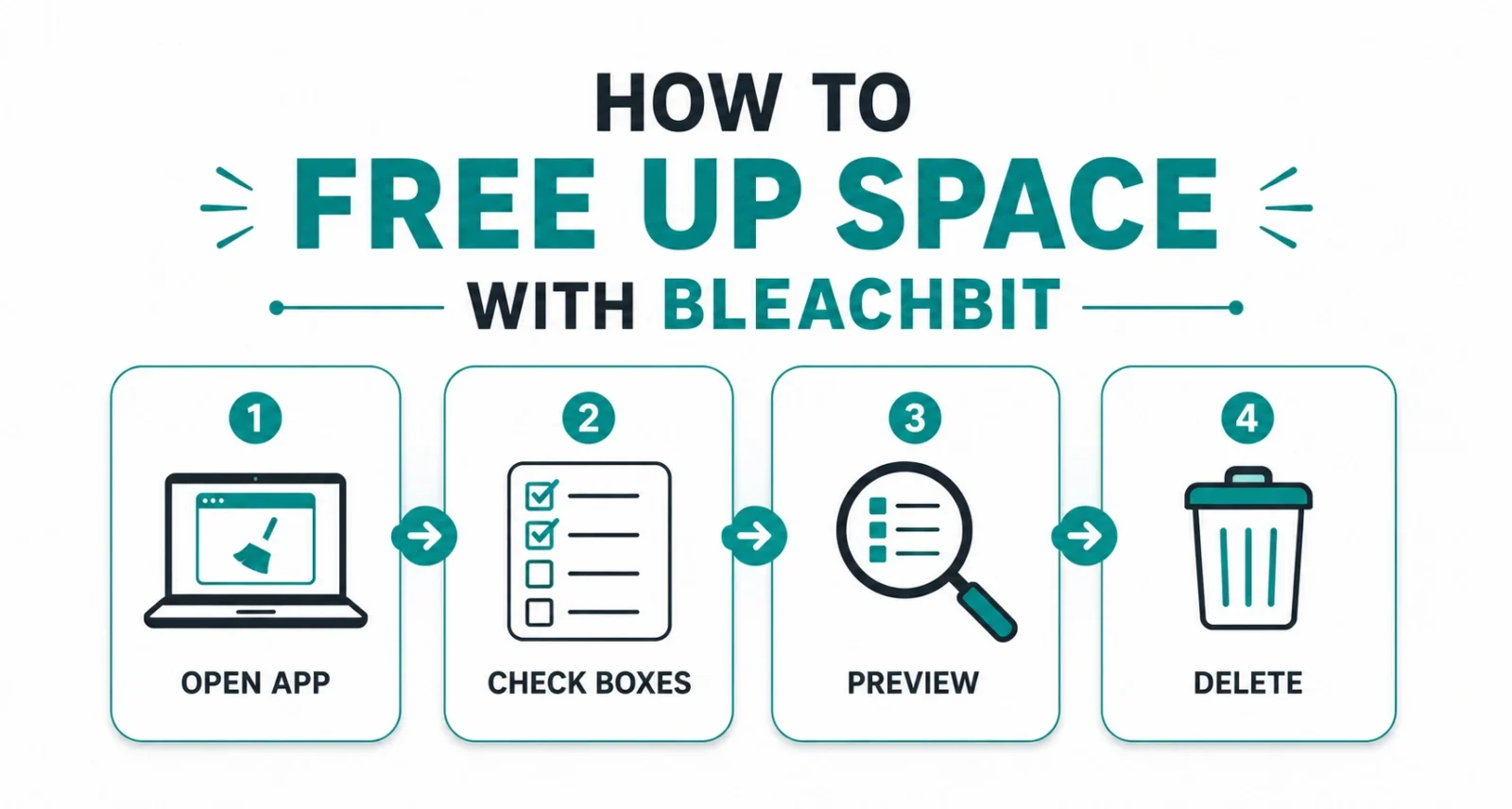
The interface is refreshingly simple. Here is the basic workflow.
- Open BleachBit and review the list of apps and categories on the left.
- Check the boxes for the items you want to clean, reading each description as you go.
- Click Preview to see how much space you will recover and exactly what gets deleted.
- Click Delete to clean everything you selected.
| Quick Tip Windows users can add the free winapp2.ini file to unlock over 2,500 extra cleaners for apps BleachBit does not cover out of the box. It is a separate download that slots right in. |
What Is New in BleachBit 6.0.1 Beta
The 6.0.1 beta is a maintenance update focused on safety and coverage. Most importantly, it fixes a Windows security issue that could allow arbitrary file deletion during privileged cleaning. It also adds new cleaners, including a DNS cache cleaner and cleaners for VS Code forks, plus support for multiple Chrome and Edge profiles.
| Heads Up This is a beta release meant for testing. If you want the most stable experience, the current final version is BleachBit 6.0.0, the project’s biggest release in years. The beta is great if you want the newest fixes early. |
Is BleachBit Safe
Yes, as long as you pay attention. It is open source and widely trusted, so the code is fully auditable. The real caution is that cleaning is permanent, so always preview first and avoid checking boxes you do not understand. Download only from the official BleachBit site or GitHub, since impostor repositories exist.
BleachBit is one of the most capable free cleaners you can install. It reclaims real disk space, scrubs your privacy traces, and gives you secure deletion that paid tools often charge for. Preview before you delete, grab it from the official source, and it becomes a tool you will reach for again and again.
Download BleachBit
Download BleachBit (official site, stable 6.0.0 and 6.0.1 beta)
BleachBit GitHub releases (official source and release history)
BleachBit home page (features and documentation)
Frequently Asked Questions
Is BleachBit Free
Yes. BleachBit is completely free and open source under the GNU GPL, with no paid version or ads.
Does BleachBit Work on Windows 11
Yes. BleachBit runs on Windows 10 and 11, as well as Linux.
Can BleachBit Recover Deleted Files
No. BleachBit does the opposite. It securely deletes and shreds files so they cannot be recovered, so preview before you delete.
What Is the winapp2.ini File
It is a free add-on that gives Windows users over 2,500 extra cleaners for apps not covered by default. You download and import it separately.
Should I Use the 6.0.1 Beta or 6.0.0
Use 6.0.0 for the most stable experience, or the 6.0.1 beta if you want the latest security fixes and new cleaners early.

