
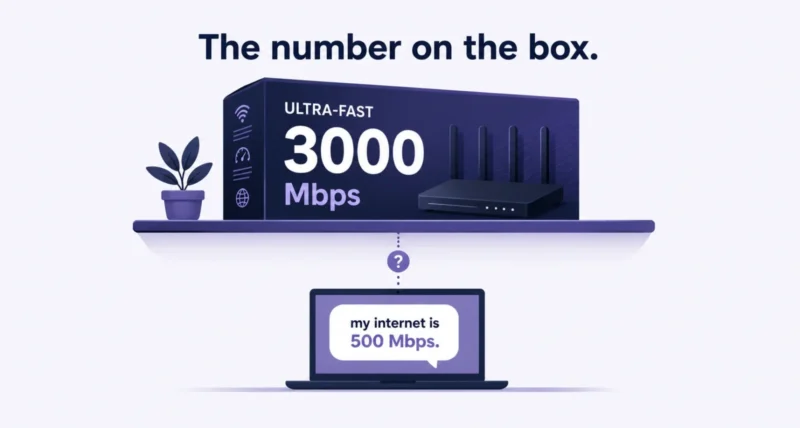
Every router box in the store now shouts about 46 Gbps. So what is WiFi 7, and does any of that number mean anything for you? Short version: it is a genuine engineering upgrade, the marketing around it is close to fantasy, and most people reading this do not need a new router. That 46 Gbps is a laboratory figure you will never see. Your internet plan caps you long before your Wi-Fi does. Below is the honest version, including the two things about Wi-Fi 7 routers that the boxes will never tell you.
| The Short Answer Wi-Fi 7 is the wireless standard IEEE 802.11be, certified since January 2024. It adds three things: Multi-Link Operation, which lets a device use several bands at once for lower latency, 320 MHz channels for more bandwidth, and 4K-QAM for denser data. Do you need it? Probably not. If your internet plan is under 1 Gbps and your current router works, Wi-Fi 7 will not make your downloads faster, because your provider is the bottleneck, not your Wi-Fi. Upgrade if you are on Wi-Fi 5 or older, if you have gigabit-plus internet, or if you are buying a router anyway. |
What Is WiFi 7? The One Minute Version
Wi-Fi 7 is the marketing name for IEEE 802.11be, which engineers call Extremely High Throughput. The Wi-Fi Alliance began certifying devices on 8 January 2024, and the IEEE finalized the standard in July 2025. It brings three headline changes.
| The Feature | What It Does | Does It Matter? | |||
| Multi-Link Operation (MLO) | Uses 2.4, 5 and 6 GHz at the same time, under one connection | Yes. This is the real upgrade | |||
| 320 MHz channels | Doubles the widest channel, but only on 6 GHz | Sometimes. Short range, and often unusable | |||
| 4K-QAM | Packs 12 bits per symbol instead of 10, so 20 percent denser | Rarely. Needs a near-perfect signal | |||
| Wi-Fi 6 | Wi-Fi 6E | Wi-Fi 7 | |||
| Top lab speed | 9.6 Gbps | 9.6 Gbps | 46 Gbps | ||
| 6 GHz band | No | Yes | Yes | ||
| Widest channel | 160 MHz | 160 MHz | 320 MHz | ||
| Use several bands at once | No | No | Yes, via MLO | ||
| WPA3 security | Optional | Required on 6 GHz | Required | ||
Note that last row, because almost nobody mentions it. Wi-Fi 7 makes WPA3 encryption mandatory rather than optional, along with protected management frames. That is a real security gain, and it arrives whether you care about speed or not.
MLO Is the Only Feature That Really Matters
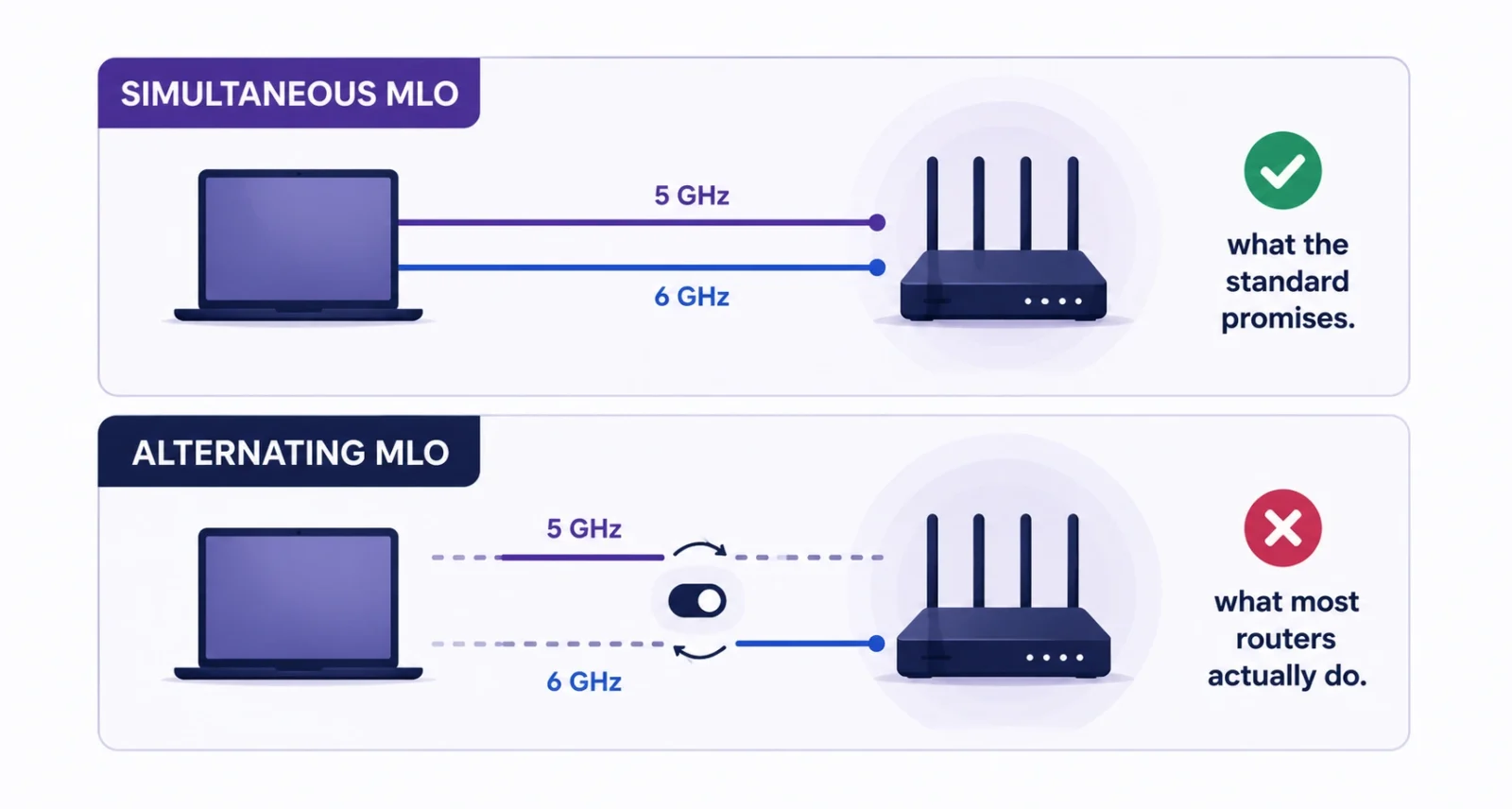
Forget the speed figure. The interesting idea in Wi-Fi 7 is Multi-Link Operation, which lets one device hold a connection across several bands simultaneously instead of picking one and hoping. Your laptop can send on 5 GHz while receiving on 6 GHz.
The gain is not really speed, it is steadiness. MLO cuts latency and smooths out the sudden stalls that ruin a video call or a game. That is something you actually feel, unlike a download that finishes in 4 seconds instead of 5.
| The Catch Nobody Prints on the Box MLO comes in two flavors. Simultaneous MLO genuinely uses multiple bands at once. Alternating MLO just hops between them quickly, which is far less useful. As How-To Geek has pointed out, almost no consumer Wi-Fi 7 router on sale actually does the simultaneous version. So the flagship feature of Wi-Fi 7 is, in practice, largely missing from Wi-Fi 7 routers. Read that twice before you spend $400. |
Your Internet Plan Is Almost Certainly the Bottleneck
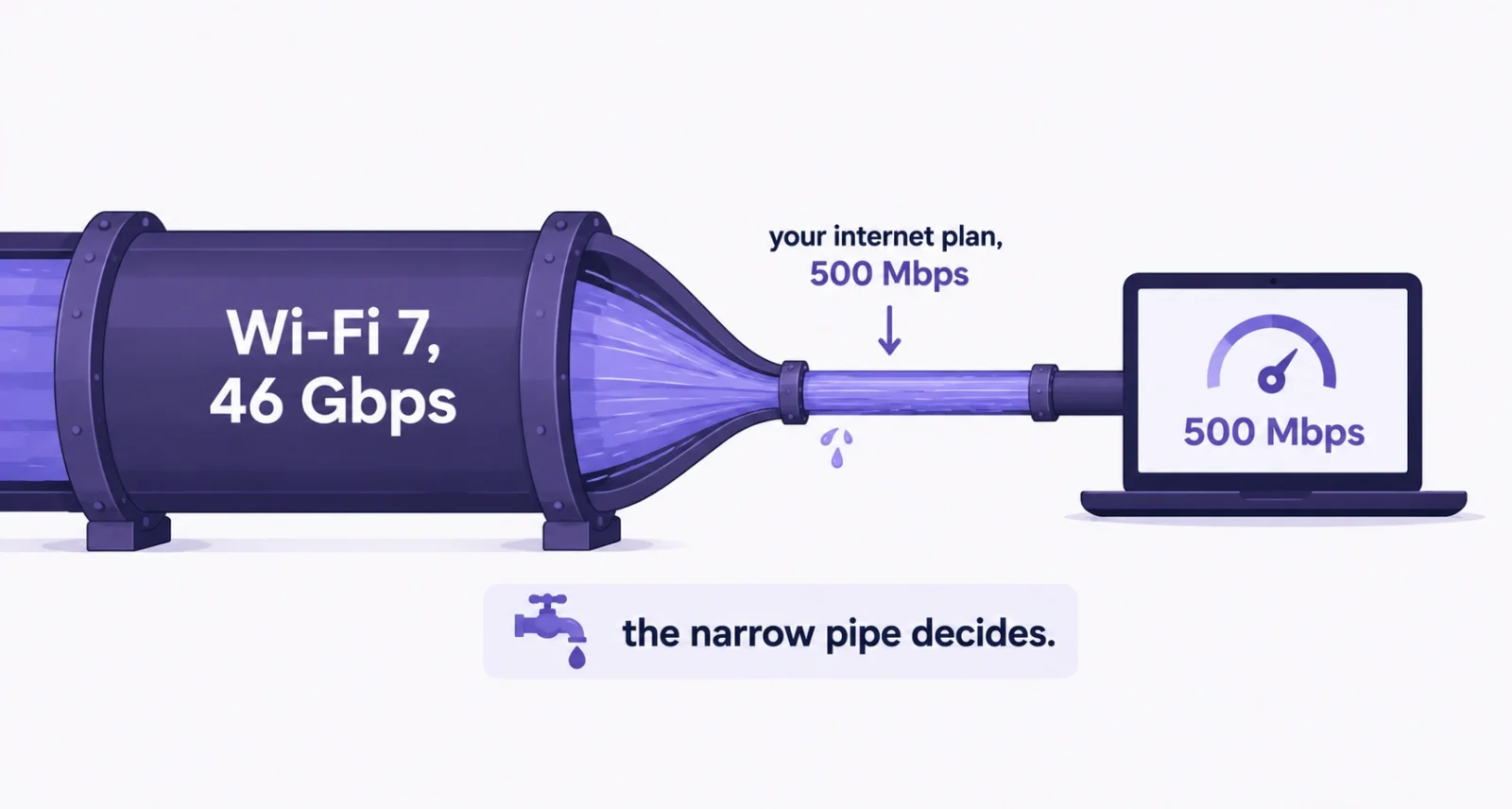
This is the paragraph that will save you the most money, so here it is bluntly. Your router cannot deliver internet faster than your provider sells you.
A Wi-Fi 6 router already carries a gigabit connection without breaking a sweat. If you pay for 300 Mbps, or 500, or even 1 Gbps, your Wi-Fi is not what is holding you back, and no router on earth will change that. Wi-Fi 7 only starts to earn its keep when the pipe coming into your house is wider than the pipe inside it.
| Your Internet Plan | Is Wi-Fi 7 Worth It? |
| Under 500 Mbps | No. Wi-Fi 6 is already far more than you need |
| 500 Mbps to 1 Gbps | No real gain in speed. Only MLO latency helps |
| 1 to 2 Gbps | Maybe, if your devices support Wi-Fi 7 too |
| 2 Gbps or more | Yes. This is who Wi-Fi 7 was actually built for |
There is a second half to this. Both ends have to support Wi-Fi 7. A shiny new router talking to a two-year-old phone gives you Wi-Fi 6 speeds, because the phone is the limit. And as BGR notes, the advertised 46 Gbps is not something real devices reach anyway, before your provider even caps you.
The Wi-Fi 7 Label Is Looser Than You Think
Here is the second thing the box will not tell you. Not every feature is required to earn the name.
Per HPE Aruba’s technical documentation, MLO and preamble puncturing are mandatory for certification, but 320 MHz channels and 4K-QAM are optional extras that only higher-tier hardware includes. A manufacturer can sell you a certified Wi-Fi 7 router that has neither of the two features you probably bought it for. It is the HDMI 2.1 problem all over again.
| Worth Knowing The worst offenders are cheap Wi-Fi 7 routers that drop the 6 GHz radio entirely. Since 320 MHz channels only exist on 6 GHz, a dual-band Wi-Fi 7 router cannot use the widest channels at all. You are paying for a badge. Also worth knowing: even where 6 GHz exists, network engineers note that in standard power mode the US has room for only one 320 MHz channel, so in an apartment block you may never get a clean one. |
So Do You Actually Need a New Router?
Find your current setup in this table. It is the honest answer, not the one the router industry would like you to hear.
| You Currently Have | Verdict | Why |
| Wi-Fi 5 or older | Upgrade | You will feel a large difference immediately |
| Wi-Fi 6, no 6 GHz | Consider it | But a cheaper Wi-Fi 6E router gets you most of the way |
| Wi-Fi 6E | Skip it | You already have 6 GHz, and 160 MHz is your practical ceiling |
| A router that works fine | Skip it | Nothing here fixes a problem you do not have |
| Dead zones or buffering | Fix coverage first | A mesh system beats a faster standard every time |
| Buying a router anyway | Get Wi-Fi 7 | Prices have fallen, so there is no reason to buy older |
Notice the pattern. Almost nobody needs Wi-Fi 7 for speed. The people who genuinely benefit have multi-gigabit fiber, a house full of devices, or a serious appetite for VR and competitive gaming, where the latency floor matters more than the ceiling.
If You Are Buying, Check These Five Things
Most buying guides list brands. These are the specs that actually decide whether your money does anything.
- Does it have a 6 GHz radio? If the box says dual-band, put it down. Without 6 GHz, most of Wi-Fi 7 is switched off.
- Does it support 320 MHz channels? This is optional for certification, so check the spec sheet rather than the badge.
- Does it do simultaneous MLO, not just alternating? Ask the manufacturer directly, because few advertise the difference.
- Does it have 2.5 Gbps or faster ethernet ports? Wi-Fi 7 throughput exceeds 1 Gbps, so gigabit ports would throttle the router itself.
- Do your own devices support Wi-Fi 7? If your phone and laptop do not, you have bought a very expensive Wi-Fi 6 router.
Should You Just Wait for Wi-Fi 8?
This is the question worth sitting with, because Wi-Fi 8 is closer than most people realize, and it may be the one you actually want.
Wi-Fi 8, or IEEE 802.11bn, is built around Ultra High Reliability. For the first time, a Wi-Fi generation is not chasing a bigger speed number. Peak throughput stays around the same 46 Gbps. Instead it targets consistency: better handoff between mesh nodes, better behavior at the edge of range, better performance in a crowded building. Per TP-Link, the standard should be finalized around 2028.
| Wi-Fi 7 | Wi-Fi 8 | |
| Standard | 802.11be | 802.11bn |
| Designed for | Peak speed | Reliability and consistency |
| Top lab speed | 46 Gbps | About the same |
| Status | On sale now, prices falling | Finalised around 2028 |
| Worth waiting for? | Buy now if you need a router | Yes, if your current one is fine |
Early Wi-Fi 8 hardware appeared at CES 2026, and the first prototype tests reported roughly double the mid-range throughput and far lower worst-case latency than Wi-Fi 7. Those are draft numbers on concept hardware, so treat them as a direction rather than a promise. The honest summary is that Wi-Fi 8 is the version of Wi-Fi 7 that most homes actually wanted.
Wi-Fi 7 is real engineering wrapped in unusually silly marketing. MLO is a genuine advance, WPA3 by default is a quiet win, and 46 Gbps is a number that exists only in a laboratory.
So be honest about which problem you are solving. If your Wi-Fi drops in the back bedroom, buy a mesh system, not a faster standard. If your downloads feel slow, look at your internet plan first. And if you are buying a router anyway, get Wi-Fi 7 with a 6 GHz radio and multi-gig ports, because it costs little more and the WPA3 requirement alone is worth having. While you are hardening things, our guide to passkeys is a better use of an afternoon than any router upgrade.
Frequently Asked Questions
What is WiFi 7 in simple terms?
It is the newest mainstream Wi-Fi standard, technically IEEE 802.11be, certified since January 2024. It lets a device use several frequency bands at the same time, supports wider 320 MHz channels on 6 GHz, and packs data more densely. The practical benefit is lower latency and steadier connections rather than dramatically faster downloads.
Do I need a Wi-Fi 7 router?
Most people do not. If your internet plan is under 1 Gbps and your current router works, Wi-Fi 7 will not speed up your downloads, because your provider sets the ceiling. Upgrade if you are on Wi-Fi 5 or older, if you have multi-gigabit internet, or if you are replacing a router anyway.
Will Wi-Fi 7 make my internet faster?
Not by itself. A router cannot deliver more bandwidth than your internet provider sends you. If you want faster downloads, a better plan will do more than a better router. Wi-Fi 7 improves what happens inside your home, especially latency and how well many devices share the airwaves.
Is Wi-Fi 7 backward compatible?
Yes. A Wi-Fi 7 router works with every older device you own, from Wi-Fi 5 laptops to smart plugs. But those devices connect at their own speeds. To get Wi-Fi 7 benefits, both the router and the device have to support it.
Should I wait for Wi-Fi 8 instead?
If your current router is fine, yes, waiting is reasonable. Wi-Fi 8 focuses on reliability rather than peak speed, which is what most homes actually need, and it should be finalized around 2028. If you need a router today, buy Wi-Fi 7 rather than waiting two years with a bad connection.
Does Wi-Fi 7 have better security?
Yes, and it is underrated. Wi-Fi 7 makes WPA3 encryption and protected management frames mandatory, where earlier generations treated them as optional. You get a stronger baseline simply by using it, regardless of whether you ever see the speed benefits.

