
Published on June 25, 2026 | Last Updated June 25, 2026 | Category: Technology
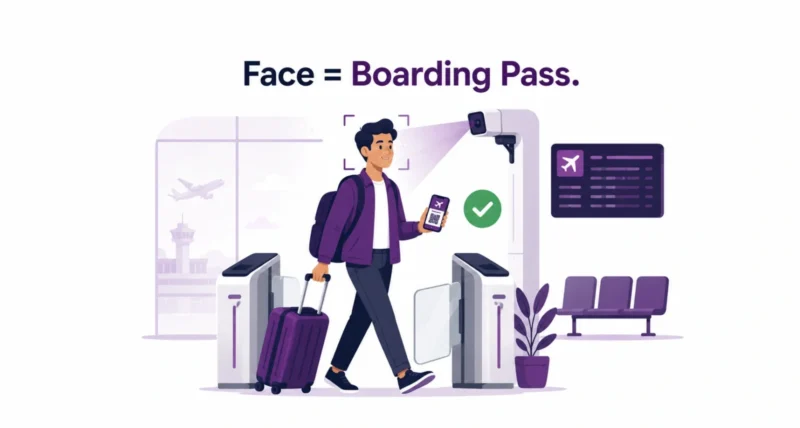
Picture the security line. Bag on the belt, phone in your teeth, ID and boarding pass somewhere in your hand. Now picture skipping all of it with a glance at a camera. That is the promise of Google Wallet TSA PreCheck Touchless ID, announced on June 24, 2026. Google Wallet is the first digital wallet to partner with the TSA on this, and it turns a clunky sign-up into a one-time tap.
| Quick Answer Google Wallet is now the first digital wallet to support TSA PreCheck Touchless ID. If you have TSA PreCheck and fly any of the 100-plus participating airlines, you add your passport to Google Wallet, save your boarding pass, and opt in once. At the airport, a quick facial comparison verifies you in a dedicated lane, with no physical ID or boarding pass needed. It is available at 65 airports and rolling out over the coming weeks. |
Key Takeaways
- Google Wallet is the first digital wallet to partner with the TSA on PreCheck Touchless ID.
- You opt in once and it works across 100-plus airlines, instead of signing up airline by airline.
- Touchless ID uses facial comparison in a dedicated lane, so no physical ID or boarding pass at the checkpoint.
- It is live at 65 airports, with the Google Wallet rollout arriving over the coming weeks.
- Your data stays encrypted on your phone, and you only share it after you explicitly opt in.
What Is TSA PreCheck Touchless ID?
TSA PreCheck Touchless ID is a faster way to prove who you are at airport security. Instead of handing over an ID and boarding pass, you pause at a camera. The system compares your live photo to the passport image you already provided, and a TSA officer waves you through.
It runs in dedicated lanes that are usually quicker than any other line. The program is only for TSA PreCheck members, and using it has always meant opting in. The catch, until now, was the sign-up.
| Worth Knowing Touchless ID is voluntary. You can always choose the standard ID check instead, and you should still carry a valid physical ID as a backup in case the technology hiccups. |
This builds on a wider push to put your documents on your phone. If you want the bigger picture, our guide to Chrome autofill with Google Wallet covers how passport and travel details now live in your wallet.
Why the Google Wallet Update Is a Big Deal
Here is the part that actually changes your travel day. Before this update, you had to upload your passport and opt in separately for each airline, and only a handful supported it.
With Google Wallet, you opt in once. After that, Touchless ID works across any of the 100-plus participating TSA PreCheck airlines at supported airports. As Google explained, that single step saves time and cuts hassle every time you fly.
| The Standout The old manual route still exists, and it covers just six airlines: Alaska, American, Delta, Hawaiian, Southwest, and United. Google Wallet jumps you from six airlines to more than a hundred with one opt-in. That is the leap. |
How to Set It Up, Step by Step
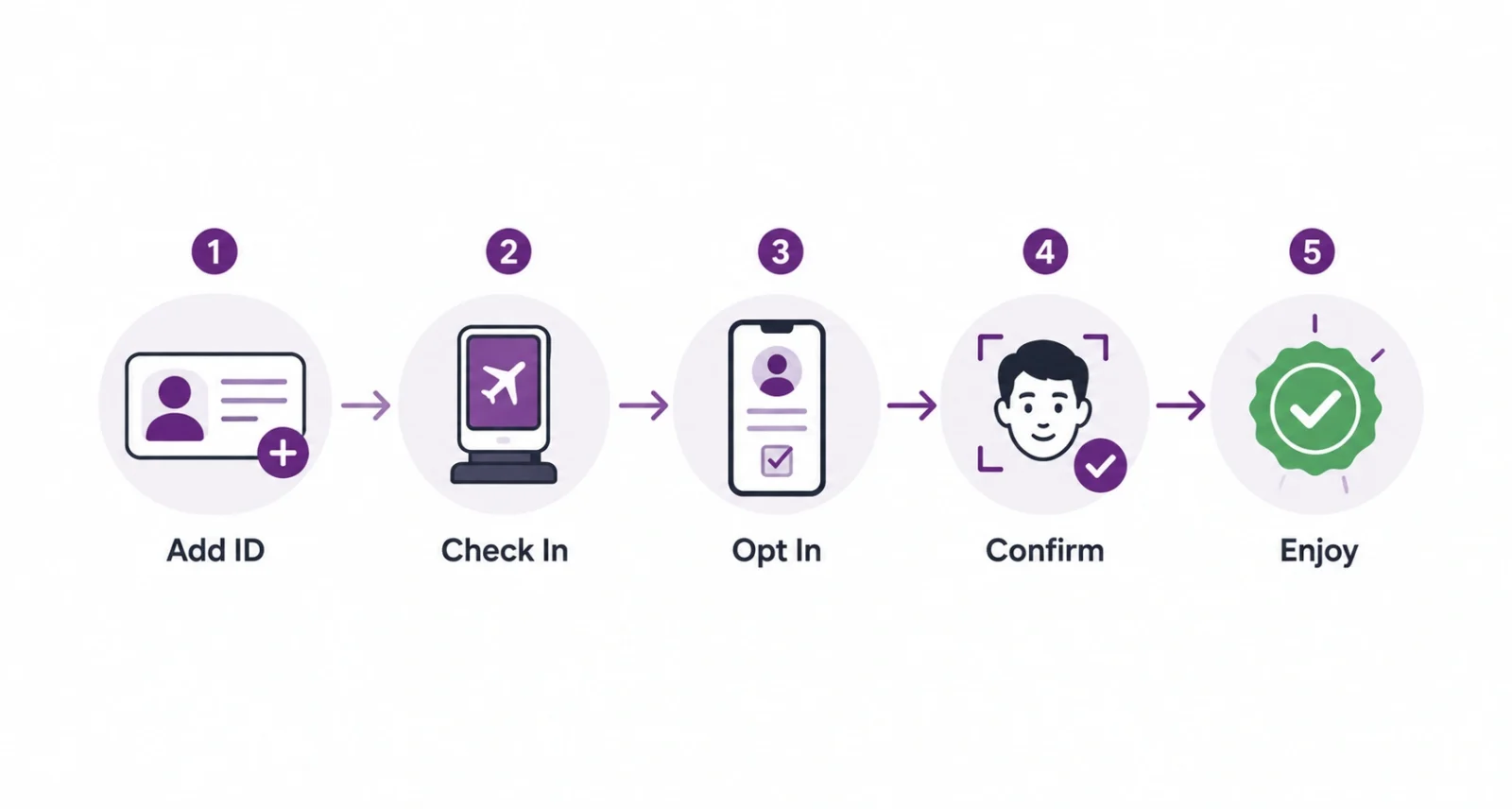
Setup is short and happens mostly on your phone. Here is the full process from start to security lane.
- Add a digital ID. Create an ID pass in Google Wallet using your passport information, if you have not already.
- Check in. Check in for your flight as usual, then save your boarding pass to Google Wallet.
- Opt in. If you are eligible, a Get started button appears on your boarding pass and sends you to the TSA enrollment page.
- Give the green light. Agree to securely share your ID pass and boarding pass for that trip with the TSA.
- Look for the badge. Once the TSA confirms, a Touchless ID indicator appears on your Google Wallet boarding pass. You are ready for the express lane.
| Quick Tip Check in and confirm the Touchless ID indicator at least 24 hours before your flight. That gives your information time to process, so there are no surprises at the checkpoint. |
The Old Way vs the New Way
The difference is easiest to see side by side. The manual route still works, but the Google Wallet path is far simpler.
| Step | Old Manual Way | Google Wallet Way |
| Sign-up | Once per airline | Once, then done |
| Airlines covered | Six | 100-plus |
| Passport upload | Repeated for each airline | Stored once in Wallet |
| At the checkpoint | Facial comparison | Facial comparison |
Is Google Wallet Touchless ID Safe?
Yes, and the privacy design is the reassuring part. Your information is only shared with the TSA after you explicitly opt in and unlock your phone with a biometric, PIN, or pattern. Digital IDs in Google Wallet stay encrypted and stored directly on your device, so you control who can read them.
| Worth Knowing The TSA says it deletes your information within 24 hours of your scheduled departure when you use Touchless ID. The facial comparison is for identity checks at the airport, not for surveillance or law enforcement, and participation is always voluntary. |
Where You Can Use It
Touchless ID is live at 65 airports across the United States, from major hubs to smaller regional ones. The Google Wallet opt-in is rolling out over the coming weeks, so it may reach your phone a little before or after a given trip.
Availability still depends on both the airport and your airline supporting the program at that location. When everything lines up, you get a dedicated lane that is often faster than standard PreCheck.
Tips for a Smooth First Try
- Carry a physical ID anyway. Technology can glitch, and an officer may still ask for it.
- Set up the night before. Opting in early gives your enrollment time to process.
- Look for the indicator. No Touchless ID badge on your boarding pass means you are not enrolled for that trip yet.
- Keep your passport current. The system matches your live photo to your passport image, so an expired one can cause issues.
Google keeps weaving your documents into everyday tools, much like the AI features in Search and Chrome. If that shift interests you, our explainer on how to use Google AI Mode shows another side of the same trend.
Google Wallet TSA PreCheck Touchless ID takes one of travel’s small annoyances and quietly removes it. One opt-in replaces a stack of airline sign-ups, and a glance at a camera replaces fumbling for documents.
The privacy guardrails are sensible, and the convenience is real for anyone who flies often. Set it up before your next trip, keep a physical ID handy, and enjoy the shorter line.
| Your Move Want more guides on Google’s latest tools and features? Browse our Technology section for clear, step-by-step breakdowns. |
Frequently Asked Questions
Do I need TSA PreCheck to use Google Wallet Touchless ID?
Yes. TSA PreCheck Touchless ID is only for TSA PreCheck members, including those who get PreCheck through Global Entry. You also need a participating airline and a supported airport for that trip.
Which airlines work with Google Wallet Touchless ID?
After you opt in through Google Wallet, Touchless ID works across any of the 100-plus participating TSA PreCheck airlines at supported airports. The older manual route covered just six airlines.
Is my passport data safe in Google Wallet?
Your digital ID is encrypted and stored on your phone. It is only shared with the TSA after you opt in and unlock your device with a biometric, PIN, or pattern, so you stay in control.
How long does TSA keep my information?
When you use Touchless ID, the TSA says it deletes your information within 24 hours of your scheduled departure. The facial comparison is used only to verify your identity at the checkpoint.
Do I still need a physical ID at the airport?
Yes. Touchless ID is convenient, but you should still carry a valid physical ID. If the technology cannot verify you, an officer will use the standard ID check instead.
How many airports support TSA PreCheck Touchless ID?
Touchless ID is available at 65 airports nationwide. The Google Wallet opt-in is rolling out over the coming weeks, so check that your airport and airline support it before your trip.

