
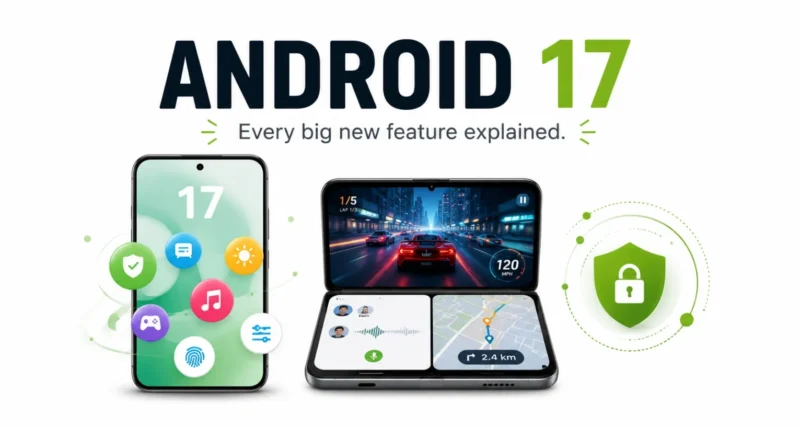
Your phone is about to get a meaningful upgrade, and you do not need to buy anything. Android 17 has landed, bringing floating app windows, smarter foldable gaming, a clever new way to react over your screen, and security that fights back if your phone is stolen. As Google announced, it is rolling out to Pixel first, then other devices through 2026. Here is everything new, explained simply.
| Quick Answer Android 17 is rolling out now, starting with Pixel and reaching more devices through 2026. The headline features are Bubbles (turn any app into a floating window), Screen Reactions (record your screen and face together), foldable gaming mode (a split game-and-controller layout), and stronger security like an enhanced Mark as lost. Gemini Intelligence arrives on select devices later this summer. |
What Is Android 17
Android 17 is the newest version of Google’s phone software, the system that runs your apps, settings, and notifications. It is a free update, and it focuses on four things: getting more done at once, better entertainment, stronger security, and smoother performance.
Pixel phones get it first, today, and other eligible Android phones follow through 2026. Below are the standout features, what each one does, and why it is worth caring about.
| The Big Picture Android 17 is less about flashy gimmicks and more about everyday friction. Floating apps, safer phones, and smoother gaming all chip away at the small annoyances you hit every single day. |
Feature 1: Multitask Faster With Bubbles
Bubbles is the feature you will reach for most. It turns any app into a small floating window that sits on top of whatever else you are doing, so you stop bouncing back and forth between screens.
Long-press an app icon to pop it into a bubble. On big screens and foldables, your bubbles dock in a bar at the bottom, so you can tap to switch, resize, or go full-screen in an instant. It is perfect for glancing at notes, maps, a tutorial, or the score while you carry on with something else.
| The Cool Part Imagine watching a recipe video in a floating bubble while you text a friend and check your shopping list, all on one screen, no app-switching. That is Bubbles in everyday life. |
Feature 2: React Over Your Screen With Screen Reactions
Screen Reactions is a gift for anyone who shares their screen. With a few taps, you can record your phone screen and your face from the selfie camera at the same time.
That means you can react to a trending video, walk a friend through an app, or comment on a website without a green screen or juggling separate apps. Screen recording and annotation also get a cleaner toolbar and a smoother flow overall.
Feature 3: Level Up With Foldable Gaming Mode
If you game on a foldable, this is a genuine upgrade. Foldable gaming mode uses the whole screen smartly, with a 50/50 layout: the game on top and a dynamic on-screen gamepad below.
- More room to play and tap. The split layout maximizes both the game view and your control space.
- Smoother high-def gaming. More efficient memory cleanup means fewer frame drops and stutters.
- Remap your controller. Use an external controller? Native remapping lets you set buttons your way.
| Heads Up Foldable gaming mode is built into Android 17 but rolls out in the coming months, so it may not be live the moment you update. It is on the way. |
Feature 4: Stronger Security and Safety
Android 17 takes phone theft and privacy seriously, with several upgrades that quietly protect you.
- Smarter location and contact sharing. Give an app temporary access to your precise location, or share only specific contacts instead of your whole address book.
- A theft-proof Mark as lost. In Find Hub, you can lock a missing phone with your biometrics, so even someone with your passcode cannot get in or stop tracking.
- Better scam blocking. Live Threat Detection blocks more suspicious apps and scams, and Advanced Protection guards against sophisticated attacks.
- PIN guessing locked down. Fewer allowed PIN guesses and longer waits between failed attempts stop a thief guessing their way in.
Android 17 Features at a Glance
| Feature | What It Does for You |
| Bubbles | Turn any app into a floating window for instant multitasking |
| Screen Reactions | Record your screen and your face at the same time |
| Foldable gaming mode | A split game-and-gamepad layout, plus smoother performance |
| Security upgrades | Theft-proof lock, smarter sharing, and stronger scam blocking |
| Performance | App memory limits for better speed and battery life |
More Hidden Gems in Android 17
Beyond the headliners, there are smaller touches worth knowing about.
- Hide app names on your home screen for a cleaner look.
Expanded Android parental controls that now reach all Android devices, not just Pixel.
- A dedicated volume control for your assistant, separate from media.
- More dark theme control with an expanded, app-wide dark mode.
- App memory limits under the hood, so no single app hogs your RAM, improving speed and battery.
How to Update to Android 17
Updating is free and quick. If your phone is eligible, here is how.
- Charge your phone to at least 50 percent, or keep it plugged in.
- Open Settings, then scroll to System and tap System update.
- Tap Check for update and download Android 17 if it is offered for your device.
- Install and restart. Your phone reboots to finish, then you are on Android 17.
| Quick Tip Not seeing it yet? Pixel gets Android 17 first, and other brands roll out through 2026. Updates arrive in waves, so check back if it is not there on day one. |
Android 17 is a smart, practical update that makes your phone more capable without costing a thing. Bubbles speeds up multitasking, Screen Reactions makes sharing effortless, foldable gaming gets a real boost, and the security upgrades give genuine peace of mind. If you have a Pixel, grab it today, and watch for it on other phones through 2026. You can see the full list on the official Google blog.
Frequently Asked Questions
What Is Android 17
Android 17 is the latest version of Google’s phone software. It adds Bubbles, Screen Reactions, foldable gaming mode, stronger security, and performance improvements.
Is Android 17 Free
Yes. Android 17 is a free software update for eligible devices, just like previous Android versions.
Which Phones Get Android 17
Pixel phones get Android 17 first, with other eligible Android devices receiving it throughout 2026.
What Is Bubbles in Android 17
Bubbles lets you turn any app into a floating window that sits on top of other apps. Long-press an app icon to pop it into a bubble for easy multitasking.
Does Android 17 Improve Security
Yes. It adds an enhanced Mark as lost that locks a stolen phone with biometrics, smarter location and contact sharing, better scam blocking, and tighter PIN protection.
How Do I Update to Android 17
Open Settings, go to System and System update, then check for and install the update if it is available for your phone.

