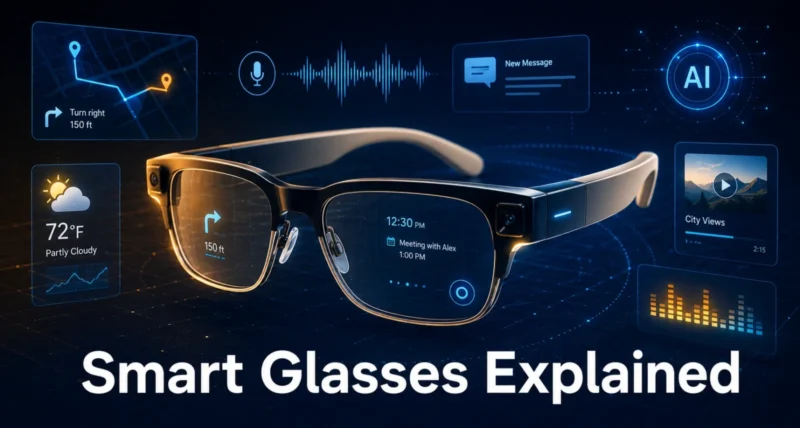
Smart glasses are wearable computing devices that combine cameras, microphones, AI assistants, and optional displays in eyewear form. The 2026 market splits into five categories. These include camera and social glasses, display glasses, athletic glasses, AI-first glasses, and spatial computing headsets.
Meta Ray-Ban Gen 2 remains the only product selling at scale, priced between $300 and $400. It offers a 12MP ultrawide camera, Meta AI integration, and direct Instagram livestreaming. The display category expanded with three notable products. Rokid Glasses ($499) became the first to run Google Gemini natively. XREAL One Pro offers the widest 57-degree field of view. Viture Luma Pro adds prescription focus dials that adjust up to -4.0 myopia.
Your best choice depends on the use case. Pick Meta Ray-Ban for content creation. Choose Rokid for AI assistance. Select XREAL or Viture for productivity. Try Oakley Meta Vanguard for athletics. Go with Apple Vision Pro or Samsung Galaxy XR for spatial computing. Google I/O May 2026 may unveil Samsung Galaxy Glasses. Meta’s Orion successor is expected in 2027-2028.
Key Takeaways
Five Distinct Categories Define the Market
Smart glasses in 2026 fall into 5 distinct categories rather than one product type. Camera-and-social glasses (Meta Ray-Ban Gen 2) serve everyday content creation. Display glasses (Rokid, XREAL, Viture) handle productivity and entertainment. Athletic glasses (Oakley Meta Vanguard) target sports. AI-first glasses focus on hands-free intelligence. Spatial computing headsets (Apple Vision Pro, Samsung Galaxy XR) deliver immersive computing. Each category serves fundamentally different user needs.
Meta Ray-Ban Gen 2 Leads at Scale
Meta Ray-Ban Gen 2 remains the only smart glasses sold at scale. The second-generation upgrade increases the camera to 12MP and adds ultrawide 3K video. Battery life improved noticeably. Meta AI integration enables hands-free queries. Users can livestream directly to Instagram. Prices start around $300-$400. They suit anyone prioritizing style and social media integration.
Display Glasses Mature Rapidly
Display smart glasses matured significantly in 2026. Rokid Glasses ($499) became the first to run Google Gemini natively. XREAL One Pro offers the industry’s widest 57-degree field of view. It supports 3,840 by 1,920 virtual desktop capability. Viture Luma Pro solves the problem of prescription lenses. Its physical focus dials can be adjusted up to -4.0 myopia.
Spatial Computing Forms a Premium Tier
Spatial computing headsets like Apple Vision Pro and Samsung Galaxy XR form a distinct higher-end category. They offer full mixed reality at premium prices. Vision Pro costs $3,500 or more. Samsung Galaxy XR provides a cheaper, lighter alternative running Android XR. Pico’s upcoming Project Swan reportedly offers 4,000 PPI displays. It may launch at half the price of the Vision Pro.
Choose Based on Specific Use Case
Your right choice of smart glasses depends on the specific use case. Universal “best” rankings rarely apply here. Choose Meta Ray-Ban Gen 2 for everyday wear and content creation. Pick Oakley Meta Vanguard for athletic use. Select XREAL One Pro or Viture Luma Ultra for productivity with virtual screens. Try Rokid Glasses for AI assistance. Go with Apple Vision Pro or Samsung Galaxy XR for full mixed reality computing.
What Smart Glasses Actually Are
Before diving into specific products, understanding what makes glasses “smart” provides an essential foundation.
The Technical Definition
Smart glasses are wearable computing devices that integrate digital functionality into an eyewear form factor. They combine traditional glasses’ appearance with technology components, including:
Core components found in most smart glasses
- Cameras (for photo, video, computer vision)
- Microphones (for voice commands and communication)
- Speakers (for audio playback, often open-ear)
- Wireless connectivity (WiFi, Bluetooth)
- AI processing (on-device or cloud-based)
- Battery (typically 3-8 hours of use)
- Sensors (accelerometers, gyroscopes, sometimes GPS)
Optional components in advanced models
- Visual displays (monocular or binocular)
- Eye tracking
- Hand tracking cameras
- More advanced processors for spatial computing
- Health sensors
The Key Distinction From Traditional Eyewear
Traditional glasses correct vision or protect the eyes. Smart glasses do that PLUS:
- Capture photos and videos
- Play audio (music, calls, notifications)
- Access AI assistants
- Display digital information (some models)
- Connect to other devices
- Provide hands-free computing functionality
What Smart Glasses Are NOT
To prevent confusion, smart glasses are distinct from several other device categories.
Not VR headsets. VR replaces your view of the world. Smart glasses augment or supplement it.
Not full AR headsets like Vision Pro. While Vision Pro and similar devices share some characteristics, they’re typically classified as spatial computing devices or mixed reality headsets due to their immersive computing focus.
Not Google Glass. The original Google Glass (2013-2015) pioneered the concept but failed commercially. Modern smart glasses learned from those failures.
Not just Bluetooth audio glasses. While audio is one feature, true smart glasses integrate multiple technologies. Bose Frames-style audio-only products are arguably proto-smart glasses, but they lack full integration.
The Modern Smart Glasses Era
The current smart glasses revolution began in earnest around 2023 with Meta’s launch of the Ray-Ban Meta partnership, which proved smart glasses could:
- Look like normal glasses people actually want to wear
- Provide useful functionality without being intrusive
- Sell at scale (over 1 million units sold)
- Integrate AI assistants meaningfully
This consumer-friendly approach contrasts with the techno-utopian Google Glass approach that failed a decade earlier. The lesson learned: form factor and social acceptability matter as much as technical capability.
Why Generations Matter
Understanding the generation helps evaluate products:
If you want what works today: Generations 2-3 are mature with shipping products.
Looking for the latest: Generation 3 represents current cutting edge for normal-glasses form factor.
For the future vision: Wait 2-3 years for Generation 4. Don’t pay for unproven future capabilities.
The 5 Categories of Smart Glasses Today
Beyond generations, the 2026 market is segmented by use case. Five distinct categories serve different needs.
Category 1: Camera and Social Glasses
Purpose. Capture moments, livestream, share content. Looks like normal glasses.
Key features. Cameras, audio, and an AI assistant. No visible display.
Major product. Meta Ray-Ban Gen 2.
Best for. Content creators, social media users, and anyone wanting smart features in normal-looking glasses.
Price range. $300-$500.
Category 2: Display Smart Glasses (AR Overlay)
Purpose. Display digital information in your field of view. Small overlays for notifications, navigation, and AI responses.
Key features. Monocular or binocular displays are integrated into glasses. Sometimes the camera. Always AI integration.
Major products. Rokid Glasses, Meta Ray-Ban Display, and various Chinese manufacturers.
Best for. Users want visual information without using a phone. Translation, navigation, and AI responses.
Price range. $400-$700.
Category 3: Virtual Screen Glasses (Cinema/Productivity)
Purpose. Create large virtual screens for media consumption and productivity. Sometimes called “TV glasses” or “monitor glasses.”
Key features. Larger display fields, often tethered to a phone or computer, are optimized for media viewing.
Major products. XREAL One Pro, XREAL Air 2 Ultra, Viture Luma Ultra, RayNeo Air 3s Pro.
Best for. Travelers, gamers, and productivity users want portable, large-screen devices.
Price range. $300-$700.
Category 4: Athletic and Action Glasses
Purpose. Smart glasses are designed for outdoor activities, sports, and physical activity.
Key features. Durable construction, often waterproof, action-friendly controls, sport-optimized lens technologies.
Major products. Oakley Meta Vanguard, Oakley Meta HSTN (lifestyle variant).
Best for. Athletes, outdoor enthusiasts, sports content creators.
Price range. $400-$600.
Category 5: Spatial Computing Headsets
Purpose. Full mixed reality computing experience. Larger form factor than glasses.
Key features. High-resolution displays, hand and eye tracking, sophisticated processing, immersive applications.
Major products. Apple Vision Pro, Samsung Galaxy XR, Pico Project Swan (upcoming).
Best for. Power users, developers, and professionals need immersive computing.
Price range. $1,500-$3,500+.
Important distinction. Some categorize these as smart glasses while others classify them separately as headsets or mixed reality devices. They’re included here for completeness as the high end of the smart glasses spectrum.
How Categories Differ From Generations
Generations describe evolution over time. Categories describe segmentation today. A Generation 3 device might fall into the Display Smart Glasses or Virtual Screen Glasses categories.
Both frameworks help understand the market. Categories help you choose. Generations help you anticipate future products.

8 Major Smart Glasses Products Compared
Here are the major products in the 2026 smart glasses market with honest assessment.
1. Meta Ray-Ban Gen 2
Category. Camera and Social.
Price. Approximately $300-$400.
Key specs. – 12MP camera with ultrawide 3K Ultra HD video – Improved battery (up from Gen 1) – Meta AI integration – Direct-to-Instagram livestreaming – Multiple frame styles (Wayfarer, Headliner, others) – No visible display
Strengths. – Only smart glasses successfully sold at scale – Looks like normal Ray-Bans – Best balance of style and function – Excellent ecosystem integration with Meta apps – Significantly improved video stabilization
Weaknesses. – Audio leakage at high volumes – AI assistant occasionally struggles with complex queries – No visible display – Privacy concerns from others around you
Best for. Everyday wear, content creators, casual users prioritizing style.
2. Rokid Glasses
Category. Display Smart Glasses.
Price. Approximately $499.
Key specs. – 49 grams (very lightweight) – Micro-LED monocular display – Google Gemini integration (first smart glasses to natively run it) – AI-focused features
Strengths. – Lightweight and comfortable – Google Gemini support since March 2026 update – Quietly led global display-AI category – Quality build – Tested over 5,000+ miles by reviewers
Weaknesses. – Limited US availability – Smaller ecosystem than Meta – Display in only one eye (monocular)
Best for. AI assistant focused users, productivity, those wanting visible display.
3. XREAL One Pro
Category. Virtual Screen Glasses.
Price. Premium tier.
Key specs. – 57-degree field of view (widest in industry) – 3DOF tracking (screen stays anchored) – “Widescreen Mode” creating 3,840 by 1,920 virtual desktop – Electrochromic dimmable lenses – Micro-OLED display – Supports 6DOF tracking with optional camera accessories
Strengths. – Widest field of view in industry – Bright, colorful display – Excellent for productivity – Can replace traditional monitor setup – Strong display technology
Weaknesses. – Premium pricing – Lacks built-in focus dials for nearsighted users (need inserts) – Tethered to source device
Best for. Power users wanting portable monitor replacement, productivity, gaming.
4. XREAL Air 2 Ultra
Category. Virtual Screen Glasses.
Price. Mid-premium tier.
Key specs. – Up to 500 nits brightness – Wired tethered glasses – Can simulate 100+ inch display – Compatible with phones, laptops, gaming consoles
Strengths. – Accessible spatial computing – Good display quality – Versatile compatibility – More accessible than Vision Pro
Weaknesses. – Wired connection required – Lower brightness than newer competitors – No standalone capability
Best for. Users wanting Vision Pro-like experience in more accessible form. Travel, entertainment.
5. Viture Luma Pro
Category. Virtual Screen Glasses.
Price. Premium tier.
Key specs. – Physical focus dials adjusting up to -4.0 myopia – 1920×1200 resolution – Electrochromic dimming – 52-degree field of view
Strengths. – Solves prescription lens challenge with physical dials – Sharp display – Eliminates need for expensive prescription inserts – Wide field of view
Weaknesses. – Limited to -4.0 myopia (won’t work for stronger prescriptions) – Premium pricing – Still tethered to source
Best for. Nearsighted users avoiding prescription inserts, productivity, entertainment.
6. Viture Luma Ultra
Category. Virtual Screen Glasses.
Price. Premium tier.
Key specs. – Micro-OLED panels – 152-inch virtual screen capability – 1200p resolution – 120Hz refresh rate – 1,500 nits peak brightness – iOS, Android, macOS, Windows compatible
Strengths. – Highest brightness in class – Smooth 120Hz refresh – Broad device compatibility – Massive virtual screen – Myopia adjustment to -4.0D
Weaknesses. – Premium pricing – Wired connection – Requires compatible source device
Best for. Premium media consumption, professional use, content creators.
7. Oakley Meta Vanguard
Category. Athletic and Action.
Price. $400-$600 range.
Key specs. – Waterproof rating – Tactile “action” controls – 720p video capture – Prizm lenses for outdoor visibility – Built for outdoor activities
Strengths. – Only viable choice for trail or track athletes – Waterproof for water activities – Engineered lens technology – Durable construction
Weaknesses. – Lower video quality than Ray-Ban Meta (720p vs 3K) – Athletic styling (looks like sport glasses) – Less versatile for everyday wear
Best for. Athletes, cyclists, runners, swimmers, outdoor enthusiasts.
8. RayNeo Air 3s Pro
Category. Virtual Screen Glasses (budget).
Price. Approximately $299.
Key specs. – 1,200 nits brightness (among brightest available) – Launched early 2026 – Budget-friendly cinema experience
Strengths. – Disrupted market with affordable pricing – High brightness for outdoor visibility – 90% of cinematic experience at less than half competitor prices – Hard to beat for budget travel/entertainment
Weaknesses. – No spatial computing capabilities – Essentially a bright portable screen – Less futuristic than premium competitors
Best for. Travelers, gamers, budget-conscious users wanting big virtual screen.
Plus Spatial Computing Headsets
Apple Vision Pro. Most capable mixed reality. Premium pricing ($3,500+). Industry leader.
Samsung Galaxy XR. Vision Pro challenger. Cheaper, lighter, buggier. Runs Android XR.
Pico Project Swan (upcoming). Reportedly 4,000 PPI displays, potentially half Vision Pro price. Wildcard.
Quick Comparison Table
| Product | Category | Price | Best For |
| Meta Ray-Ban Gen 2 | Camera/Social | $300-$400 | Everyday, content |
| Rokid Glasses | Display AI | ~$499 | AI assistant |
| XREAL One Pro | Virtual Screen | Premium | Power users |
| XREAL Air 2 Ultra | Virtual Screen | Mid-premium | Accessible spatial |
| Viture Luma Pro | Virtual Screen | Premium | Nearsighted users |
| Viture Luma Ultra | Virtual Screen | Premium | Premium media |
| Oakley Meta Vanguard | Athletic | $400-$600 | Athletes |
| RayNeo Air 3s Pro | Virtual Screen | ~$299 | Budget cinema |
| Apple Vision Pro | Spatial Computing | $3,500+ | Power MR users |
| Samsung Galaxy XR | Spatial Computing | Lower than Vision Pro | Android XR users |
The Need-First Buyer Framework
Rather than ranking smart glasses universally, here’s a framework matching your specific needs to product categories.
Step 1: Identify Your Primary Use Case
Use Case A: Everyday wear and casual content creation. You want smart glasses you can wear daily without looking like a tech enthusiast. Capture moments, get AI help, listen to music, take calls.
Use Case B: Hands-free AI assistant access. You want visible display showing AI responses, navigation, notifications. Frequent AI interaction matters more than camera.
Use Case C: Replacement for monitors or TV. You want portable big screen for entertainment, productivity, or gaming. Visual quality and field of view matter most.
Use Case D: Athletic activities. You’re active outdoors and need glasses that survive sports, water, weather. Style matters less than function.
Use Case E: Cutting-edge spatial computing. You want the latest mixed reality experience and don’t mind the larger form factor. You’re a developer, designer, or technology enthusiast.
Use Case F: Travel and entertainment. You want portable entertainment for flights, commutes, hotels. Battery life and screen quality matter.
Step 2: Match Use Case to Category
| Use Case | Best Category | Why |
| A. Everyday/Casual content | Camera and Social | Looks like normal glasses |
| B. AI Assistant | Display Smart Glasses | Visual feedback essential |
| C. Monitor replacement | Virtual Screen | Large screen capability |
| D. Athletics | Athletic | Built for activity |
| E. Spatial computing | Spatial Headset | Full MR capability |
| F. Travel/entertainment | Virtual Screen | Portable big screen |
Step 3: Choose Specific Product
For Use Case A (Everyday/Casual). Primary pick: Meta Ray-Ban Gen 2 ($300-$400) Alternative: Oakley Meta HSTN for lifestyle focus Why: Only category leader. Best balance of style, function, ecosystem.
For Use Case B (AI Assistant). Primary pick: Rokid Glasses ($499) Alternative: Meta Ray-Ban Display when available Why: First with Google Gemini. Strong AI focus.
For Use Case C (Monitor Replacement). Primary pick: XREAL One Pro for productivity power Alternative: Viture Luma Ultra for premium media Why: Widest FoV and best productivity features.
For Use Case D (Athletics). Primary pick: Oakley Meta Vanguard Why: Only viable option for outdoor/sport use with smart features.
For Use Case E (Spatial Computing). Primary pick: Apple Vision Pro for capability Alternative: Samsung Galaxy XR for value Why: Vision Pro most capable; Galaxy XR more accessible.
For Use Case F (Travel/Entertainment). Primary pick: RayNeo Air 3s Pro for budget value Alternative: Viture Luma Ultra for premium Why: Air 3s Pro offers 90% of experience at half the price.
Step 4: Consider Your Constraints
Prescription glasses needed. Look at Viture Luma Pro (focus dials), or factor in prescription insert costs.
Style sensitivity. Stay with Meta Ray-Ban Gen 2 if discreet style matters.
Battery concerns. Display glasses drain faster than audio-only. Verify your usage patterns.
Budget constraints. RayNeo Air 3s Pro ($299) provides excellent value. Meta Ray-Ban Gen 2 ($300-$400) for camera/social.
Ecosystem preferences. Apple users may prefer Vision Pro. Google users may prefer Rokid. Meta users may prefer Ray-Ban Meta.
Step 5: Buy or Wait?
Buy now if. – Specific use case is clear – Current products meet your needs – You’ll use them frequently
Wait if. – You want full AR (still 2-3+ years away) – Specific announced products coming soon match your needs – Use case isn’t clear yet
Specific products to wait for if relevant: – Samsung Galaxy Glasses (consumer Android XR) – likely first hardware unveil at Google I/O May 19-20, 2026 – Meta Orion successor – 2027-2028 window – Apple lighter Vision device – widely reported development
6 Real-World Use Cases
Beyond categories, here are specific scenarios where smart glasses provide genuine value.
Use Case 1: Hands-Free Content Creation
The scenario. Documenting experiences, creating first-person videos, livestreaming.
The value. Phone-free recording. First-person perspective. Natural eye-level footage.
Best products. Meta Ray-Ban Gen 2 (general), Oakley Meta Vanguard (athletic).
Real applications. – Travel vlogging – Sports first-person video – Hands-free Instagram/TikTok content – Event documentation – Family moments capture
Use Case 2: AI Assistant Throughout Your Day
The scenario. Having an AI assistant available without pulling out phone.
The value. Voice queries, real-time information, hands-free reminders.
Best products. Meta Ray-Ban Gen 2 with Meta AI, Rokid Glasses with Gemini.
Real applications. – “What’s this building?” (visual queries) – “Translate this sign” (real-time translation) – Quick fact-checking during conversations – Hands-free reminders and lists – Voice notes and dictation
Use Case 3: Real-Time Translation
The scenario. Communicating across language barriers.
The value. Conversation translation without phone use.
Best products. AI-integrated glasses with translation features.
Real applications. – International travel – Multilingual business meetings – Helping non-English speakers – Language learning – Restaurant menus and signs
Use Case 4: Portable Workstation
The scenario. Productivity work in coffee shops, airplanes, hotels without dedicated monitors.
The value. Multiple virtual monitors in portable form. Larger workspace than laptop alone.
Best products. XREAL One Pro, Viture Luma Ultra.
Real applications. – Travel productivity – Coffee shop work – Hotel room office setup – Privacy from shoulder surfers – Coding and creative work
Use Case 5: Entertainment Anywhere
The scenario. Movies, gaming, content consumption with private big screen.
The value. Personal cinema experience. Privacy. Comfort during travel.
Best products. Viture Luma Ultra (premium), RayNeo Air 3s Pro (budget).
Real applications. – Long flights – Train commutes – Cramped hotel rooms – Gaming on the go – Avoiding TV conflicts in family settings
Use Case 6: Accessibility Assistance
The scenario. Smart glasses helping with various accessibility needs.
The value. Visual descriptions for vision impairment, real-time captions for hearing assistance.
Best products. Meta Ray-Ban Gen 2 (visual queries via AI), specialized accessibility products.
Real applications. – Reading text aloud – Identifying objects and people – Real-time speech captions – Navigation assistance – Daily living assistance
These use cases represent where smart glasses genuinely provide value today rather than promised future capabilities.
Honest Limitations and Trade-offs
Every smart glasses purchase involves trade-offs. Here’s the honest assessment.
Limitation 1: Battery Life
The reality. Most smart glasses provide 3-8 hours of typical use. Heavy use (video recording, displays active) drains faster.
The trade-off. More features = less battery. Pure audio glasses last longest. Display glasses drain fastest.
Practical implication. May need charging during long days. Consider carrying case with charging capability.
Limitation 2: Display Visibility
The reality. Some smart glasses have small displays visible to others around you. Others have completely concealed displays. Some have no display at all.
The trade-off. Display visibility (for AR functionality) vs. social discretion.
Practical implication. Workplace and public use may require considering what others see.
Limitation 3: Style vs. Capability
The reality. More technological capability often means less normal-glasses appearance.
The trade-off. Meta Ray-Ban Gen 2 looks normal; Apple Vision Pro looks like ski goggles. Spectrum in between.
Practical implication. Choose based on social contexts you’ll wear in.
Limitation 4: Prescription Lens Challenges
The reality. Most smart glasses don’t accommodate prescription lenses natively. Solutions include: – Prescription inserts ($100-$300+) – Specific models with focus dials (Viture Luma Pro for myopia) – Wearing contact lenses – Skipping smart glasses with prescription needs
Practical implication. Add $100-$300 to purchase cost if you need prescription lenses with most products.
Limitation 5: Privacy Concerns
The reality. Smart glasses with cameras raise privacy concerns from people around you. Some businesses prohibit them.
The trade-off. Capabilities require sensors that worry privacy advocates.
Practical implication. Be considerate of contexts where smart glasses may be inappropriate.
Limitation 6: Audio Leakage
The reality. Open-ear audio leaks sound to nearby people, especially at higher volumes.
The trade-off. Open-ear preserves environmental awareness but compromises privacy.
Practical implication. Not suitable for sensitive content in shared spaces.
Limitation 7: Ecosystem Lock-in
The reality. Smart glasses integrate deeply with specific ecosystems (Meta, Apple, Android, Google).
The trade-off. Best features require alignment with your existing technology choices.
Practical implication. Choose smart glasses consistent with your phone, social, and productivity ecosystem.
Limitation 8: Software Updates
The reality. Smart glasses depend on software updates for full capability. Older models may receive less attention.
The trade-off. Cutting-edge features today may become standard later. Older models may lose features.
Practical implication. Consider company commitment to long-term software support.
Limitation 9: Weight and Comfort
The reality. Heavier smart glasses can cause discomfort during long use.
The trade-off. More technology = more weight. Rokid Glasses at 49g are exceptionally light; some others are heavier.
Practical implication. Try before buying when possible. Consider total weight across full days of use.
Limitation 10: Real Cost of Ownership
The reality. Beyond purchase price, consider: – Prescription inserts if needed – Replacement batteries eventually – Software subscriptions – Companion device requirements – Carrying case and accessories
The trade-off. Total cost of ownership often exceeds purchase price by 20-50%.
Practical implication. Budget for the full ownership experience.
What’s Coming Next (2026-2028)
The smart glasses landscape is evolving rapidly. Major announcements expected.
Near-Term (Rest of 2026)
Google I/O May 19-20, 2026. Expected to be the biggest public moment for Android XR. Likely first hardware unveil for Samsung Galaxy Glasses (consumer Android XR smart glasses showing up in leaks and FCC filings for months).
Continued display glasses competition. New products from multiple manufacturers expected throughout 2026.
Meta Ray-Ban iterations. Continued evolution of the best-selling product line.
Medium-Term (2027-2028)
Meta Orion successor. Expected to ship consumer Orion successor in 2027-2028 window. Could bring true AR closer to mainstream.
Apple lighter Vision device. Widely reported development of more accessible Vision Pro successor.
Continued category expansion. New use cases and form factors emerging.
The Wildcards
Pico Project Swan. Vision Pro competitor with reportedly 4,000 PPI displays at potentially half the price.
Viture “Invisible” AI glasses. Co-founders planning new product line to rival Meta.
Chinese manufacturers. Aggressive innovation from Chinese tech companies, particularly in display glasses.
Long-Term (2029-2030+)
True AR mainstream. Full augmented reality in normal-glasses form factor potentially arriving.
Significant consolidation. Many current players unlikely to survive to true mainstream adoption.
New use cases emerging. Applications we haven’t imagined yet.
Implications for Buyers
The smart play in 2026. Pick one of the current mature devices (Meta Ray-Ban for camera-and-audio, Rokid for display, XREAL or Viture for big virtual screen) and enjoy it without trying to future-proof.
Don’t wait forever. While true AR is coming, it’s 2-3+ years away minimum. Don’t avoid current beneficial products waiting for theoretical future ones.
Don’t expect dramatic upgrades quarterly. This is computing devices, not phones. Buy products you’ll use for 2-3 years.
For broader emerging technology context, our pieces on what is agentic AI and AI tools to automate daily work cover complementary technologies often integrated into modern smart glasses.
What People Get Wrong About Smart Glasses
Myth 1: All smart glasses are essentially the same. False. The 5 categories serve fundamentally different needs. Camera/social glasses, display glasses, virtual screen glasses, athletic glasses, and spatial computing all do different things.
Myth 2: Smart glasses will replace smartphones soon. False. Smart glasses complement smartphones rather than replacing them. Even Meta envisions phones remaining primary devices for years.
Myth 3: True AR glasses are just around the corner. False. Demonstrations like Meta Orion exist, but consumer mainstream true AR remains 2-3+ years away minimum.
Myth 4: Apple Vision Pro is what smart glasses are. False. Vision Pro is spatial computing headset, distinct from smart glasses category. Different form factor, use cases, and price point.
Myth 5: Smart glasses are mostly used for AR gaming. False. Real 2026 use cases are content creation, AI assistance, productivity virtual screens, and accessibility. Gaming exists but isn’t dominant.
Myth 6: You need a smartphone for smart glasses. Mostly true. Most smart glasses pair with phones. Some are exploring standalone capability but ecosystem integration with phones remains dominant.
Myth 7: Smart glasses are too expensive for normal consumers. Partially false. Meta Ray-Ban Gen 2 ($300-$400) is comparable to premium audio products. Display glasses and spatial computing are pricier.
Myth 8: Privacy makes smart glasses unusable. False. Privacy considerations exist but haven’t prevented Meta Ray-Ban from selling well. Etiquette and norms are evolving.
Final Buying Guidance
If you’ve read this far and want concrete buying guidance, here are honest conclusions.
One All Around Recommendation
Meta Ray-Ban Gen 2 is the safest bet for most users. It’s the only smart glasses product successfully sold at scale, looks like normal glasses, and serves multiple use cases well.
Best for AI With a Visible Display
Rokid Glasses lead this category. Their Google Gemini integration and 49 gram weight offer a compelling display plus AI experience.
Best for Monitor Replacement
XREAL One Pro suits productivity needs. Viture Luma Ultra works better for media. RayNeo Air 3s Pro fits budget conscious buyers.
Best for Athletic Use
Oakley Meta Vanguard remains the only viable choice for sports and outdoor activities with smart features.
Best for Cutting Edge Spatial Computing
Apple Vision Pro delivers the most capability. Samsung Galaxy XR provides a more accessible alternative for those wanting Android XR.
Not Sure Yet
Wait until your use case is clearer. Buying based on hype rather than need leads to expensive drawer ornaments.
The Bigger Picture
2026 marks smart glasses transitioning from niche to mainstream technology, particularly in the camera and social category. The next 2 to 3 years will determine which category emerges as dominant for general consumer use. Buy for current beneficial use cases rather than trying to future proof for unknown developments.
The Honest Perspective
Don’t fear smart glasses, but don’t overhype them either. They’re useful tools for specific applications. Used thoughtfully for matched use cases, they provide genuine value. Bought based on marketing hype without clear use cases, they often end up unused.
Frequently Asked Questions
What are smart glasses? Smart glasses are wearable computing devices that look like regular eyewear but integrate cameras, microphones, speakers, AI assistants, and sometimes small visual displays for hands free digital functionality.
Are smart glasses worth buying in 2026? Smart glasses are worth buying in 2026 if you have a specific use case like content creation, AI assistance, productivity, or athletics, while general consumers without a clear need may benefit from waiting for next generation products.
What is the best smart glasses to buy? Your best smart glasses depend on use case: Meta Ray-Ban Gen 2 for everyday wear, Rokid Glasses for AI display, XREAL One Pro for productivity, Oakley Meta Vanguard for athletics, and Apple Vision Pro for spatial computing.
Can smart glasses replace my phone? No, smart glasses cannot fully replace your smartphone in 2026, since most models still connect to phones for full functionality and serve as complementary devices for specific tasks rather than primary computing.
How much do smart glasses cost? Smart glasses prices in 2026 range from around $300 for Meta Ray-Ban Gen 2 to over $3,500 for Apple Vision Pro, with most quality options falling between $300 and $700 plus extras.
Are smart glasses safe for everyday wear? Smart glasses are generally safe for daily use, though concerns include eye strain with extended display use, distracted attention in risky environments, and privacy implications from cameras in social contexts.
What is the difference between smart glasses and VR/AR headsets? Smart glasses resemble normal eyewear and add light digital features, while VR headsets fully replace your view of the world, with AR devices like Apple Vision Pro sitting in between as spatial computing tools.