
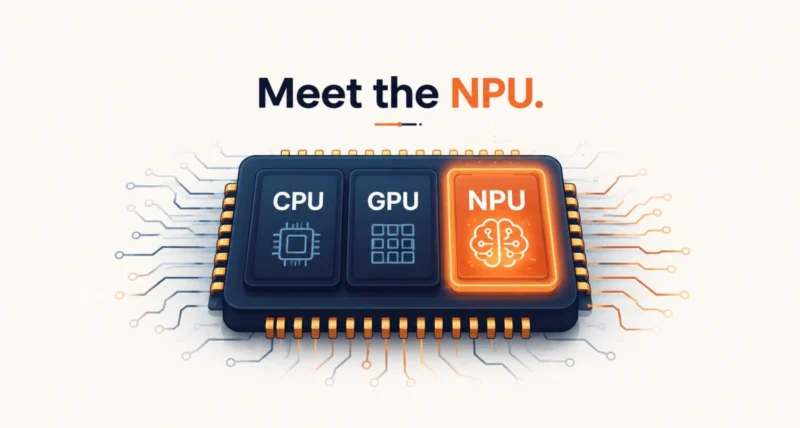
Shopping for a laptop in 2026 means running into a wall of new labels: AI PC, Copilot+, TOPS, and three letters that keep showing up. Those letters are NPU. So what is an NPU, and why is one suddenly sitting inside almost every new laptop? The short version: an NPU is a small chip built to handle artificial intelligence tasks quickly without draining your battery. It landed in your laptop because AI features moved from the cloud onto your device. Your laptop needs specialized hardware to run them. This guide explains what it does, what the numbers mean, and whether you should care.
| The Short Answer An NPU, or Neural Processing Unit, is a dedicated chip inside modern laptops and phones that runs AI tasks efficiently. The CPU handles general computing and the GPU handles graphics, but the NPU focuses on the specific math behind AI while using far less power. It is in your new laptop because AI features like background blur, live captions, and image generation now run directly on your device instead of the cloud, which is faster and more private. NPU speed is measured in TOPS, or trillions of operations per second, and Microsoft requires at least 40 TOPS for a laptop to earn its Copilot+ PC label. For most people, an NPU is a useful bonus rather than the main reason to buy. |
What Is an NPU?
An NPU is a Neural Processing Unit, a chip designed to do one job very well: run artificial intelligence quickly and efficiently. It handles the repetitive math behind AI. That is the kind of work that lets a computer recognize a face, generate an image, translate speech, or clean up your microphone audio.
Here is the key idea to hold onto. An NPU runs AI models that have already been trained. It does not create or train them. That job, called inference, is the everyday side of AI, and the NPU is purpose-built for it. On most laptops the NPU sits on the same piece of silicon as the main processor. The operating system quietly sends AI work its way, while the CPU and GPU handle everything else.
The payoff is efficiency. An NPU can do this AI math using a fraction of the power a CPU or GPU would burn on the same task. That keeps your laptop cool, quiet, and running longer on a charge.
What Is an NPU Compared to a CPU and GPU?
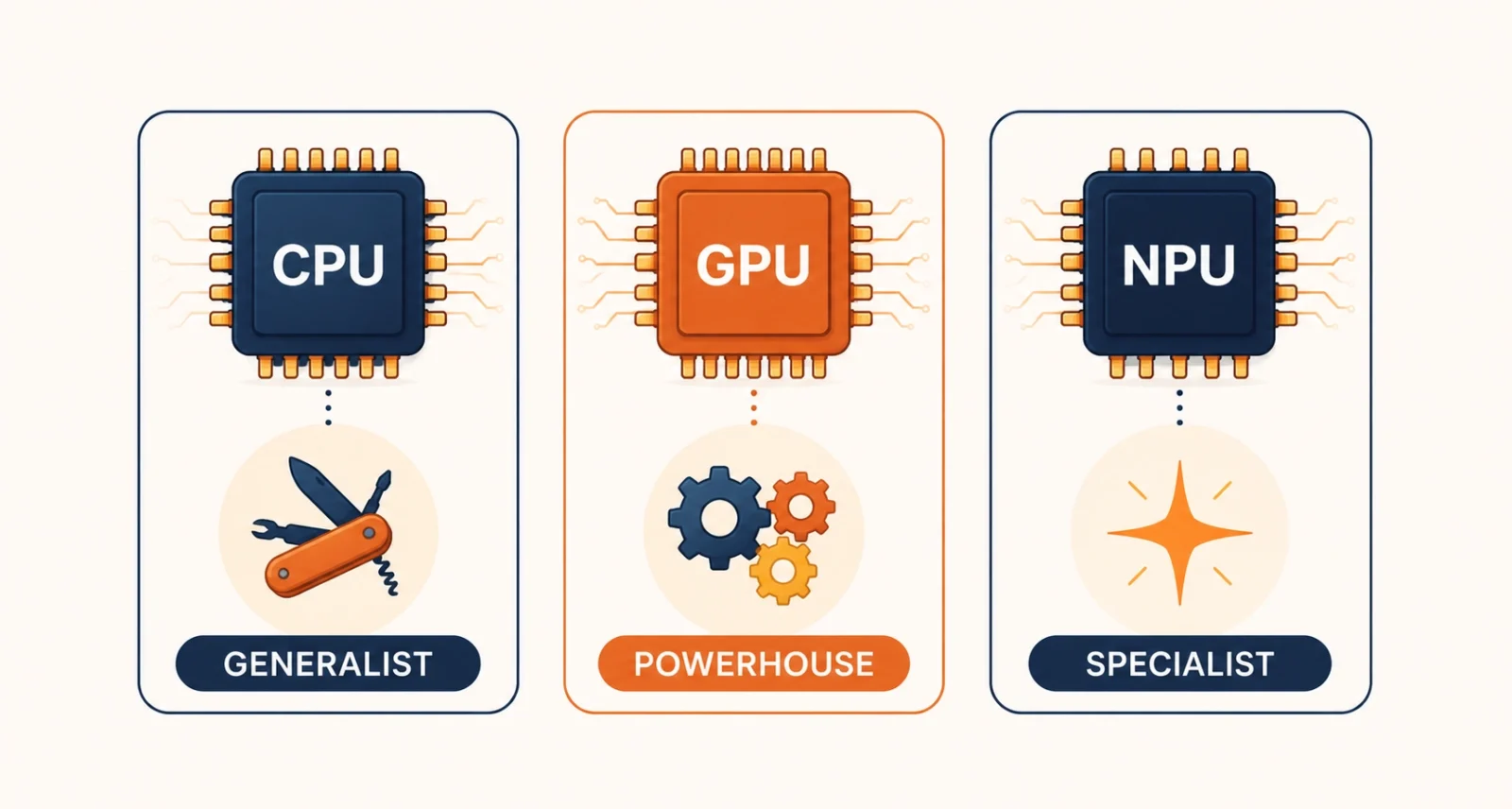
The easiest way to understand an NPU is to place it next to the two chips you already know. Think of them as three different kinds of workers.
| Chip | What It Is Best At | Its Role in AI |
| CPU | General computing, running your system and apps | Can do AI math, but slowly and with heavy power use |
| GPU | Graphics and large parallel workloads | Very fast at AI, but power-hungry and hot |
| NPU | Efficient, low-power AI inference | Runs everyday AI features while sipping battery |
The CPU is the generalist that does a bit of everything. The GPU is the powerhouse that crushes parallel work but runs hot and thirsty. Finally, the NPU is the specialist that handles AI tasks at low power, without stealing resources from the rest of the system. That is why a quick background blur on a video call can run all day on the NPU without flattening your battery.
What Does TOPS Mean?
Once you start reading laptop spec sheets, you will see NPUs rated in TOPS. It stands for trillions of operations per second, and it measures how much AI math the chip can crunch at once. A higher TOPS number means the NPU can handle more AI work, faster, at a lower battery cost.
TOPS matters most because of one number. As Microsoft defines it, a laptop needs an NPU rated at 40 TOPS or more, plus at least 16GB of memory and 256GB of storage, to earn the Copilot+ PC label that unlocks its on-device AI features. Think of 40 TOPS as a floor, not a ceiling. It is the entry ticket, not a measure of how good the experience will be.
| The Catch Nobody Prints on the Box TOPS is not a standardized number. Manufacturers can measure it at different levels of precision, which inflates the figure, and some marketing quotes a combined “platform TOPS” that adds the NPU, GPU, and CPU together. The number that actually decides which Windows AI features you get is the NPU on its own. When you compare laptops, look for the standalone NPU rating, not a big combined figure. |
Why Is There an NPU in Your New Laptop?
For years, AI features ran in the cloud. You sent data to a server, it did the work, and it sent the result back. That is changing fast, and the shift to running AI directly on your device is the whole reason the NPU exists. Three benefits drive it.
Better features
On-device AI powers a growing list of tools, from live video effects to instant translation. Laptop makers want those features to sell the next generation of machines.
More privacy
When AI runs on the NPU, your data stays on your laptop instead of traveling to a cloud server. For anything sensitive, that is a real advantage.
Longer battery life
This is the quiet win. The NPU takes low-level AI work off the CPU and GPU. That stops those chips from draining your battery on background tasks. You get the AI features without paying for them in runtime.
What Can an NPU Actually Do?
To make this concrete, look at the features an NPU runs right now on a typical Copilot+ laptop.
| Feature | What the NPU Does |
| Windows Studio Effects | Background blur, automatic framing, and eye contact on video calls |
| Live Captions | Real-time captions and translation across many languages, on-device |
| Windows Recall | Helps you search almost anything you have seen on your screen |
| Cocreator in Paint | Turns your sketches and text prompts into images, locally |
| Noise suppression | Cleans up background noise from your microphone in real time |
| Local AI models | Runs small language models on your laptop without the cloud |
The same idea applies beyond Windows. On a Mac, Apple’s Neural Engine is the NPU that powers Apple Intelligence features. Whichever brand you use, the pattern holds. The NPU takes on the always-on, everyday AI so the rest of the machine does not have to.
How Much NPU Power Do You Actually Need?
NPU performance has jumped fast, and 2026 laptops clear the 40 TOPS bar with room to spare. Here is where the main chips land today.
| Chip Family (2026) | NPU TOPS | Worth Knowing |
| Qualcomm Snapdragon X2 Elite | About 80 to 85 | Current leader, Arm-based, excellent battery life |
| AMD Ryzen AI 400 | Around 60 | x86, full Windows app compatibility |
| Intel Core Ultra Series 3 (Panther Lake) | Around 50 | x86, the mainstream 2026 baseline |
| Apple M5 Neural Engine | About 40 class | Powers Apple Intelligence; Apple no longer quotes one TOPS figure |
So how much is enough? Match the number to what you plan to do.
- Look for the Copilot+ PC badge first. It guarantees at least 40 TOPS, 16GB of memory, and 256GB of storage in one simple label.
- For smooth everyday AI features, 45 to 50 TOPS gives you comfortable headroom over the minimum.
- To run larger AI models on your own machine, aim higher, toward 60 TOPS or more.
- Avoid buying at exactly 40 TOPS if you want the laptop to keep up as future features raise the bar.
The Limits of an NPU
An NPU is genuinely useful, but it is easy to oversell, so here is the honest side that most spec sheets skip.
First, an NPU cannot train AI models. It only runs them. Training still needs powerful GPUs. Your laptop’s NPU is for using AI, not building it. Second, software has to be written for your specific NPU. Qualcomm, Intel, AMD, and Apple each use different designs. An app only gets the NPU benefit if its developer optimized for that chip. A laptop with a higher TOPS number can even lose to a lower one, if your apps are better tuned for the other chip.
Third, raw TOPS is not the full story. For running larger AI models, memory bandwidth often matters more than the headline figure. That is how fast the chip can feed itself data. A discrete graphics card can advertise well over a thousand TOPS, dwarfing any NPU. But that is the wrong comparison. The GPU is built for raw power, the NPU for quiet efficiency and always-on features. They are teammates, not rivals.
Do You Actually Need an NPU?
Here is the practical answer. If you buy a new laptop in 2026, you will get an NPU whether you went looking for one or not. It now ships with almost every modern chip. The real question is how much weight to give it.
For most people, an NPU is a nice bonus rather than the deciding factor. As TechRadar points out, the specs you feel every day, like battery life, screen quality, memory, and keyboard, still matter more than a TOPS number. Do not let the AI marketing pull your attention away from them.
That said, some people gain real value now. Do you spend hours on video calls, take a lot of your work off the cloud for privacy, or like to tinker with local AI models? If so, a stronger NPU pays off. And because software keeps finding new uses for it, the chip you buy today should grow more useful over the life of the laptop. If you want a similar plain-language breakdown of another confusing spec, our guide to Wi-Fi 7 takes the same approach.
An NPU is the piece of hardware that makes on-device AI possible. It is a small, efficient chip that runs AI features without draining your battery or sending your data to the cloud. It is in your new laptop because AI has moved onto your device, and the NPU is what handles it cleanly. TOPS tells you roughly how capable it is, with 40 as the Copilot+ starting line, but it is only one number among many.
So treat the NPU as a helpful bonus, not the headline. Buy the laptop that nails the everyday things first, and enjoy the AI features that come along for the ride. For more clear, no-hype tech explainers, browse our Technology section.
Frequently Asked Questions
What is an NPU in simple terms?
An NPU, or Neural Processing Unit, is a chip built to run AI tasks efficiently. It handles the math behind features like background blur, live captions, and image generation, using much less power than your main processor. It works alongside the CPU and GPU, taking on the AI work so the rest of the laptop does not have to.
What is the difference between an NPU and a GPU?
Both can run AI, but they are built for different goals. A GPU is a powerhouse that runs AI very fast, though it uses a lot of power and generates heat. An NPU trades raw speed for efficiency, running everyday AI features at low power without draining the battery. For heavy AI work a GPU wins, but for always-on features the NPU is the better fit.
What does TOPS mean for an NPU?
TOPS stands for trillions of operations per second, and it measures how much AI math an NPU can handle at once. A higher number means faster AI work at a lower battery cost. Microsoft requires at least 40 TOPS for a laptop to qualify as a Copilot+ PC. Keep in mind that TOPS is not standardized, so compare the NPU’s own rating rather than a combined platform figure.
Do I need an NPU in my laptop?
If you buy a new laptop in 2026, it will almost certainly have one, so you rarely need to seek it out. For most people it is a useful bonus rather than a reason to buy. It matters more for some users: heavy video callers, people who want to run AI privately on their device, and anyone keen to experiment with local AI models.
What is a Copilot+ PC?
A Copilot+ PC is Microsoft’s label for Windows laptops that meet a set hardware standard. That means an NPU rated at 40 TOPS or higher, at least 16GB of memory, and at least 256GB of storage. Meeting that bar unlocks a group of on-device AI features. These include Windows Studio Effects, Live Captions with translation, and Cocreator in Paint, all running locally.
Can an NPU run AI models locally?
Yes, within limits. An NPU can run smaller AI models directly on your laptop, no internet needed. That is great for privacy and speed. Larger models, however, need more memory and bandwidth than a typical NPU provides, so those still lean on a powerful GPU. An NPU also cannot train models, only run ones that are already trained.

