
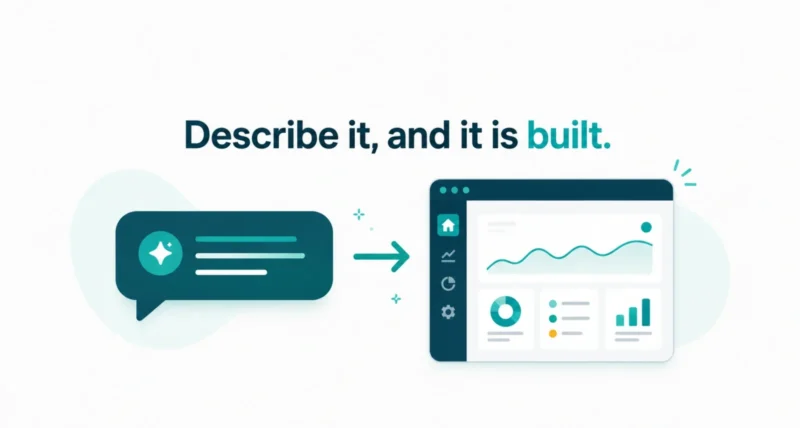
Imagine building a working app without writing a single line of code. You describe what you want in everyday language, an AI writes the code, and a few prompts later you have something real. That is vibe coding, and it is the biggest shift in how software gets made in years. It also raises an obvious question: what is vibe coding actually good for, and can non-coders really build apps that work, or is this just hype? This guide gives you the honest, complete answer, from where the term came from to the best tools, the real limits, and how to start.
| The Short Answer Vibe coding means building software by describing what you want in everyday language and letting an AI write the code. You focus on the idea while the AI handles the syntax, then you test the result and refine it with more prompts. AI researcher Andrej Karpathy coined the term in February 2025, and it spread so fast that Collins named it a word of the year. Can non-coders really build apps? Yes, for the right kind of app. Prototypes, personal tools, and simple products are genuinely within reach now. But apps that handle sensitive data or need to scale still need real engineering, mostly because a non-coder cannot review or fix the code when something breaks. The smart approach is to vibe code for ideas and prototypes, and bring in discipline, or a developer, for anything serious. |
What Is Vibe Coding?
Vibe coding is the practice of building software by describing what you want in natural language and letting an AI generate the code. Instead of writing every line yourself, you tell an AI assistant your goal, it produces the code, and you guide it toward the result you want. Your role changes from typist to director.
As IBM describes it, this is a shift toward intent-driven development, where you concentrate on the outcome and let AI handle the implementation details. Karpathy summed up the change in a line that stuck: the bottleneck moves from syntax to clarity of thought. In other words, the hard part is no longer remembering how to write the code. It is knowing clearly what you actually want to build.
One honest detail matters here. In its purest form, vibe coding means accepting code you do not fully understand, trusting the AI and moving on. That is fine for a fun experiment, but as you will see, it becomes the central problem the moment the stakes go up.
Where Did the Term Vibe Coding Come From?
The term is barely more than a year old. Andrej Karpathy, an OpenAI co-founder and former Tesla AI director, coined it in a short post on X in February 2025. He described a loose, playful style of coding where you, in his words, fully give in to the vibes and forget that the code even exists.
Karpathy framed it as a fun way to tackle throwaway weekend projects, barely touching the keyboard and letting the AI do the work. The post went viral, drawing millions of views. The phrase caught on because it named something people were already doing. It spread so widely that Collins Dictionary named vibe coding a word of the year for 2025. The playful label captured a real turning point: natural language had finally become powerful enough to direct an AI to produce working software.
Vibe Coding vs No-Code vs Traditional Coding
People often confuse vibe coding with no-code tools, but they are not the same. The clearest way to see the difference is to line up all three approaches side by side.
| Approach | Who Writes the Code | What You End Up With |
| Traditional coding | You, by hand, line by line | Full control, but it takes years to master |
| No-code | A visual drag-and-drop platform | Speed, but limited features and locked to that platform |
| Vibe coding | An AI, from your prompts | Real source code you can edit, own, and deploy |
That last column is the key. A no-code platform hands you blocks inside its own walls, and you cannot easily leave. Vibe coding produces genuine, editable source code, which means you own it and can take it anywhere. That is also why it carries real engineering risks that no-code usually hides from you.
How Does Vibe Coding Work?
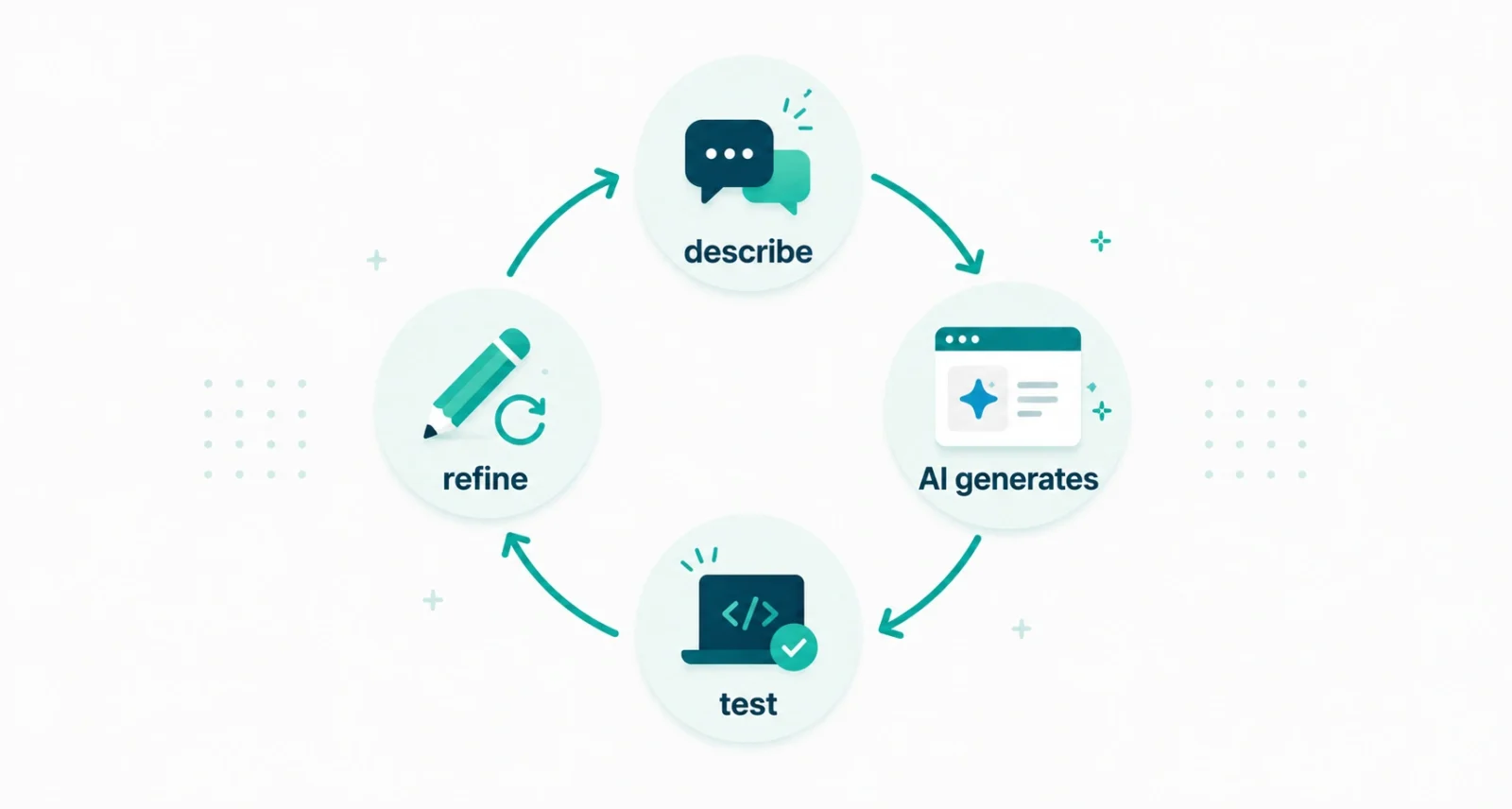
Whatever tool you use, the process follows the same simple loop. Once you have tried it a few times, it becomes second nature.
- Describe what you want. Write a clear prompt explaining the feature or app, including how it should look and behave. The more specific you are, the better the result.
- Let the AI generate the code. The model writes the actual software, often across the whole stack, from the buttons you see to the logic behind them.
- Run it and see what happens. Preview your app and check whether it does what you pictured.
- Spot what is wrong or missing. Note the bugs, the rough edges, and the features you still need.
- Prompt again to fix it. Describe the change in words, let the AI update the code, and repeat until it works the way you want.
The Best Vibe Coding Tools in 2026
The tools have exploded into a huge category, with a combined value in the tens of billions of dollars. Here are the ones worth knowing, grouped by who they suit best.
| Tool | What It Is | Best For |
| Cursor | An AI-powered code editor | People who want AI inside a real coding setup |
| Claude Code | An AI coding agent you run in a terminal | Working through larger, multi-step tasks |
| Replit Agent | A browser-based builder, no setup | Total beginners who want to start instantly |
| Bolt and Lovable | Web app builders driven by chat | Non-coders building web apps quickly |
| v0 by Vercel | A user-interface generator | Turning a description into a polished screen |
| GitHub Copilot | An AI assistant inside your editor | Getting suggestions while you build |
Prices vary, and most offer a free tier to experiment with before you pay. Popular editors like Cursor and Windsurf run in the range of roughly $15 to $20 a month for their paid plans. If you are brand new, a browser-based builder is the friendliest place to begin, since there is nothing to install.
Can Non-Coders Really Build Apps?
This is the question everyone asks, and the honest answer is yes, for the right kind of app. The barrier that used to stop non-coders has genuinely fallen for a whole class of projects.
As Google Cloud puts it, vibe coding makes building software far more accessible to people with little programming experience, turning ideas people into app builders. In practice, non-coders are already shipping real software: prototypes to test a concept, personal tools like budget trackers and habit apps, simple websites, small internal tools, and early product versions. Real, working software has launched this way.
| The Cool Part Think about what this replaces. To build even a basic app before, you had to learn to code, which took months of serious effort, hire a developer, which could cost thousands of dollars, or find a technical co-founder, which is famously hard. Vibe coding lets you start this afternoon, for little or nothing, and see your idea running by tonight. That is a genuine change in who gets to build. |
The Catch: Security and the Last 30 Percent
Now for the honest limits, because this is where non-coders hit a wall. The single biggest problem is simple: if you cannot read the code, you cannot check it, fix it, or spot when it is doing something unsafe. When a vibe-coded app breaks or gets attacked, a non-coder is often stuck.
Security is the sharpest edge of this. Research has repeatedly found that AI-generated code ships with more vulnerabilities than code written carefully by hand. The Conversation notes that the same ease that makes vibe coding fun also makes it easy to ship flaws you never noticed. Exposed passwords, weak defenses, and hidden bugs are common. They get expensive when an app handles real user data. Tellingly, even professional developers report that their trust in AI-written code has been slipping, not rising.
There is also what many builders call the last 30 percent problem. An AI can get you most of the way to a finished app very quickly. But the final stretch is exactly the part that needs real engineering skill: the tricky edge cases, the polish, the security hardening, and the scaling. That is the stretch where non-coders tend to get stuck, and where a working demo is still a long way from a safe, reliable product.
The Smart Way to Vibe Code
None of this means you should avoid vibe coding. It means you should match the method to the stakes. The consensus among experienced builders is clear: vibe code freely for ideas, prototypes, and personal projects, and switch to real engineering discipline for anything that matters.
That discipline is mostly about keeping a human in the loop. Someone reviews the code, tests it properly, and checks it for security before it goes live. That someone might be you leveling up your skills, or a developer you bring in. The signal is hard to miss. In early 2026, Karpathy himself started calling the serious, quality-focused version of this work agentic engineering, a deliberate step away from the carefree spirit of the original term. Even the person who coined vibe coding drew a line between playing and shipping.
| The Golden Rule Vibe code anything you would be happy to throw away. The moment an app touches real user data, payments, or your reputation, stop vibing and start engineering, or bring in someone who can. The fun of accepting code you do not understand ends exactly where other people’s trust and safety begin. |
Should You Try Vibe Coding?
Yes. Whatever your background, it is worth trying once. It is the fastest way ever to turn an idea in your head into something you can actually click on. The trick is to start small and stay honest about what you are building. Here is a safe way in.
- Pick a small, low-stakes project first, like a personal tool, not a banking app.
- Choose a beginner-friendly tool, such as a browser-based builder with nothing to install.
- Describe your idea clearly and specifically, then let the AI build a first version.
- Iterate with prompts and test everything, fixing problems one at a time.
- Before you share it publicly, get the code reviewed if it touches anyone’s personal data.
Vibe coding is a real and lasting change, not a passing fad. By letting you build software in plain, everyday language, it has opened app-making to millions of people who could never have written code by hand. For prototypes, personal tools, and simple products, non-coders genuinely can build working apps today, and that is remarkable.
Frequently Asked Questions
What is vibe coding in simple terms?
Vibe coding is building software by telling an AI what you want in everyday language and letting it write the code. You describe the idea, the AI creates it, and you refine it by asking for changes. It shifts your job from writing code to guiding the AI toward the result you want.
Who invented vibe coding?
The AI researcher Andrej Karpathy, an OpenAI co-founder and former Tesla AI director, coined the term in a post on X in February 2025. He described a relaxed style of coding where you give in to the vibes and let the AI handle the code. The phrase went viral and Collins Dictionary later named it a word of the year.
Is vibe coding the same as no-code?
No. No-code tools let you build inside a visual platform using preset blocks, and you are locked into that platform. Vibe coding uses AI to generate real, editable source code that you own and can deploy anywhere. That gives you far more flexibility, but it also comes with real engineering and security responsibilities.
Can you really build an app with no coding experience?
Yes, for the right kind of app. Non-coders are genuinely building prototypes, personal tools, simple websites, and early product versions with vibe coding. The limits appear with complex apps that handle sensitive data or need to scale. The reason is simple: you cannot easily review or fix AI-written code when something goes wrong.
Is vibe coding safe?
It depends on what you build. For personal or throwaway projects, the risks are low. For anything handling real user data or payments, it can be risky, because AI-generated code often contains security flaws that a non-coder will not spot. The safe approach is to have the code reviewed and tested before you launch anything that matters.
What are the best vibe coding tools?
Popular choices in 2026 include Cursor and Windsurf as AI code editors and Claude Code as a coding agent. For beginners, browser-based builders like Replit Agent, Bolt, and Lovable work well. v0 by Vercel is handy for interfaces, and GitHub Copilot assists inside your editor. Most offer a free tier, so you can try one before paying.

