
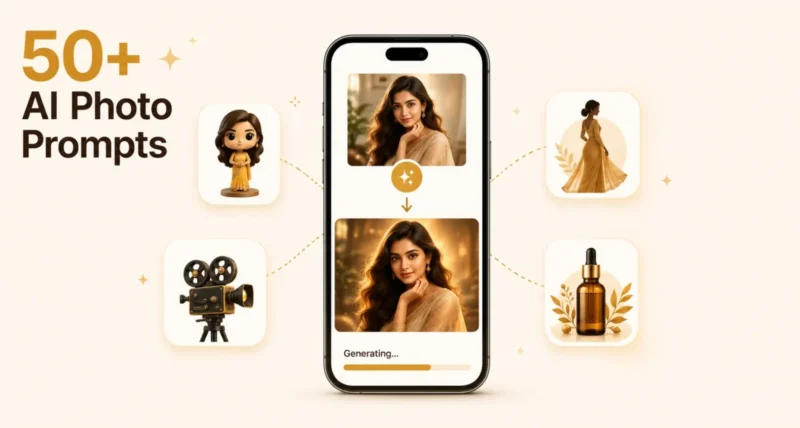
There is a reason your feed has been flooded with hyper-realistic 3D figurines, dreamy saree portraits, and cinematic movie-poster selfies of regular people. It is Nano Banana, Google’s AI image model inside Gemini, and the right prompt turns an ordinary photo into something you would happily print.
The catch is that Nano Banana only feels magical when you feed it a good prompt. Vague prompts get vague results. Specific, structured prompts get the viral ones.
This guide gives you 50+ Gemini AI photo prompts, all tested, all grouped by what you actually want to make. Copy, paste into Gemini, upload your photo, and go. We will also cover the small formula that makes any prompt better.
Here is the short version. Open the Gemini app or gemini.google.com, upload a clear photo, and paste any prompt below. The 50+ prompts are sorted into seven categories: 3D figurines, retro portraits, cinematic posters, sarees and traditional outfits, casual iPhone-style selfies, couples and family, and product mockups. Pick one that fits and run it.
1. What Is Nano Banana and Why It Went Viral
Nano Banana is the nickname for Google’s image model inside Gemini. It started as Gemini 2.5 Flash Image in August 2025, got a Pro upgrade in November (Gemini 3 Pro Image), and now ships as Nano Banana 2 (Gemini 3.1 Flash Image), the default image model in the Gemini app, Google Search, AI Studio, and Vertex AI.
What makes it stand out is that it actually reasons about your prompt instead of just generating pretty pixels. Faces stay recognisable. Text inside images comes out clean. And conversational editing means you can iterate (make her shirt blue, add glasses) instead of starting over.
It is also free in the Gemini app. As eWEEK reported, that combination drove a 30 percent increase in Gemini users between August and November 2025 and turned Nano Banana into the most copied AI image trend of the year.
2. How to Use These Prompts (and the Formula That Works)
Using any of these prompts takes three steps.
First, open the Gemini app on your phone, or gemini.google.com on a desktop. Second, click the image button and upload a clear, well-lit photo (a single subject works best, but group photos work too). Third, paste any prompt below and hit send. If you want to refine, just type what you want changed: warmer light, remove the watermark, add a sunset.
All 50+ prompts work on the free Gemini plan. For sharper 4K results, switch to Nano Banana Pro (the Thinking model) from the model picker. Our beginner’s guide to Google AI Mode covers the broader Gemini ecosystem if you want context.
The Five-Line Formula
Before the list, the simple structure that makes any Nano Banana prompt better. Five lines, in this order:
- Who or what is in the image. Use the person in the uploaded photo to keep facial features.
- 3D figurine, cinematic, retro, anime, hyper-realistic.
- Studio desk, palace courtyard, beach at golden hour.
- Soft cinematic, golden hour, neon, studio key light.
- Keep the same face, 1/7 scale, photo-realistic, 8K.
Stick to this pattern and you can build your own viral prompts in seconds.
3. 3D Figurine and Action Figure Prompts
The trend that broke the internet. These prompts turn a normal photo into a collectible-style figurine on a desk, in a toy box, or in a display case.
1. Classic Collectible Figurine
The original viral prompt
Create a 1/7 scale commercialized figurine of the person in the uploaded photo, realistic style, in a real environment. Place it on a wooden computer desk with a round transparent acrylic base, no text. Show a 3D modeling process on the monitor behind it and a Bandai-style toy packaging box beside it. Studio lighting, shallow depth of field, photorealistic materials.
2. Retro Action Figure
1980s toy aesthetic on yellowed cardback
Turn the person in the uploaded photo into a 1980s action figure inside vintage card-backed packaging. Stiff pose, limited articulation, bright primary colors, yellowed cardboard with retro comic-style logo and art. Film grain, warm color grading, photographed on a thrift-store shelf.
3. Anime Figure on Display
Glossy collectible look
Create a 1/7 scale anime-style figurine of the person in the uploaded photo. Glossy paint, soft cel-shaded details, dynamic pose, transparent acrylic base. Place it on a glass display shelf next to other anime figures. Studio key light, shallow depth of field, photo-realistic.
4. Funko-Style Vinyl Figure
Big head, small body, signature box
Turn the person in the photo into a Funko-style vinyl figure: oversized round head, small body, simple eyes, signature pose. Place inside an official-style Funko window box with title text and a series number. Studio product photography, soft shadows, white background.
5. Miniature Room in a Cube
Diorama-style chibi figure inside a small world
Create an isometric cube-shaped miniature room with a shallow cutaway, containing the person from the uploaded photo as a chibi figure. Inside the cube: a cozy bedroom with detailed furniture, plants, and clutter. PBR materials, soft studio lighting, clean 3D render, photo-realistic finish.
6. Holographic Pop Star Figure
Sci-fi figurine on a glowing stage
Generate a 1/6 scale figurine of the person in the photo as a futuristic pop star, performing on a hologram-projection base. Translucent stage effects, neon-lit microphone, glossy plastic finish, displayed on a black laminate shelf with soft rim lighting.
7. Vintage Tin Toy
Old-school metallic wind-up
Transform the person in the photo into a 1950s wind-up tin toy. Hand-painted metallic finish, simple jointed limbs, visible key in the back. Place on a worn wooden floor with one sunbeam through a window. Faded color palette, slight rust patina, nostalgic feel.
8. Lego Mini-Figure
Brick-toy style with accessory
Turn the person in the uploaded photo into a Lego mini-figure: yellow molded head with classic Lego face, signature hair piece, simple clothing print. Place on a Lego baseplate, holding a small accessory matching their hobby. Studio product photography, clean white background.
4. Retro and Vintage Portrait Prompts
Nostalgia sells. These prompts give you period-accurate yearbook shots, polaroid memories, glamour portraits, and old film looks, all from a regular photo.
9. 90s Yearbook Photo
Mottled blue background, soft hair, slight grain
Generate a 1990s high school yearbook photo of the person in the uploaded image. Standard pose, soft neutral background with mottled blue cloud effect, slightly feathered hair. Authentic Kodak film grain, faded colors, low-resolution scan vibe. Keep facial features unchanged.
10. 80s Mall Glamour Shot
Big curls, neon laser background, soft haze
Recreate the person in the photo as a 1980s shopping-mall glamour shot: big curly hair, soft pastel feather boa, neon laser background, gentle Vaseline-on-lens haze, hand on chin. Warm tones, oversaturated film look, glossy print finish.
11. Vintage Bollywood Portrait
Classical Indian cinema look
Transform the person in the uploaded photo into a 1970s Bollywood film still: rich silk outfit, traditional jewelry, hand-painted backdrop of a palace garden, soft cinematic key light from above, gentle color grading reminiscent of classic Indian cinema. Keep facial features unchanged.
12. 70s Polaroid Memory
Faded warm tones, light leaks
Render the uploaded photo as a 1970s Polaroid: soft warm tones with slight yellow cast, light leaks at the edges, a faint hand-written date on the white border. Casual snapshot composition, sunlight streaming through a window, faded color palette.
13. 40s Hollywood Black and White
Studio glamour, classic film grain
Convert the person in the photo into a 1940s Hollywood studio portrait: black and white with rich tonal range, glossy hair styled in period waves, soft Rembrandt lighting from a single key light, plain dark backdrop. Glamorous, intimate, classic film grain.
14. Faded 35mm Film Photo
Authentic expired-film vibe
Recreate the uploaded photo as if shot on expired 35mm film: visible grain, slight color shift toward warm green, soft focus around the edges, natural skin tones preserved. Casual outdoor scene at golden hour, candid moment.
15. Y2K Magazine Cover
Early-2000s glossy chaos
Place the person from the uploaded photo on a Y2K-style magazine cover: chrome metallic title text in the corner, holographic stickers, butterfly clips, low-rise denim aesthetic, glitter overlays. Glossy magazine paper finish, slight scan texture.
16. 1920s Sepia Portrait
Studio sepia with painted backdrop
Style the person in the photo as a 1920s sepia studio portrait: high-collared period dress or suit, slight head tilt, formal hand placement, painterly painted backdrop. Soft sepia tones, vignette around the edges, fine grain of early photography.
5. Cinematic and Movie Poster Prompts
Turn yourself into the hero. These prompts apply a film treatment: cinematic lighting, theatrical poses, dramatic backgrounds, and movie-poster typography.
17. Blockbuster Movie Poster
Heroic backlight, teal-and-orange grading
Turn the uploaded photo into a Hollywood movie poster: the person stands heroically centre-frame against a dramatic sky with city skyline silhouette. Title text reading [TITLE] in bold cinematic font at the top, tagline below. Backlit silhouette with rim light. Teal-and-orange color grading, high contrast.
18. Noir Detective Scene
Trench coat, fog, single street lamp
Recreate the person in the photo as a 1940s film-noir detective: trench coat and fedora, standing under a single street lamp, fog rolling through a wet city alley at night. Black and white with deep shadows, single warm light source. Cinematic 16 by 9 composition.
19. Cyberpunk Tokyo
Neon signs, holograms, gentle rain
Place the person from the uploaded photo in a cyberpunk Tokyo street at night: neon Japanese signage, glowing puddles, holographic billboards, gentle rain. Cinematic wide shot, color grading heavy in magenta and cyan, lens flare from neon signs.
20. Period Drama Still
Bridgerton-style candlelit warmth
Render the person in the photo as a Victorian-era period drama film still: elaborate period costume, candlelit drawing room, oil-painting backdrop. Cinematic warm key light, soft fall-off, painterly composition reminiscent of Bridgerton.
21. Adventure Movie Poster
Indiana-Jones-style torchlight and ruins
Turn the uploaded photo into an Indiana Jones-style adventure movie poster: the person at the centre holding a torch, ancient temple ruins behind, golden light filtering through dust particles. Bold title in classic adventure font, tagline below.
22. Romance Film in Paris
Eiffel Tower out of focus, golden hour
Style the person in the photo as a romantic film still set in Paris: standing on a cobbled street with the Eiffel Tower softly out of focus in the background. Golden hour, gentle wind in the hair, cinematic depth of field, warm color grading.
23. Horror Movie Poster
Half-lit face, foggy forest, blood-red title
Turn the uploaded photo into a horror movie poster: the person’s face in close-up, half lit, half in deep shadow. Foggy forest backdrop, sliver of moonlight, blood-red title typography at the top, single tagline at the bottom. High contrast, desaturated colors.
6. Saree and Traditional Outfit Prompts
Some of the most-shared Nano Banana edits in South Asia. These prompts dress the person in your photo in classical saree, lehenga, or sherwani styles, with palace backdrops and cinematic light.
24. Royal Red Saree
Deep red silk, palace courtyard at golden hour
Transform the person in the uploaded photo into a Bollywood-style portrait wearing an elegant deep red silk saree with intricate gold zari embroidery. Add a small bindi, traditional gold jewelry, and gajra in the hair. Background: classical Indian palace courtyard at golden hour. Cinematic lighting. Keep facial features unchanged.
25. Royal Wedding Lehenga
Heavy maroon and gold, candlelit haveli
Style the person in the photo in a royal Indian wedding lehenga: heavy gold embroidered fabric in deep maroon, full jewelry set including maang tikka and choker, soft duppata draped over the head. Setting: candle-lit haveli interior with marigold strings. Soft cinematic lighting.
26. Royal Sherwani Groom
Ivory and gold silk, candlelit darbar
Render the person in the photo in a classic royal Indian groom sherwani: ivory and gold silk with intricate threadwork, matching pagdi turban with kalgi, embroidered mojari shoes. Background: candle-lit darbar hall with brass lanterns and marigolds. Cinematic warm light, dignified pose.
27. 1950s Bombay Film Saree
Black-and-white actress portrait
Style the person in the photo as a 1950s Bombay film actress: classic black and white era saree with bold border, hair styled in soft side curls, statement jewelry, gentle smile. Studio portrait with soft key light, painted floral backdrop, sepia-toned grain. Keep face unchanged.
28. Festive Diwali Portrait
Diyas, rangoli, soft fireworks
Place the person from the uploaded photo in a Diwali celebration scene: wearing a glittering festive saree or kurta, holding a traditional diya. Background: courtyard with rangoli, hundreds of glowing diyas, soft fireworks in the night sky. Warm cinematic light. Keep facial features unchanged.
29. South Indian Kanjivaram
Emerald or magenta silk, temple at sunset
Transform the person in the photo into a Kanjivaram silk saree portrait: rich emerald or magenta silk with broad gold border, temple jewelry, jasmine flowers in the hair, traditional bindi. Setting: South Indian temple courtyard at sunset. Cinematic warm lighting.
30. Modern Indo-Western
Embroidered jacket, rooftop golden hour
Restyle the person in the uploaded photo in a modern Indo-Western outfit: embroidered jacket over palazzo pants, statement jhumkas, subtle nose pin. Setting: a chic rooftop at golden hour with city lights coming on behind. Lifestyle editorial photography, soft natural light.
7. Casual and iPhone Selfie Style Prompts
Sometimes the magic is making AI look less like AI. These prompts get a real, slightly imperfect iPhone-camera look, the kind your friend takes.
31. Spontaneous Beach Selfie
Slight overexposure, candid grin
Generate a casual iPhone-style selfie of the person in the uploaded photo at a tropical beach. Slight motion blur, slightly overexposed in the sky, candid grin, sand on hands. Phone front-camera look, midday natural light, no filter.
32. Cafe Window Photo
Side light, blurred street outside
Create a casual iPhone shot of the person in the photo sitting at a cafe window with coffee in hand. Soft window light from the side, blurred street scene outside, candid expression, ungroomed real-life look. Slight grain, no filter.
33. Concert Crowd Selfie
Stage lights, neon haze, motion blur
Place the person from the uploaded photo in a concert crowd selfie: hands up, stage lights behind, motion blur, neon haze, sweaty crowd energy. Phone-camera quality, slightly tilted angle, the joy of being there. No filter.
34. Mountain Top Snapshot
Sweeping landscape, wind in the hair
Render the uploaded photo as a phone snapshot at a mountain peak: the person holding up a thumbs-up, sweeping landscape behind, slight squint from the bright sun, wind in the hair. Natural midday light, no filter, real-life look.
35. Rainy Day Window
Soft daylight, droplets on glass
Create a soft iPhone-style photo of the person from the uploaded image looking out a rainy window. Raindrops on the glass, soft daylight, contemplative mood, slight reflection in the glass. Phone camera depth of field, no filter.
36. Friend Group Pile
Off-centre, motion blur, cosy chaos
Generate a casual group iPhone photo with the person from the uploaded image squeezed into a friend pile on a couch. Off-centre framing, motion blur, varied expressions, sunlight from a side window, cosy living room background. Slightly blurry, real selfie feel.
37. Late Night Drive
City lights streaking, warm interior glow
Show the person in the photo in a candid iPhone snap during a late-night drive: city lights streaking through the side window behind them, soft warm interior glow, slight phone-camera grain. Cinematic but accidental composition.
8. Couples, Family and Friends Prompts
Nano Banana handles two or more faces well, which is why couple and family edits have been so popular. These prompts keep multiple subjects looking like themselves.
38. Couple at Sunset
Golden hour silhouette, beach in soft focus
Turn the uploaded photo of two people into a cinematic couple portrait at a beach sunset: golden hour light, soft hand-holding, gentle silhouette. Beach in soft focus. Painterly cinematic light, warm tones, both faces clearly visible.
39. Wedding Day Portrait
Soft floral backdrop, golden window light
Style the two people in the uploaded photo as a couple on their wedding day: classic white gown and black tux (or your preferred outfit), soft floral backdrop, golden hour light through a window. Romantic, elegant, cinematic depth of field. Keep both faces unchanged.
40. Family Studio Portrait
Coordinated neutrals, soft white-grey backdrop
Create a classic studio family portrait of the people in the uploaded photo: coordinated outfits in soft neutral tones, soft white-grey gradient background, gentle key light from the front. Everyone smiling naturally, expressions warm and easy.
41. Friends at a Cafe
Window light, magazine-lifestyle feel
Generate a candid wide shot of the friends in the uploaded photo sitting around a cafe table with coffee and pastries. Window light, magazine-lifestyle composition, slightly tilted angle, real conversation feel.
42. Pet and Owner Portrait
Studio setup, both looking at camera
Turn the uploaded photo into a professional pet-and-owner portrait: studio setup with soft key light, neutral grey backdrop, both looking toward the camera. Warm color grading, sharp focus, magazine-style framing.
43. Vintage 70s Family Photo
Brown furniture, wood paneling, on-camera flash
Style the family in the uploaded photo as a 1970s living-room snapshot: brown furniture, wood paneling, wide-collared shirts, slightly faded color, on-camera flash. Authentic period clothing and decor, warm nostalgic feel.
44. Couple Travel Postcard
Landmark behind, postcard text overlay
Generate a postcard-style image of the two people from the uploaded photo standing in front of a famous landmark (specify: Eiffel Tower, Taj Mahal, Sydney Opera House), in coordinated outfits, soft golden hour light. Slight border, postcard text overlay reading Greetings from [PLACE].
9. Product and E-commerce Mockup Prompts
Nano Banana’s real-world knowledge and text rendering shine on product photography. These prompts are useful for sellers, indie brands, and anyone needing a quick clean mockup.
45. Studio Product Shot
Clean white seamless background
Create a clean studio product photo of [PRODUCT from uploaded image]: white seamless background, soft top-down key light with a gentle fill, sharp shadows, e-commerce-ready composition. Photo-realistic, pristine, 8K detail.
46. Lifestyle Product Scene
Wooden table, sunlit notebook nearby
Place [PRODUCT from uploaded image] in a natural lifestyle scene: a sunlit wooden table with a coffee cup and a notebook nearby, soft window light from the side. Warm magazine-lifestyle photography, shallow depth of field.
47. Pouch Packaging Mockup
Brand logo on a standing pouch
Generate a 3D packaging mockup using the uploaded brand logo: a tall standing pouch with the logo prominently on the front, gentle product reveal angle, soft studio key light, white seamless background. Photo-realistic, ready for portfolio use.
48. Branded Coffee Cup
Cup on a wooden counter, steam, soft backlight
Apply the logo from the uploaded image to a takeaway coffee cup. Show the cup on a wooden cafe counter with steam rising, warm window light from behind, shallow depth of field. Photo-realistic product mockup.
49. App Screen Mockup
Floating phone frame on pastel gradient
Place the uploaded app screenshot inside a modern iPhone frame floating against a soft pastel gradient background. Subtle drop shadow, slight isometric angle. Clean, App-Store-listing-ready presentation.
50. Skincare Bottle Beauty Shot
Matte white, soft side light, water splash
Create a minimal skincare product mockup with the bottle from the uploaded image as the hero: matte white background, soft studio side light, gentle reflection underneath, small splash of water around the base. Premium beauty editorial look.
51. Storefront Brand Banner
Hanging banner, boutique entrance, greenery
Generate a hanging storefront banner with the brand logo from the uploaded image. Mounted above a stylish boutique entrance with greenery on either side, warm afternoon light, slight motion in the canvas. Photo-realistic urban lifestyle composition.
10. Tips to Get Better Results Every Time
A handful of habits separate good Nano Banana outputs from great ones.
- Upload a clear photo. Good lighting and a sharp face make every other instruction work better.
- Say keep facial features unchanged. Especially for portrait-style prompts, this single line stops Nano Banana from drifting away from the real face.
- Add lighting and mood words. Golden hour, soft cinematic, neon rim, studio key, candlelit. Lighting words change a result more than any other detail.
- Iterate, do not regenerate. If the first output is close, just type the change in chat (warmer light, longer hair). It will edit instead of starting over.
- Use Nano Banana Pro for text and 4K. Switch to the Thinking model when you need clean readable text on a poster or a sharp final print.
If you want a deeper directory of community prompts, AIxploria’s Nano Banana prompt list keeps a regularly updated set worth bookmarking.
Frequently Asked Questions
What is Nano Banana in Gemini?
Nano Banana is the nickname for Google’s image model inside Gemini, currently rolling as Gemini 3.1 Flash Image (called Nano Banana 2). It generates and edits photos from prompts, with strong character likeness and clean text rendering.
Is Nano Banana free to use?
Yes. It is free inside the Gemini app and on gemini.google.com. For sharper 4K output or complex compositions, switch to Nano Banana Pro (the Thinking model) from the model picker.
How do I use these prompts?
Open Gemini, upload a clear photo using the image button, paste any prompt from this guide, and hit send. To refine the result, type what you want changed and Gemini will edit instead of starting over.
Why are some results different from what I expected?
AI image models still vary run to run. Be more specific in your prompt, follow the five-line formula, and use the Pro model for serious work. Most issues come from vague instructions or low-quality input photos.
Can I use these images commercially?
Check Google’s current Gemini terms before any commercial use, since AI image policies change often. Personal and social use is fine. For brand or product work, read the latest Google AI usage terms first.
Does Nano Banana keep my face accurate?
It is one of the best at character consistency, but always add keep facial features unchanged in portrait prompts. That single line reduces drift more than any other tweak.
If this list helped, you may also like our roundup of AI tools that programmers and creators use, which covers more ways to use AI for everyday creative work.

