
Three AI tools are dominating tech-Twitter and TikTok right now, and they have almost nothing in common. Higgsfield AI lets you generate cinematic video clips from a single prompt. Lovable lets you build a full working web app by typing what you want. Turbo AI turns a recorded lecture or a PDF into clean study notes and flashcards in 30 seconds. Different products. Different audiences. All three growing faster than almost any software in history.
If you have seen these names everywhere and wondered whether they are hype or actually useful, this guide gives you the honest answer for each. What it does, how it works, what it costs, who it is for, and where it falls short.
Here is the short version. Higgsfield AI is for creators making short-form video content (think social ads, UGC, cinematic clips). Lovable is for non-coders who want to build a working web app without hiring an engineer. Turbo AI is for students and professionals who want to skip the manual work of taking notes from lectures, PDFs, or YouTube videos. Below is the full breakdown of each, with a comparison table and a clear answer to which one you should use.
1. Higgsfield AI: The Cinematic AI Video Tool
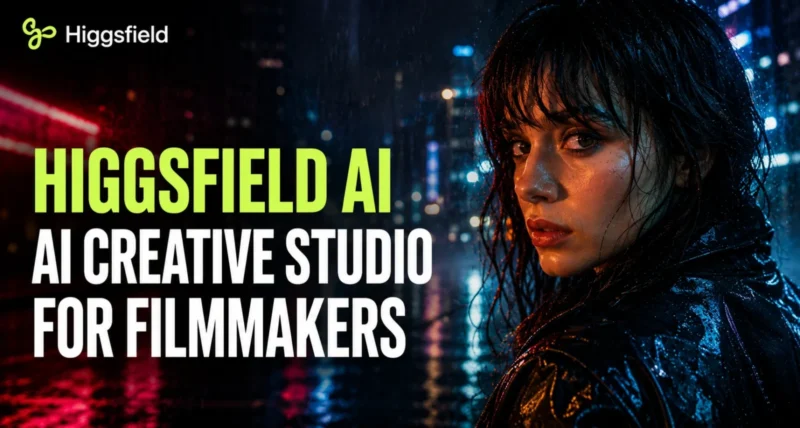
Higgsfield AI is an AI video generation platform that turns text prompts, images, or selfies into short cinematic clips. Founded in 2023 by Alex Mashrabov (former head of generative AI at Snap), Yerzat Dulat, and Mahi de Silva, the company is based in San Francisco. It launched publicly in early 2025 and reached over 15 million users within nine months, raising a $130 million Series A at a $1.3 billion valuation in January 2026.
What sets Higgsfield apart from rival video tools is its aggregator model. Instead of building one in-house model, Higgsfield gives you access to multiple top video models through a single subscription, including Sora 2, Google Veo 3 and Veo 3.1, Kling 3.0, Seedance, and others. It also has its own proprietary models (Higgsfield Soul 2.0 for images, Higgsfield DoP for video).
Key Features
- Cinematic Camera Presets. Over 70 preset camera moves like Bullet Time, Crash Zoom, Dolly Shot, and 360 Rotation. You pick the move, drop in an image or prompt, and Higgsfield handles the rest.
- Click-to-Video Workflow. Choose a preset, click once, get a cinematic clip. No prompt engineering required.
- Higgsfield Speak. Turns a selfie or photo into a talking-head video with synced lip-movement and a voice you generate or upload.
- UGC Builder. Generates user-generated-content-style ads using Veo 3, aimed at marketers running short-form social ads.
- Diffuse Mobile App. iOS and Android apps for generating on the go.
- Draw-to-Video. Sketch a scene and the AI animates it into a video clip.
How It Works (Step by Step)
Step 1. Go to higgsfield.ai and sign up. Free credits are available on the basic tier.
Step 2. Pick the kind of output you want: text-to-video, image-to-video, talking head, or one of the 70+ cinematic camera presets.
Step 3. Upload your reference image or write a short text prompt describing what you want.
Step 4. Select the underlying model (Sora 2 for highest quality, Kling 3.0 for credit-efficient runs, Veo 3 Fast for cheaper clips).
Step 5. Generate. A typical clip takes 30 seconds to 2 minutes depending on the model and queue time.
Pricing
Higgsfield uses a credit-based model where different video models cost different amounts of credits. As of mid-2026, pricing tiers start around $15 to $19 per month for the entry plan, with Plus, Ultra, and Business tiers above that. Premium models like Sora 2 and Veo 3 consume more credits per video than budget models like Kling 3.0 or Soul V2. Check the official Higgsfield pricing page for current numbers, since this changes frequently.
Who Higgsfield Is For
Social media managers, short-form video creators, performance marketers, and e-commerce brands. If your job involves producing dozens of social ad creatives or short cinematic clips per week, Higgsfield is built for you. It is less useful if you want a long-form narrative film or precise frame-by-frame control.
Honest limitation: Higgsfield has faced criticism in 2026 for moderation issues with user-generated content and disputes with affiliate creators. The tool itself works well for marketers, but if reputation and platform stability matter to your brand, factor that in.
2. Lovable: The AI App Builder for Non-Coders
Lovable is an AI platform that builds working full-stack web apps from natural language prompts. You describe what you want (“a client booking portal with login and a calendar view”) and Lovable generates the entire app: frontend, backend, database, authentication, and a public URL where you can use it.
Lovable was founded in 2023 by Anton Osika (CEO) and Fabian Hedin (CTO) in Stockholm, Sweden. It started life as the open-source project GPT Engineer in mid-2023, was rebranded to Lovable in late 2024, and reached over $100 million in annual recurring revenue within eight months of launch, the fastest any software company has ever hit that milestone. In mid-2025 it raised a $200 million Series A at a $1.8 billion valuation. The category Lovable popularised, building software by chatting with an AI, is now widely called “vibe coding.”
Key Features
- Full-Stack Generation. Lovable generates React frontend, TypeScript code, Tailwind CSS styling, a Supabase backend with database and authentication, and deploys the app to a live URL. All from a single conversation.
- Conversational Iteration. After the first generation, you can keep chatting to refine the app (“make the dashboard sidebar collapsible,” “add a Stripe payment screen”). Lovable rewrites the relevant code.
- Visual Editing. Click directly on any element in the preview to edit it without typing prompts.
- GitHub Two-Way Sync. Connect your Lovable project to a GitHub repository. You own the code. If you outgrow Lovable, you can take the project with you.
- Custom Domains. Paid plans support connecting your own domain.
- Agent Mode. Autonomous AI that can independently explore your codebase, debug issues, and complete multi-step tasks without constant prompting.
How It Works (Step by Step)
Step 1. Sign up at lovable.dev. The free tier gives you 5 daily credits (30 per month) to test the platform.
Step 2. Describe what you want to build. Be specific. “A simple task manager with login, dark mode, and the ability to add due dates” works better than “a productivity app.”
Step 3. Wait 1-5 minutes. Lovable generates the full app and shows a live preview.
Step 4. Iterate by chatting (“change the colour scheme to dark green,” “add a comments feature”) or by clicking directly on elements in the preview.
Step 5. Publish to a Lovable subdomain, connect a custom domain, or export the code to GitHub.
Pricing
Lovable runs on a credit-based system, with each prompt consuming roughly 0.5 to 1.5 credits depending on task complexity. Current tiers: Free (30 credits per month), Pro ($25 per month, 100 credits), Business ($50 per month), Enterprise (custom). Annual plans get a 20 percent discount. Top-up credit packs are available if you run out mid-month. Verify the current pricing at lovable.dev before subscribing.
Who Lovable Is For
Non-technical founders building MVPs, product managers prototyping ideas, marketers building landing pages and internal tools, and developers who want to skip the boilerplate. It is the right tool when you need a working full-stack web app fast and do not have an engineering team.
Honest limitation: Lovable works best for clean, structured CRUD apps (think dashboards, forms, marketplaces). Complex custom logic, heavy integrations with external APIs, or production-grade enterprise apps may need a developer to take over after the initial prototype. The credit system can also get expensive on iteration-heavy projects.
If you are interested in AI-assisted design more broadly, our guide on how to design landing pages with Claude walks through a complementary workflow.
3. Turbo AI: The Note-Taking Study App
Turbo AI (formerly TurboLearn AI) is an AI note-taking platform that turns recorded lectures, PDFs, YouTube videos, and uploaded audio into structured notes, flashcards, quizzes, and AI-generated podcasts. You upload the source material and the platform produces ready-to-use study materials in about 30 seconds.
Turbo AI was founded in 2023 by Sarthak Dhawan and Rudy Arora, both college dropouts (Duke and Northwestern). It rebranded from TurboLearn AI to Turbo AI in October 2025 after reaching 5 million users. The platform is now used at over 5,000 colleges. It also serves professionals at firms like McKinsey and Goldman Sachs for meeting summaries and report digestion. The mobile apps hold 4.8 stars on the App Store and 4.6 on Google Play.
Key Features
- Multi-Source Input. Upload PDFs, MP3 audio files, paste YouTube URLs, or record audio live in the app.
- Auto-Generated Notes. Structured notes with tables, diagrams, equations, and emojis. Synced across web and mobile.
- Flashcards with Spaced Repetition. Automatic flashcard generation that adapts to your learning pace using spaced repetition algorithms.
- Quizzes and Practice Questions. Unlimited practice questions with detailed answer explanations.
- AI Chat with Your Notes. Ask follow-up questions about any material you have uploaded. The AI cites the source you uploaded.
- AI-Generated Podcasts. Turns your uploaded notes into a two-host conversational podcast for passive review while commuting or exercising.
- Export Options. Notes can be exported as PDF, DOCX, or Markdown.
How It Works (Step by Step)
Step 1. Sign up at turbo.ai or download the iOS / Android app. The free Starter plan lets you test core features.
Step 2. Upload your source material: a recorded lecture, a PDF, a YouTube video URL, or live audio.
Step 3. Wait roughly 30 seconds. Turbo AI transcribes (if audio), analyses, and produces a structured note set.
Step 4. Tap into the auto-generated flashcards or quiz mode to start revising.
Step 5. Use the AI chat to ask follow-up questions about the source material. The AI answers with references to your uploaded content.
Pricing
Turbo AI uses a simple two-tier model: a free Starter plan with usage limits, and a Paid plan at $9.99 per month (when billed annually) or $19.99 per month (billed monthly). The Paid plan unlocks unlimited PDF uploads, audio hours, YouTube videos, faster AI processing, and unlimited chat conversations and notes. Verify current pricing at turbo.ai.
Who Turbo AI Is For
University students who attend lectures and revise from PDFs or recordings, professionals who sit through long meetings and need clean summaries, and lifelong learners who consume YouTube educational content. It is the right tool when you want to skip manual note-taking and have AI extract the key information.
Honest limitation: Turbo AI works best with single-speaker, structured content (a clear lecture, a textbook chapter, a single-speaker YouTube video). Multi-speaker recordings, group discussions, or noisy audio produce less accurate transcriptions and weaker downstream notes. The free plan limits are also not transparent, so you may hit a paywall mid-task.
4. Quick Comparison: Higgsfield vs Lovable vs Turbo AI
Side by side, on the metrics that matter when you are deciding which to subscribe to.
| Feature | Higgsfield AI | Lovable | Turbo AI |
| Category | AI video generation | AI app builder | AI note-taking and study |
| Founded | 2023, San Francisco | 2023, Stockholm | 2023, by Duke and Northwestern dropouts |
| Best for | Marketers, video creators | Non-coder founders, PMs | Students, professionals |
| Output | Short cinematic video clips | Working full-stack web apps | Notes, flashcards, quizzes, podcasts |
| Free plan | Limited credits, watermark | 5 daily credits / 30 monthly | Limited usage |
| Entry paid tier | ~$15-19/month (varies) | $25/month (Pro) | $9.99/month (annual) |
| Pricing model | Credit-based, subscription | Credit-based, subscription | Flat subscription |
| Learning curve | Low (preset-driven) | Medium (prompt iteration) | Very low (upload and go) |
| Best alternative | Sora, Runway, Pika | Bolt.new, v0, Cursor | NotebookLM, Otter.ai |
5. Which One Should You Use?
Pick based on what you are actually trying to do. These three tools do not overlap, so the choice is straightforward.
Pick Higgsfield AI If
- You make short-form video content (TikTok, Instagram Reels, YouTube Shorts) and want cinematic results without filming.
- Your job involves paid social ads, where you need to test dozens of UGC-style creatives per week.
- E-commerce listings need auto-generated product video clips at scale.
- Creators wanting talking-head clips without setting up a camera benefit most.
Choose Lovable If
- You have a web app idea and you cannot code.
- Founders needing to ship an MVP fast to test the market before hiring engineers save weeks.
- Product managers wanting to prototype an idea before writing a product spec can build demos instead.
- Developers wanting to skip CRUD boilerplate and focus on the interesting parts move faster.
Go With Turbo AI If
- You are a student wanting to skip the manual note-taking grind.
- Long meetings that need clean summaries with action items fit perfectly here.
- Research papers or textbooks become flashcards automatically.
- Educational YouTube content gets turned into structured study material.
Realistic combination: These three tools are not competitors. A student could subscribe to Turbo AI for study work, a founder could use Lovable for their startup, and both might use Higgsfield AI for content marketing. Total cost across all three at entry tiers: roughly $50 to $60 per month. Whether that is worth it depends on how much time each saves you.
6. Why These Three Tools Matter in 2026
Three years ago, none of this was possible. Today, all three categories represented here (AI video generation, AI app building, AI study tools) have gone from research demos to multi-billion-dollar businesses with millions of users.
The common pattern is what people now call “vibe-driven” workflows. You describe what you want in natural language, the AI handles the technical execution, and you iterate by talking to it. This is the same pattern behind Google AI Mode for search, Sora for video, and NVIDIA RTX Spark enabling AI to run locally on consumer hardware. The friction between “I have an idea” and “I have a working result” is collapsing fast.
Whether this is good or bad is a separate conversation. What is undeniable is that the tools work well enough today to produce real value for real users at real prices. The question is no longer “is AI useful” but “which AI tool fits the specific job I am trying to do.” These three are strong answers for three of the most common jobs.
7. Things to Watch Out For
Some honest cautions before you sign up for any of these.
- Pricing changes frequently. All three platforms have changed pricing tiers multiple times in 2025 and 2026. Always check the official pricing page before subscribing.
- Credit systems can surprise you. Higgsfield and Lovable both use credit-based billing. Heavy users (especially on Higgsfield with premium models like Sora 2) can burn through monthly credits in a few days. Read the credit cost per action before committing.
- Output quality varies by model. On Higgsfield, the cheapest models produce noticeably worse video than Sora 2 or Veo 3. On Lovable, simple apps work great but complex custom logic can produce broken code that needs manual fixing. On Turbo AI, single-speaker structured content produces great notes, but messy audio produces messy notes.
- Data and privacy. If you upload sensitive material (medical lectures, internal company meetings, proprietary documents) check each platform’s privacy policy and data handling before uploading. Encryption claims should be verified for your specific use case.
- Free plans have hidden limits. All three free tiers exist mainly to let you test the platform. None are viable for sustained production work. Budget for a paid plan if you plan to use any of these regularly.
Frequently Asked Questions
What is Higgsfield AI used for?
Higgsfield AI is an AI video generation platform that turns text prompts, images, or selfies into short cinematic video clips. It is used by social media creators, marketers running short-form ads, and e-commerce brands generating product video clips. The platform aggregates multiple top AI video models (Sora 2, Veo 3.1, Kling 3.0, and others) under a single subscription.
Is Higgsfield AI free?
Higgsfield AI has a free tier with limited daily credits and watermarked outputs. The free tier is useful for testing the platform but not for production work. Paid plans start around $15 to $19 per month, with higher tiers giving more credits and access to premium models. Pricing can change so verify on the official site.
What is Lovable AI?
Lovable is an AI app builder that turns natural language prompts into working full-stack web applications. You describe what you want to build and Lovable generates the frontend, backend, database, and authentication, then deploys it to a live URL. It is the leading product in the category now called “vibe coding.”
Is Lovable better than Bolt.new or v0?
They serve slightly different audiences. Lovable produces full-stack apps with backend and database from the start, which is better for non-technical founders shipping MVPs. Bolt.new and v0 are sometimes preferred by developers who want more control over the generated code. Lovable’s growth and revenue numbers suggest it has won the non-technical-founder segment decisively.
What is Turbo AI?
Turbo AI (formerly TurboLearn AI) is an AI note-taking and study platform. It turns uploaded PDFs, recorded lectures, YouTube videos, and live audio into structured notes, flashcards, quizzes, and AI-generated podcasts. It is used at over 5,000 colleges by more than 5 million students and professionals.
Is Turbo AI legitimate or a scam?
Turbo AI is a legitimate, well-reviewed product. It holds 4.8 stars on the iOS App Store and 4.6 on Google Play. The company is funded by professional investors. Some users have complained about the subscription model after a previously free version, but the product itself is not a scam.
Are these AI tools safe for academic work?
Turbo AI is designed for study aid (note-taking, flashcards, quizzes from your own uploaded material) which is generally acceptable in academic settings. However, using AI to generate essays or coursework can violate academic honesty policies at most universities. Check your school’s policy before submitting AI-generated content.
Can I use all three tools together?
Yes. The three tools serve completely different jobs, so they work well together. A common stack: Turbo AI for processing study or meeting material, Lovable for building a startup or internal tool, and Higgsfield AI for producing marketing video content. Total subscription cost at entry tiers is roughly $50 to $60 per month combined.
Are these the only AI tools worth using in 2026?
No, they are three of the fastest-growing tools in their specific categories. Strong alternatives include Sora and Runway in AI video, Bolt.new and v0 in AI app building, and NotebookLM and Otter.ai in note-taking. These three are getting attention right now because of their growth, but the best tool for you depends on your specific use case.

